Answered
Bad colors when exporting a SVG
Hello,
When I export a SVG, all the colors are bland
Here is an example:
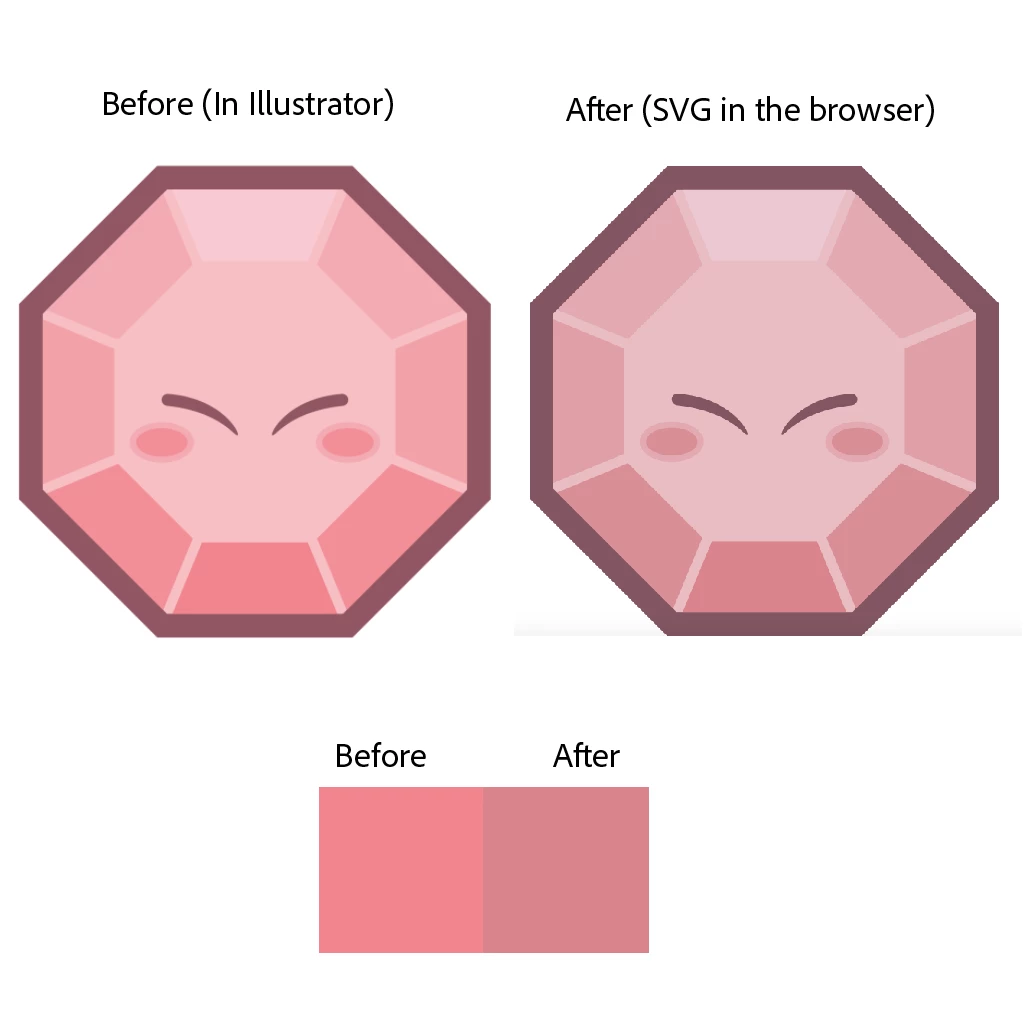
Why this is happening? How do we fix it?
Thank you!
Hello,
When I export a SVG, all the colors are bland
Here is an example:
Why this is happening? How do we fix it?
Thank you!
I'm not sure...
Here are my files if you want to test them:
So you may go to Edit > Assign Profile... and assign an sRGB profile.
That will give you the same colors that you see in your SVG file
To get more saturated colors you can correct it with Edit > Edit Colors > Saturate (or Recolor Artwork).
Already have an account? Login
Enter your E-mail address. We'll send you an e-mail with instructions to reset your password.
 AdChoices