Known Participant
September 14, 2019
Question

Best way to blend photo background into Illustrator background

  • September 14, 2019
  • 2 replies
  • 3591 views

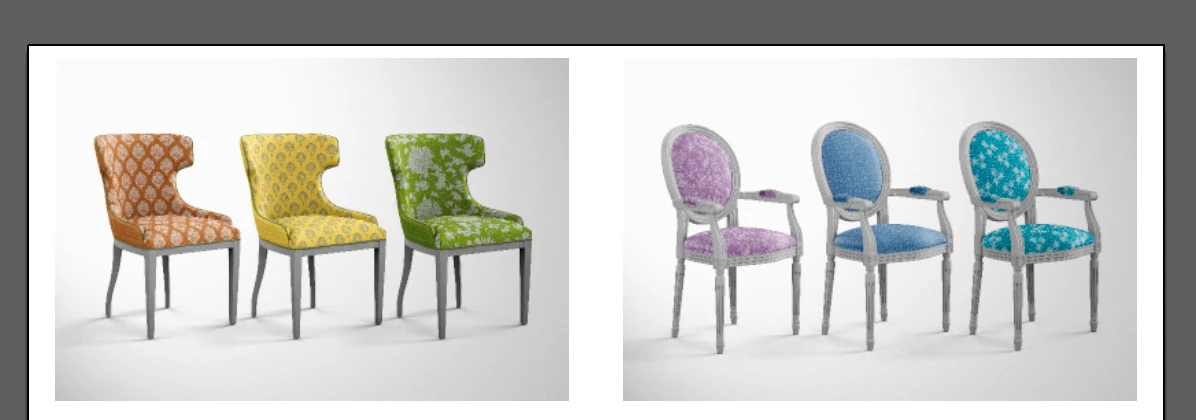
I'm preparing an illustration for a text book in Illustrator. The two images you see in this screenshot are placed from PS. I'd like to experiment with softening the backgrounds of the images so they fade into the white of the page, rather than terminate in a hard line as you see now. How do I do that? And would it be better done in PS instead of AI?
    This topic has been closed for replies.

    2 replies

    Inspiring
    September 14, 2019

    I would do the adjustments in Photoshop.  Try using Curves or Levels dialogs to reduce the highlights in the back ground while retaining the shadows.  You should use the Magic Wand in Ps to select the highlights.  You can also use the Dodge tool in Ps, but it is a matter of what you are comfortable using.

    Lukas Engqvist
    Community Expert
    Community Expert
    September 14, 2019

    It is a little hard since the image is not evenly lit. The easiest way would be to feather the edges using the feather effect, but this will work better in top left corner where the image is close to white.

    I would reccomend opening the images in Photoshop (as you are hinting you understand) and using a mask to make the background transparent. This too is not beginner work, but if you are willing to offer the shadows it is relatively easy.

    You can ofcourse do it in illustrator but again it would require several steps and I don't know how detailed to outline it.