Diego Mejia
Participating Frequently
October 31, 2022
Answered

Bevel/Emboss - Can't figure this out!

  • October 31, 2022
  • 1 reply
  • 807 views

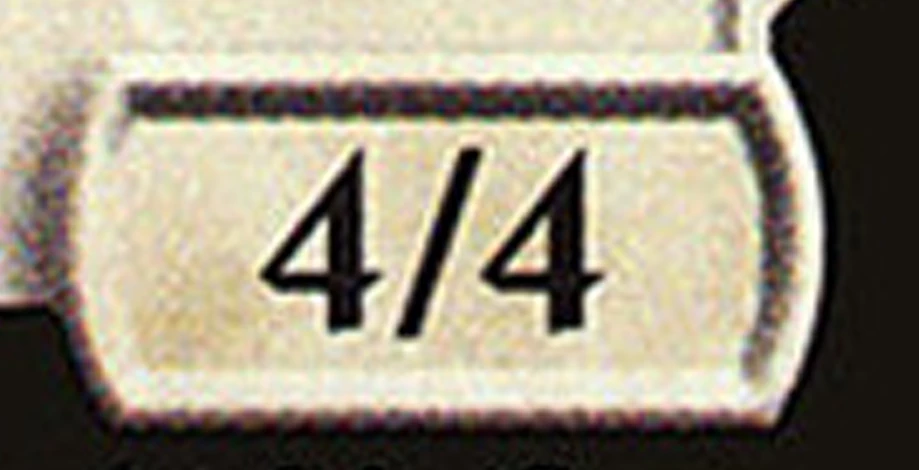
I'm trying to create some joke "Collector Cards" for friends, but I can't seem to get the effect I need for certain text areas.

How would I get:

1. A rounded frame

2. An inset text area

3. The proper highlight/shading...


I'd appreciate any and all advise!


Diego
This topic has been closed for replies.
Correct answer Ton Frederiks

Is that a known issue to be resolved. or is that the way it is?

Had I known I was getting a bitmap, I could've done it in Photoshop with less trouble...


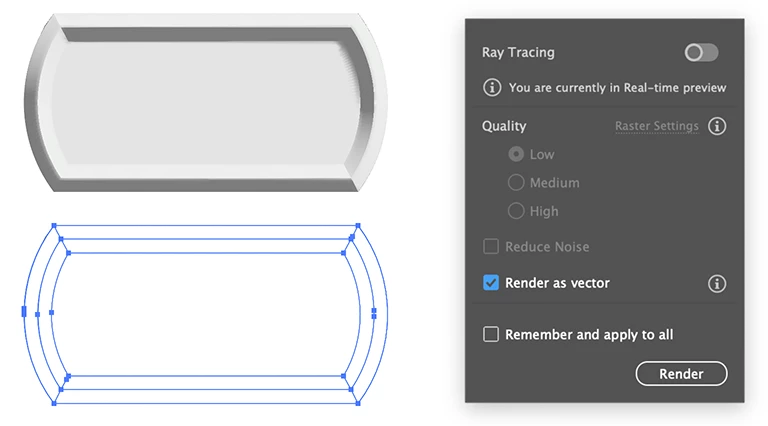
There is a way to get some vectors from the new 3D effect.

Click the arrow in the upper right corner of the 3D and Materials panel (Render Settings).

Check the Render as vector checkbox and click Render.

Object > Expand Appearance.

Ungroup as many times as necessary.

Select the image (shown as <Non-Native Art> in the Layers panel) and delete it.

You will have 0.01 pt stroked paths that you can fill with gradients.

1 reply

Community Expert
November 1, 2022

Construct your basic shapes


Use the PathFinder Merge Tool


Then play with the settings


There's 3 things to consider across the top of the Panel

Object - Material and Lighting


I just did the Object and the Lighting


Then center your text over it.


Diego Mejia
Participating Frequently
November 1, 2022

Perfect!

Thank you very much for your help!

I kept going back to the 3D (Classic), thinking it would be simpler, but the method you showed is clean, clear and gives me the result!


Thanks again!!

Diego

Ton Frederiks
Community Expert
Community Expert
November 1, 2022

Unfortunately, the new 3D effect creates pixels...