Participant
December 6, 2017
Answered

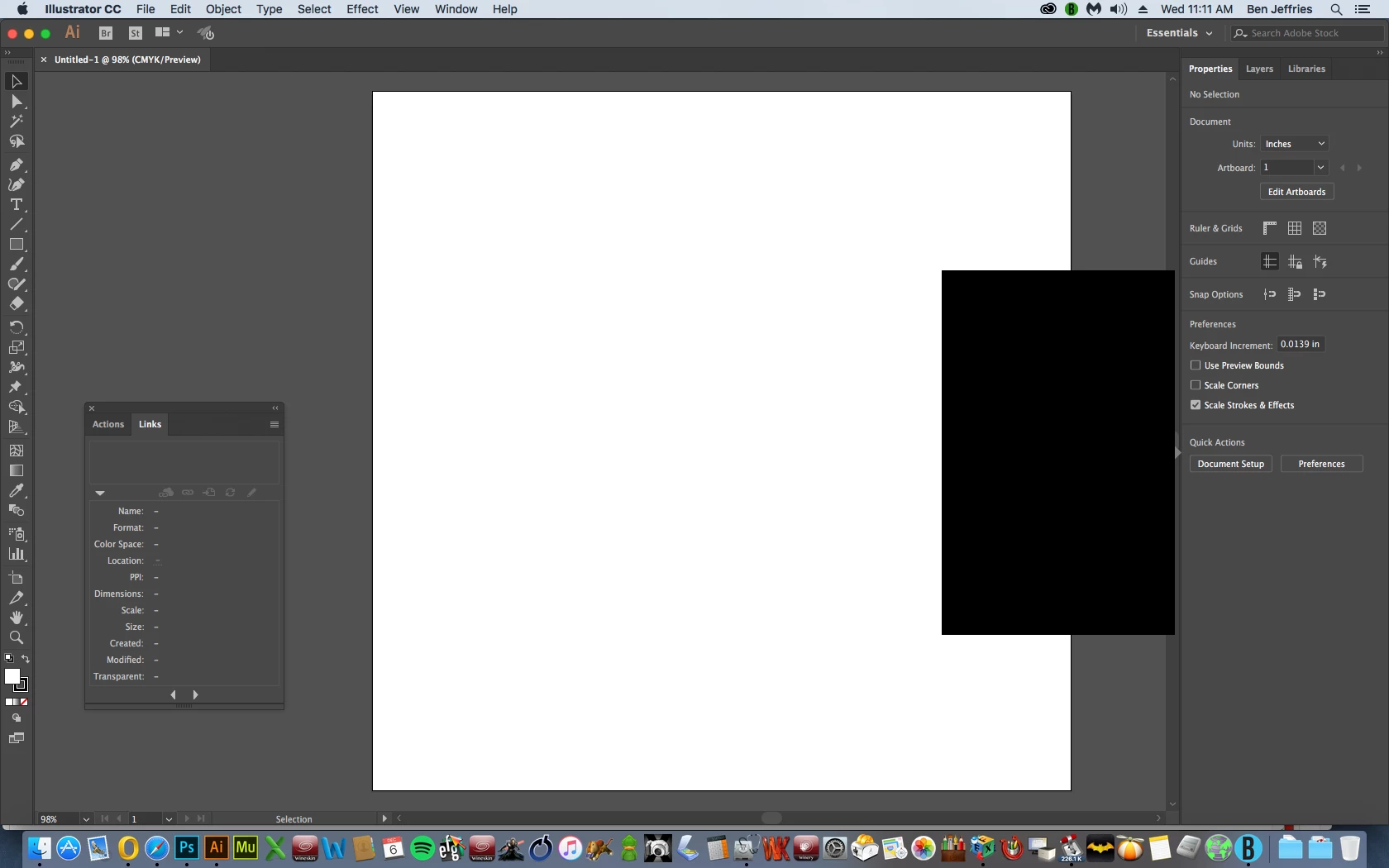
Big black rectangle

  • December 6, 2017
  • 3 replies
  • 2081 views

Anyone see this before?  Can't move it, click it, anything

    This topic has been closed for replies.
    Correct answer luvbrothel

    OS 10.11 (El Capitan) is compatible with CC 2018. Any OS prior to that is not.


    Perhaps just an older CPU can't handle it.

    3 replies

    chanaart
    Community Expert
    Community Expert
    December 6, 2017

    happened to me before with a grey rectangle. I turned off the GPU and restarted AI. It did not help I reinstalled AI.

    Chana

    Participant
    December 6, 2017

    I'm probably going to have to go back the previous AI version as other problems are showing up.  Thanks

    Bill Silbert
    Community Expert
    Community Expert
    December 6, 2017

    OS 10.11 (El Capitan) is compatible with CC 2018. Any OS prior to that is not.

    Pariah Burke
    Community Expert
    Community Expert
    December 6, 2017

    It looks like a graphics glitch in the shape of a panel. Try minimizing Illustrator and then restoring it. If it persists, you might want to try turning  off GPU Performance (here: GPU Performance ), running fewer applications (Photoshop and Outlook are pretty memory intensive, as is Illustrator), restarting your Mac, and even maybe resetting the PRAM (info: https://www.google.com/search?q=reset+pram+mac&oq=reset+pram+mac&aqs=chrome..69i57j0l5.5084j0j7&sourceid=chrome&ie=UTF-8 ).

    Participant
    December 6, 2017

    Thanks - I haven't gone the zapping the PRAM route yet.  There are other glitches popping up.  I suspect my 10.11 along with my older Quad-Core Intel Xeon isn't compatible with this version.

    Bill Silbert
    Community Expert
    Community Expert
    December 6, 2017

    Try turning off GPU Performance. Click on the rocket ship in Illustrator's top menu bar to access it.

    Participant
    December 6, 2017

    Thanks for the input - The GPU isn't on (not enough VRAM).