Participant
May 16, 2024 5:59 PM UTC
Answered

Bitmap in Illustrator Not Working

I have an adobe illustrator file that has a bunch of bitmaps that I am using. I recently re-opened the file and now I can no longer change the color of the bitmaps in the file. Image trace is not working because it is not giving an acurate depiction of a file that was once crisp and clean. 


I can't find anything on the internet about this that is helpful. Has this every happened to anyone else?

Ton Frederiks
Ton FrederiksCorrect answer
Community Expert
Jul 16, 2024 4:21 PM UTC

You don't need to revert to a previous version untill this is fixed.

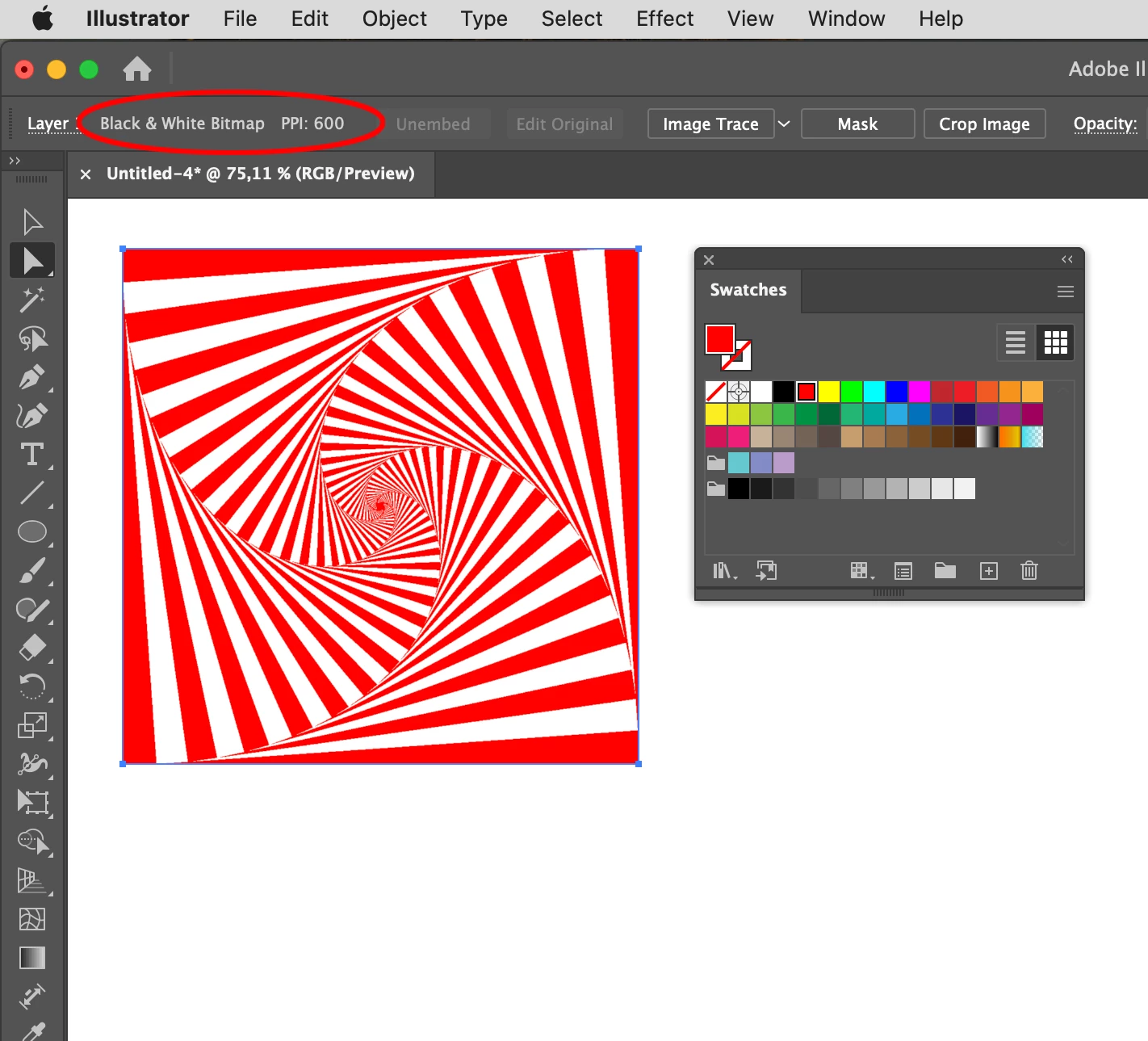
Check the Control panel for the resolution, you will see that Illustrator thinks that the BMP file is an RGB file.

In this case the resolution is 600 ppi.

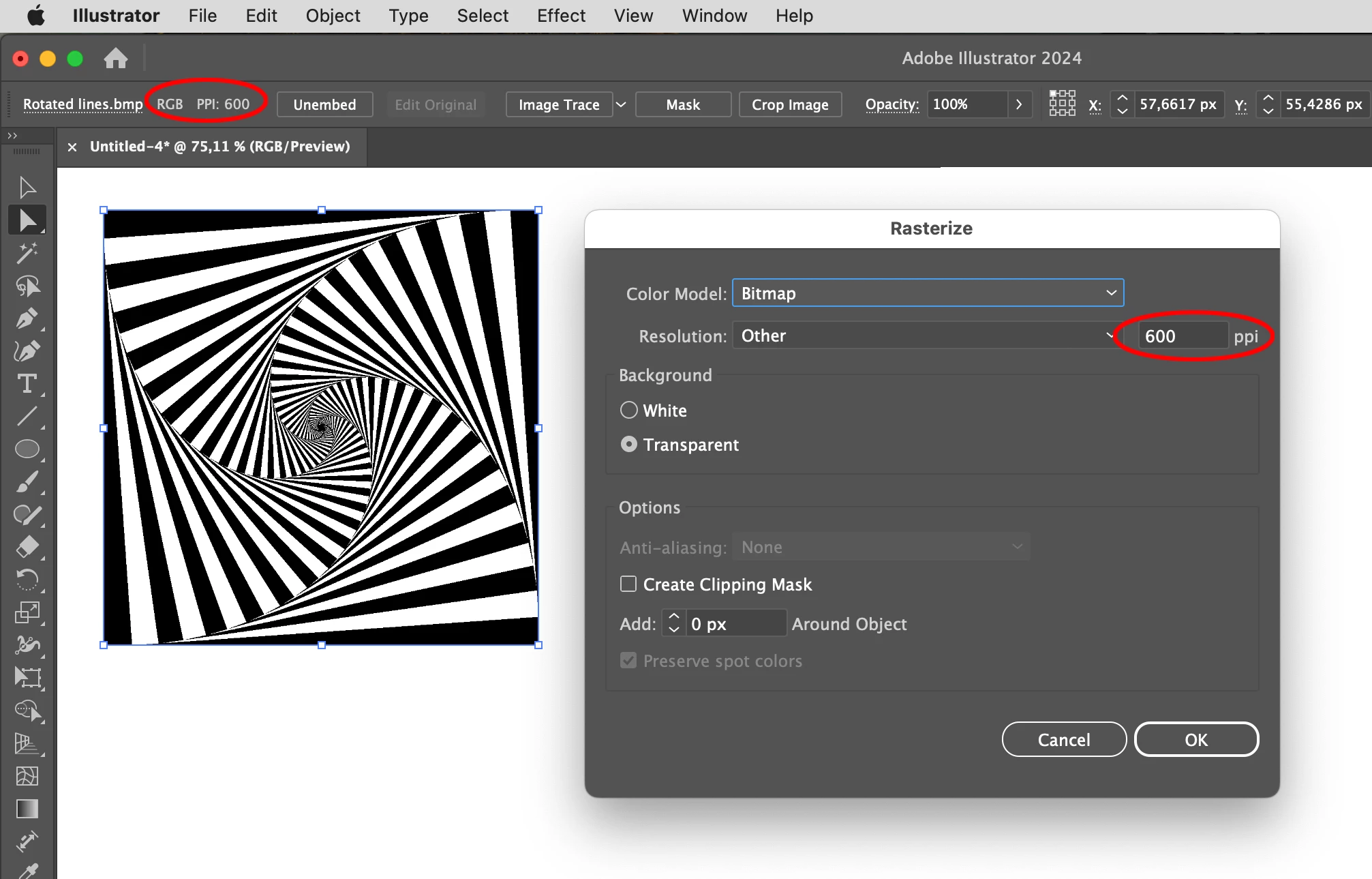
Use this resolution in Object > Rasterize and select a transparent Bitmap.

After clicking OK  you can colorize it.

11 replies

Ton Frederiks
Community Expert
Ton FrederiksCommunity ExpertCorrect answer
Community Expert
Jul 16, 2024 4:21 PM UTC

You don't need to revert to a previous version untill this is fixed.

Check the Control panel for the resolution, you will see that Illustrator thinks that the BMP file is an RGB file.

In this case the resolution is 600 ppi.

Use this resolution in Object > Rasterize and select a transparent Bitmap.

After clicking OK  you can colorize it.

Translate
JEstes
Participant
Aug 21, 2024 3:54 PM UTC

Thank You!!

Translate
Participant
Jul 16, 2024 5:00 AM UTC

I am having the same issues. I have a work around though, it's slightly more of a pain. Make sure your Image>Mode is set to Grayscale and that you do not have a background. Save as a TIFF (Save Transparency in the TIFF options). Place it into Illustrator and change the colour to whatever you want but you will need to change that colour to a Spot Colour.

Translate
Srishti_Bali
Legend
Jul 16, 2024 2:02 PM UTC

Hi @PaulFromThe90s_ and AniSomi


I apologize for the inconvenience this has caused. As mentioned on the UserVoice page shared by Ton, we have been able to replicate this issue on our machines and are actively working to fix it in upcoming versions. In the meantime, please try the workaround suggested by @defaultaye8ay10sliw to install the previous version.


We're here to help!

Regards,

Srishti

Translate
AniSomi
Participating Frequently
Jul 10, 2024 8:10 PM UTC

YES! I am having this issue too - my files no longer work. I think they have messed up the function in an update - Adobe please fix this problem. Do you know how to notify them?

Translate
Ton Frederiks
Community Expert
Community Expert
Jul 10, 2024 8:43 PM UTC

If you go to the UserVoice link above, you can vote. You will also see that Adobe is aware of the problem and is going to fix it.

Translate
Participant
Jun 10, 2024 4:19 PM UTC

Thank you!  Stepping back to an older version of Illustrator - v. 28.4.1 - solved the issue for me.  

Translate
Participant
May 23, 2024 11:14 PM UTC

I have had the exact same issue and thought it was my old iMac that was causing it. I've seen the reply below, so will have a go using an older version of Illustrator. Not really good enough when we pay a monthly subscription to use Adobe's latest products.

Translate
Ton Frederiks
Community Expert
Community Expert
May 16, 2024 6:06 PM UTC

Are these .bmp files? The latest version has a problem with those.

Try resaving/replacing them as .psd or tiff or install an older version (27. x/AI 2023) to edit those Illustrator files. You do not need to uninstall the current version, you can have multiple versions installed.

Translate
Participant
May 16, 2024 6:02 PM UTC

After looking more, NONE, of my bitmaps are working in adobe illustrator. Just a few days ago I was having no problem. Super confused!

Translate