millyh32595064
Participant
June 25, 2024
Answered

Black lines through Pattern on Illustrator

  • June 25, 2024
  • 1 reply
  • 363 views

Hello, 

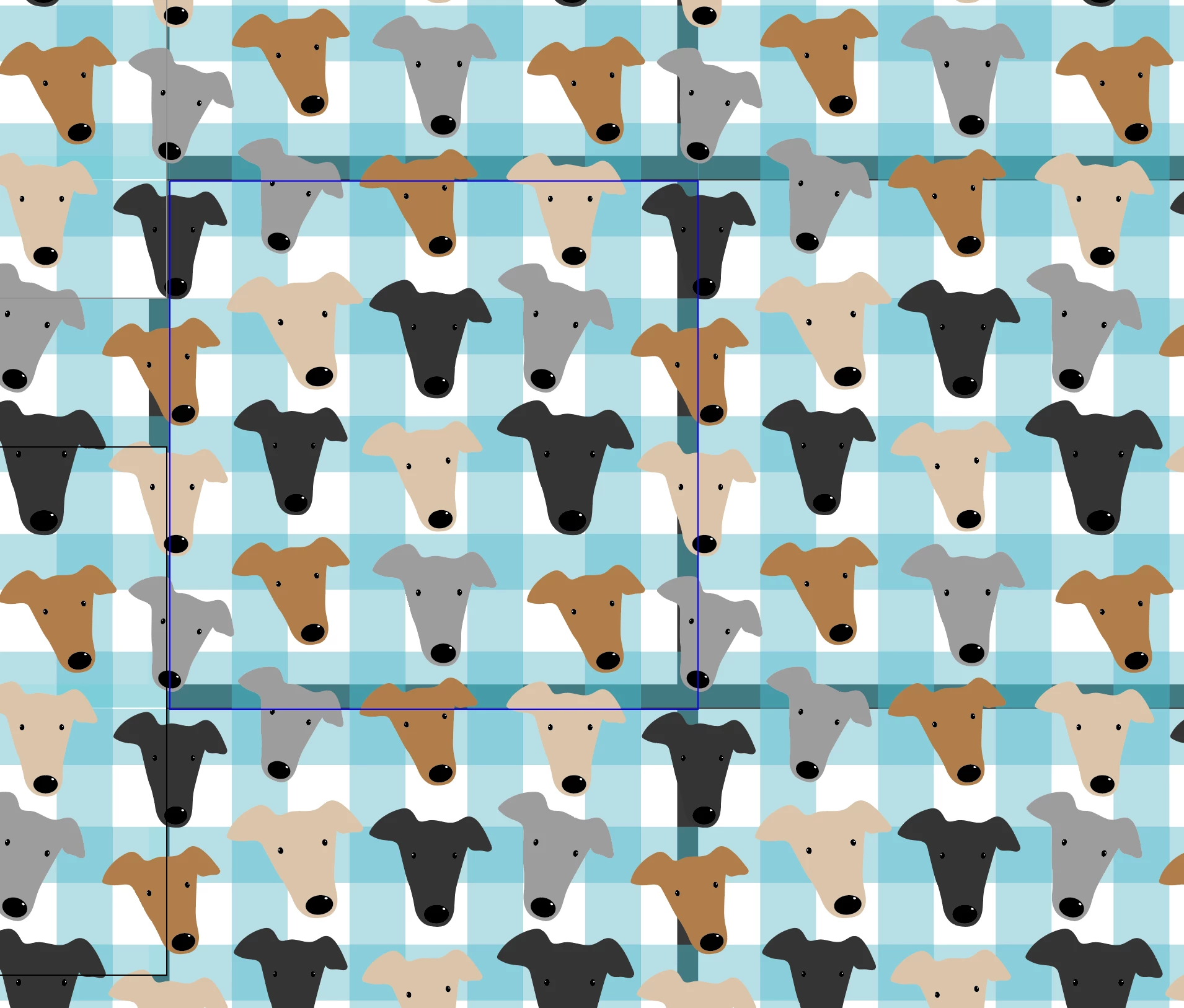
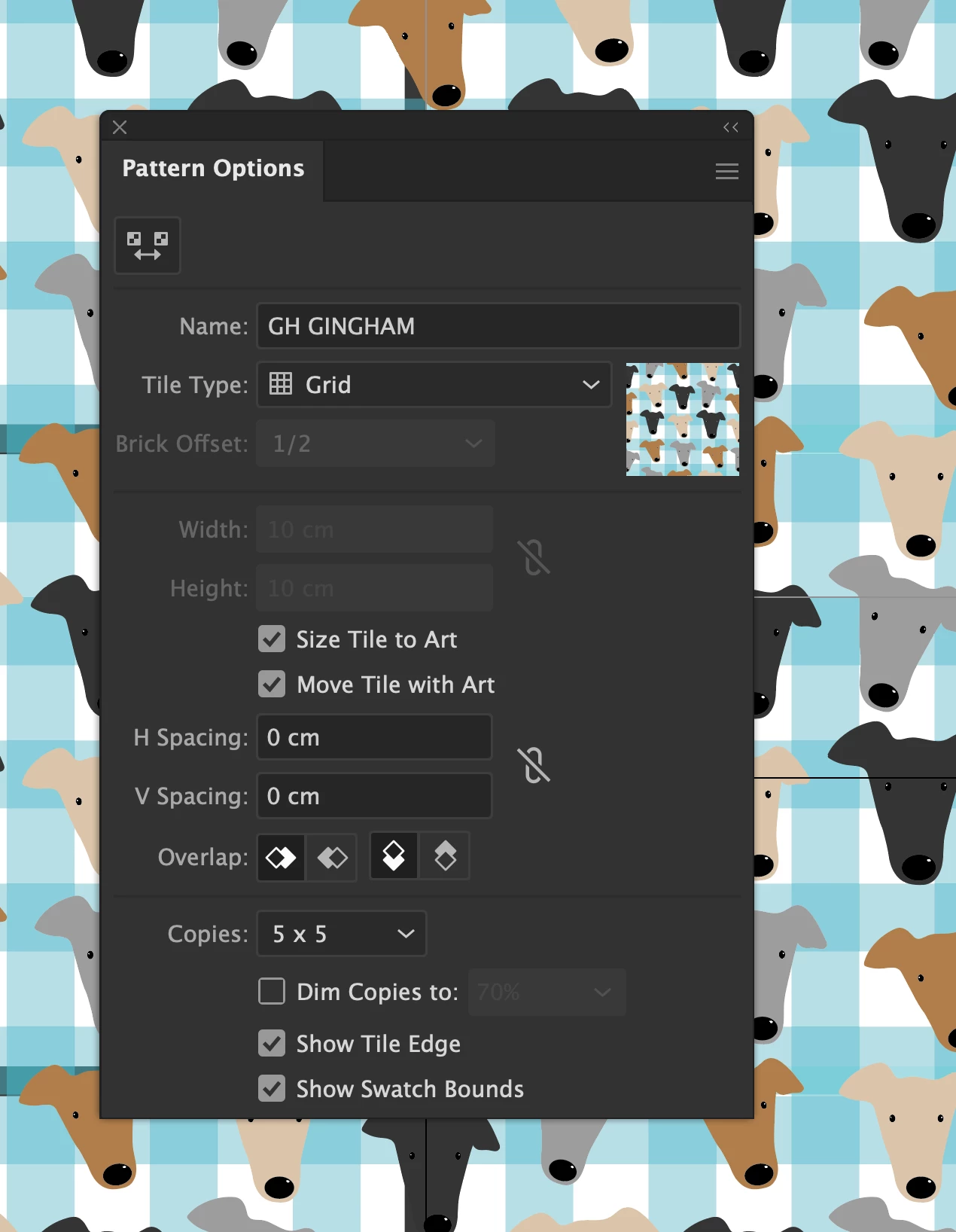
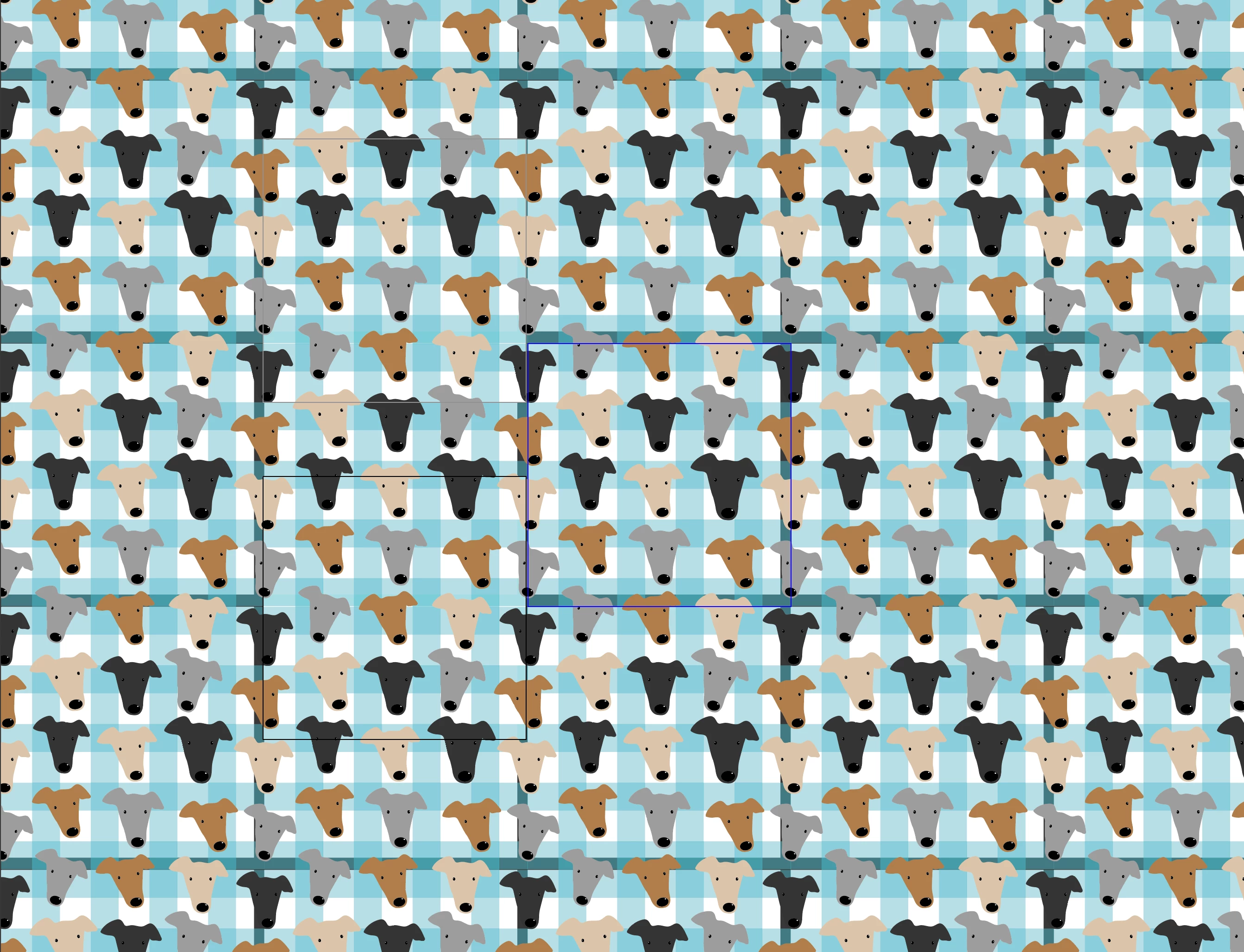
I have made a new pattern in adobe illustrator and when I grab it from the swatches pannel it has black lines running through it! HELP! What am I doing wrong. Attached is a screenshot of my settings. Thank you in advance!
This topic has been closed for replies.
Correct answer millyh32595064

Hello, 


Thank you so much for your response! I reset my references and that didn't seem to help. I have since found whilst working on a new pattern I had stroke turned on on my clipping mask squares so this might have been causing the same issue initially. I will revist this old pattern and seen if this is the same issues as it was a simple fix after all. 


Thank you so much for your response and support, 

Milly 

1 reply

millyh32595064
Participant
June 25, 2024


Attached another photo of pattern result

Anubhav M
Community Manager
Community Manager
July 24, 2024

Hello @millyh32595064,

Sorry to hear about your experience and for the delayed response. I hope the problem is resolved by now. If not, kindly check if Illustrator behaves this way with all files/patterns. If yes, try resetting Illustrator's preferences as described in this article (https://adobe.ly/3YiBZsP) and share your observations.


Disclaimer: Please note that renaming preferences folders will remove all the custom settings, and Illustrator will launch with default settings. You can also save a backup of the folders, the location of which is mentioned above.


Looking forward to hearing from you.


Thanks,

Anubhav