

Bleed settings added with script not correct
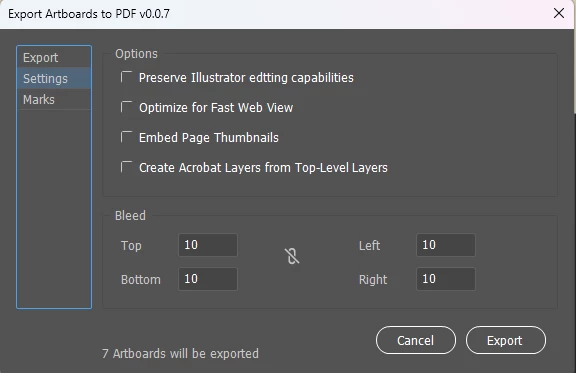
When we use JSX to save a pdf and set the bleed, bleedOffsetRect, we use points. This value is an Array of 4 doubles. I have a made a custom dialog to export PDF with custom settings. I use a script to take the bleed, which i input in a unit used in the document. Then i have a function to convert cm unit to points. At first it returns a float value with a number about a 15 decimal number. This number is correct when i did a double check. But when i open the PDF, the value seems to have been rounded.
To double-check this when i convert 1 cm to points it returns 28.3464566929134 pt this value should give a bleed of 1cm. But when i open the document, it has a bleed of around 0.9875.
function to convert to pt
function convertToUnit(value, unit) {
    switch (docRef.rulerUnits) {
        case RulerUnits.Picas:
            value = new UnitValue(value, "pc").as(unit);
            break;
        case RulerUnits.Inches:
            value = new UnitValue(value, "in").as(unit);
            break;
        case RulerUnits.Millimeters:
            value = new UnitValue(value, "mm").as(unit);
            break;
        case RulerUnits.Centimeters:
            value = new UnitValue(value, "cm").as(unit);
            break;
        case RulerUnits.Pixels:
            value = new UnitValue(value, "px").as(unit);
            break;
        case RulerUnits.Points:
            value = new UnitValue(value, "pt").as(unit);
            break;
        default:
            value = new UnitValue(value, unit).as(unit);
    }
    return value;
    // return Math.round(value);
};

// cm rulers
// alert(Number(convertToUnit(1, "pt")))

// pt rulers
// alert(Number(convertToUnit(28.3464566929134, "cm")))
alert(Number(convertToUnit(28, "cm")))
When i hardcode the value of 28 points in the pdf exporter, i get exactly what im getting when i used my scripted version with inout values. It seems it only takes integer number. One document i read it said it takes an Array of doubles, other simply state a Number.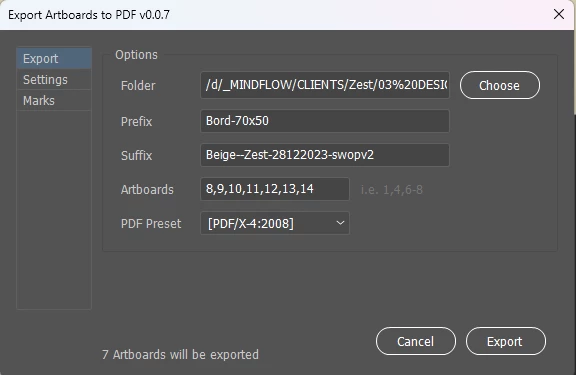
 AdChoices