Question
Blend modes in opacity window are not being applied, design remains the same.
I'm trying to make this image:

Look like this:
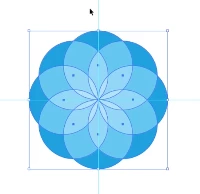
I select all of the circles and go to the opacity menu and select screen. I also tried overlay and multiply. I'm doing this along with a tutorial so I don't really care what it looks like, i just care that it changes to something.
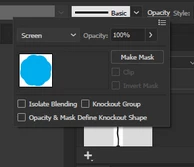
But no matter what I select it always remains the solid blue from the first picture. Can someone help me? I'm following the video tutorial step by step and it just isn't working. Thanks!!
 AdChoices