

Question
Blend modes sometimes lost when pasted to Photoshop
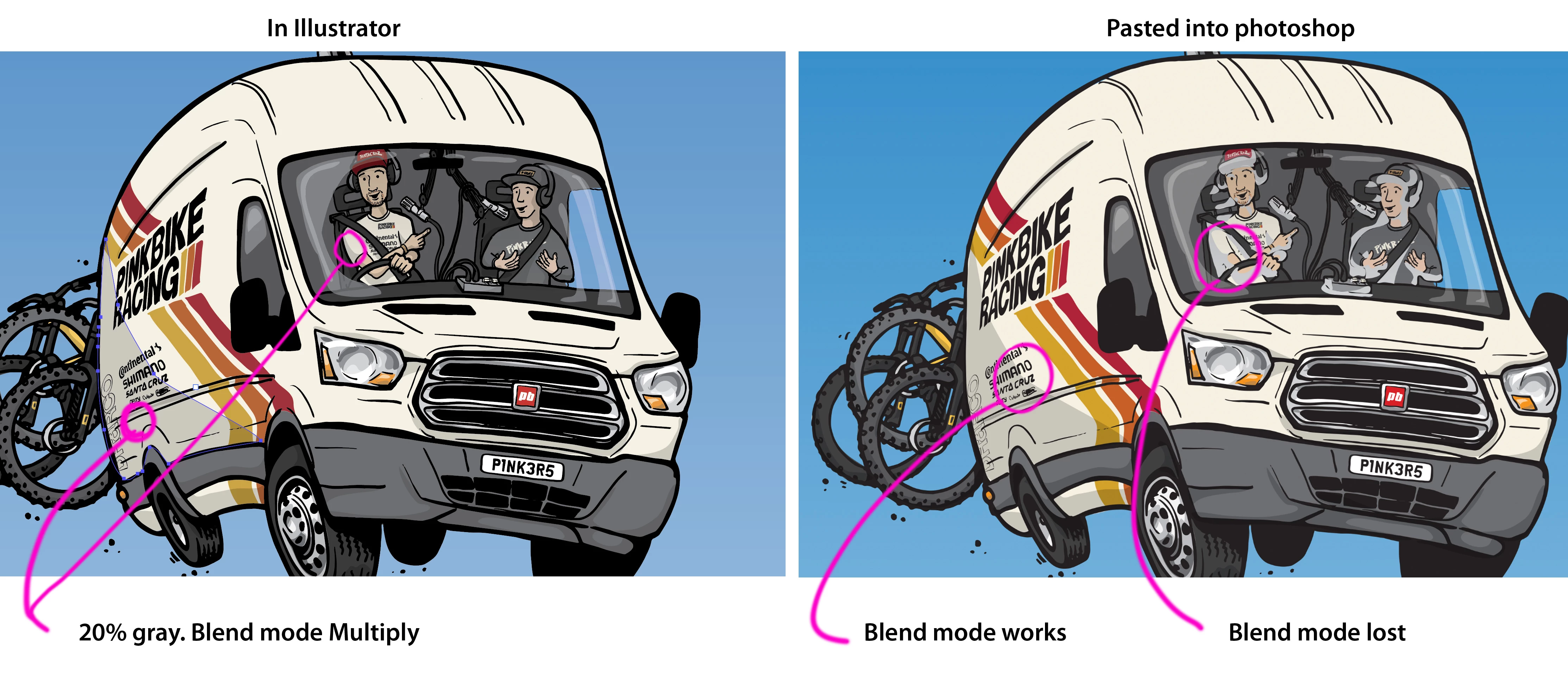
Hi, I've been drawing more or less the same way in Illustrator for the last 15 or so years. I need help with understanding why my blend modes have stopped transferring to photoshop (sometimes). Here is an example. This drawing has 20% gray with the blend mode "Multiply" as shadows.
In past, I've always done all my drawing in Illustrator and then pasted the final version into PS to size for the assignment. I've never had problems with the blend modes appearing correctly in photoshop. Now I'm losing the blend mode in parts of the drawing (confusing to me that some work and some don't). New M1 Pro mac and new versions of both Illustrator and PS for me... hoping this is just a setting?
Thanks much for any help
AI 26.0.3
PS 23.2.1
 AdChoices