
Participant
October 26, 2018
Answered

Blend tool

  • October 26, 2018
  • 5 replies
  • 707 views

Hi,

I've started using Illustrator few days ago and I'm trying to do a flat design, everything goes well until when I want to make the shadow. I was following this video : Flat Design Watch - Illustrator Tutorial - YouTube but when I try to do the shadow (8:12) it just makes me something like this :
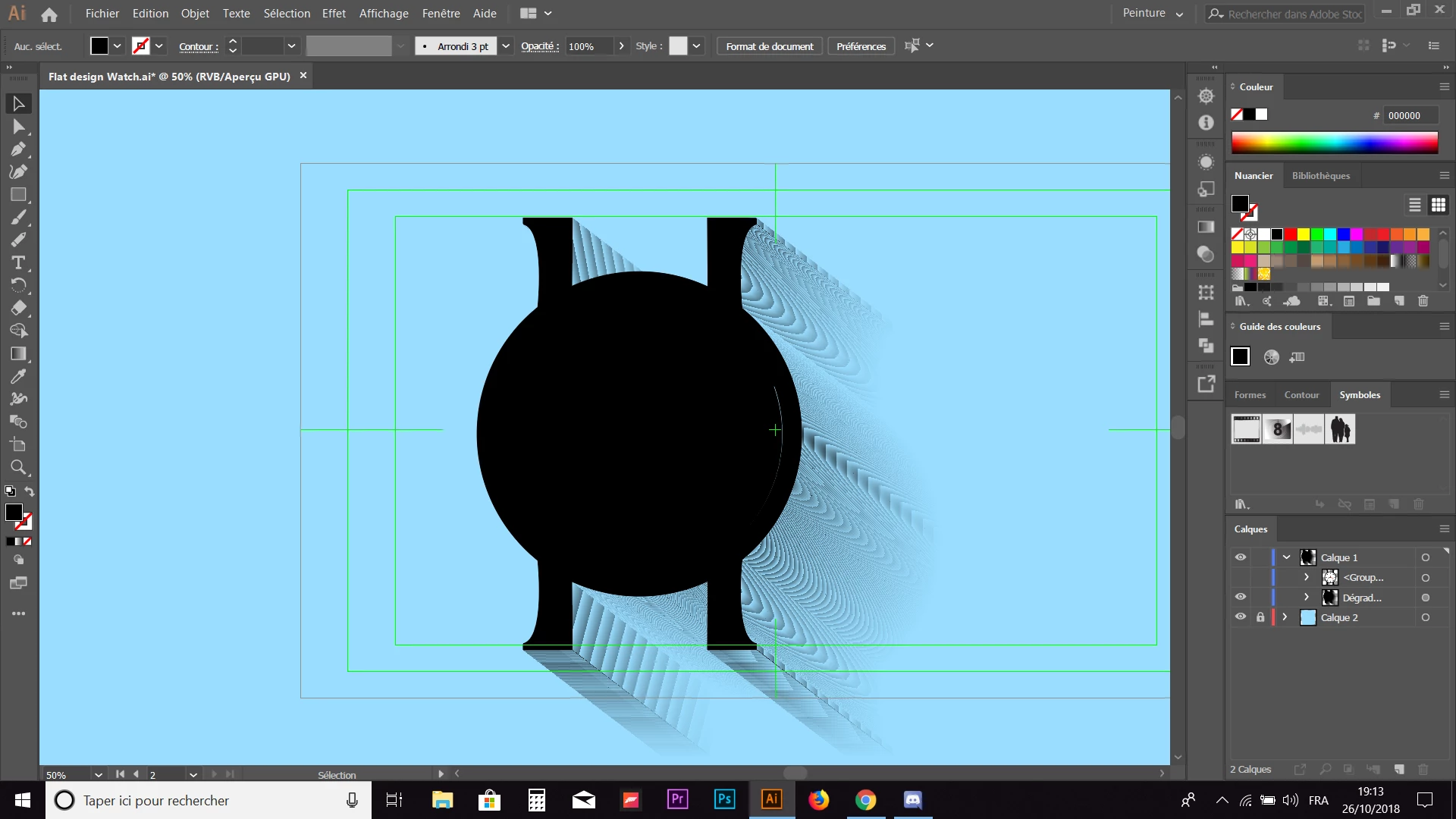
If you could help me to make it be smoother it would be very appreciated.

Thanks

This topic has been closed for replies.
Correct answer Tom.D

Ok thank you all for helping me now it's works, I didn't try one of your solutions but just restarting the app make it work...

5 replies

Participant
September 7, 2020

just an example of design made entirely of blending tool in illustrator

Tom.DAuthorCorrect answer
Participant
October 26, 2018

Ok thank you all for helping me now it's works, I didn't try one of your solutions but just restarting the app make it work...

meganchi
Legend
October 26, 2018

with your original shape selected, go to the Effect menu, choose "Stylize", then "drop shadow".

This should allow you to create a drop shadow effect where you can offset the shadow and blur the edges.

Doug A Roberts
Community Expert
Community Expert
October 26, 2018

If you want it perfect, draw the shadow yourself. A blend might be fine depending on your circumstances, but with a shape as simple as that you're better off just drawing it.

Mario Arizmendi
Legend
October 26, 2018

go to blend options and increase the number of steps..

But looks like the shapes making the blend is not well constructed....