
Participant
March 27, 2021
Answered

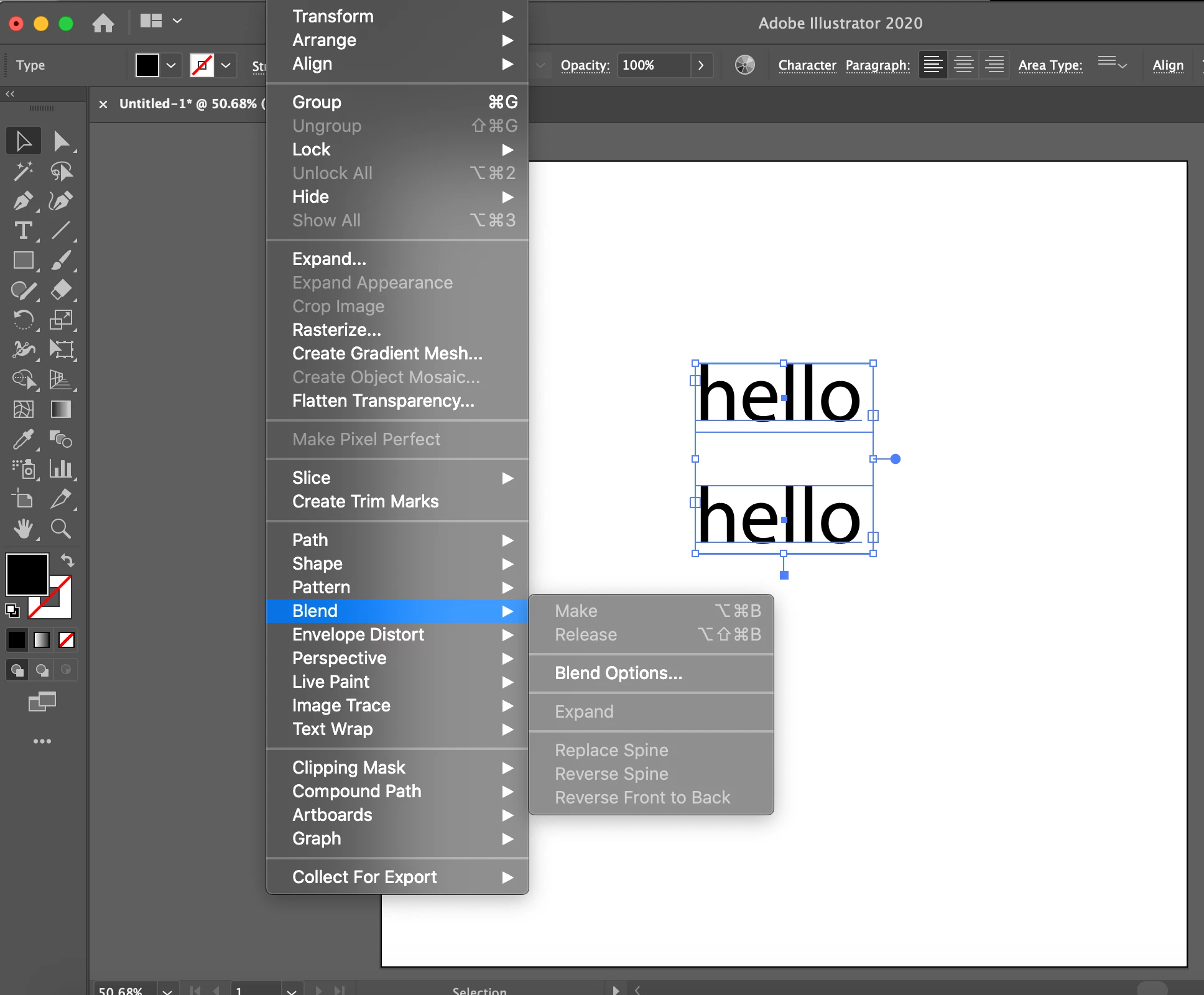
Blend tool is grayed out, illustrator is not allowing blend>make

  • March 27, 2021
  • 1 reply
  • 870 views

Hello everyone,

My blend tool refuses to work unless the text is outlined. Does anyone know how I can fix this? The tutorials I want to follow require them the text to be made outlines AFTER it's blended. 


I've tried resetting my preferences as well. I've attached a screenshot below. If anyone can help, thank you in advance!
 

This topic has been closed for replies.
Correct answer Ton Frederiks

The type must be point type instead of area type.

Choose: Type > Convert to Point Type

1 reply

Ton Frederiks
Community Expert
Ton FrederiksCommunity ExpertCorrect answer
Community Expert
March 27, 2021

The type must be point type instead of area type.

Choose: Type > Convert to Point Type

Participant
March 27, 2021

Thank you so much! I appreciate you 🙂 

Ton Frederiks
Community Expert
Community Expert
March 27, 2021

Good to hear that helped.