This topic is closed to new replies. Start a new post to keep the conversation going.
Monika Gause
Monika GauseCorrect answer
Community Expert
Sep 5, 2023 3:46 PM UTC

First of all I would delete the stroke.

Then you should already get a smoother result.

But you could just select number of steps and then input whatever number of steps is appropriate.


https://youtu.be/mVu9BzYaBbs 

11 replies

Monika Gause
Community Expert
Community Expert
Sep 5, 2023 3:28 PM UTC

Maybe it's just translated in the wrong way.


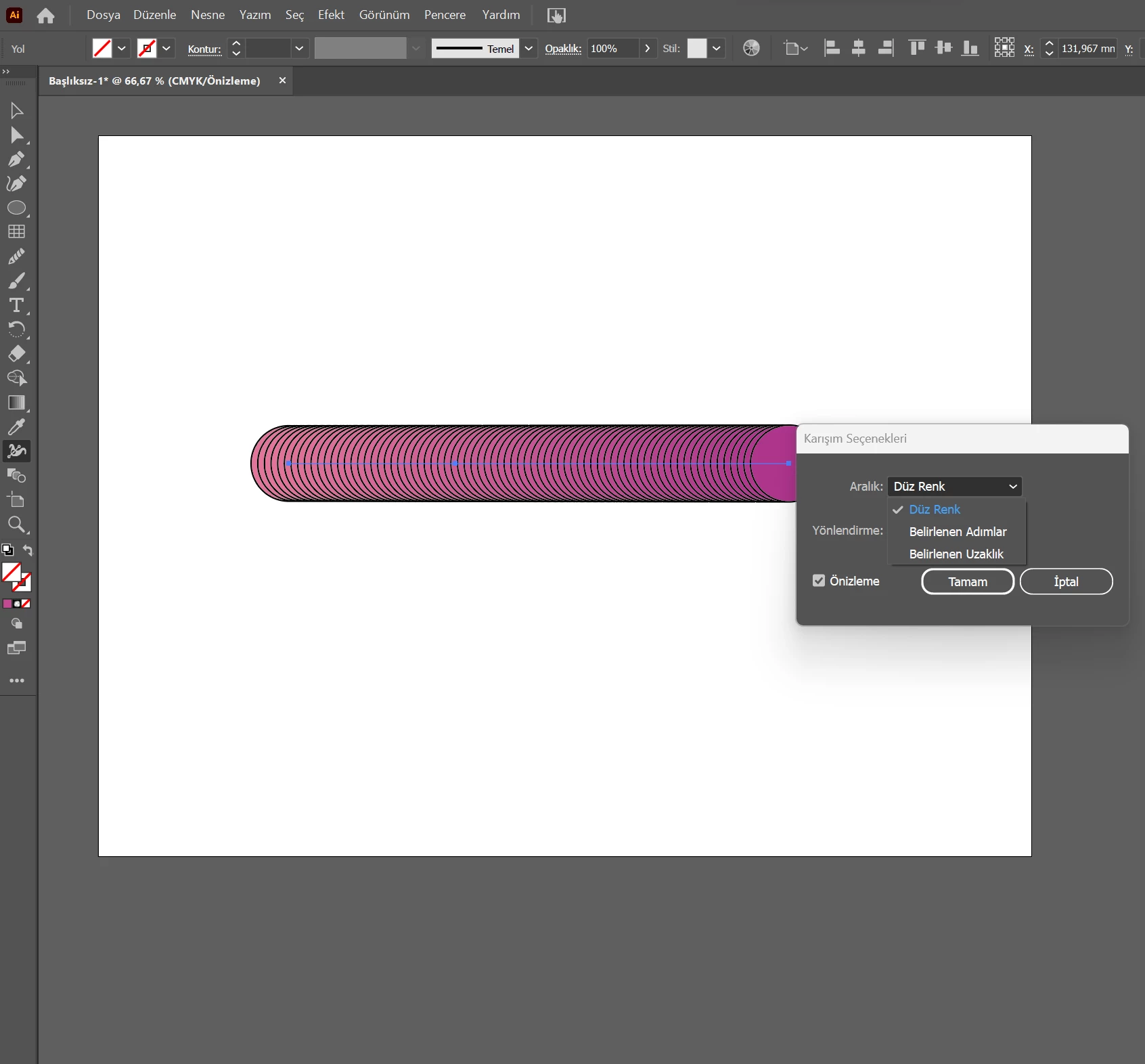
So your problem is that the blend is not smooth?

Translate
Participant
Sep 5, 2023 3:37 PM UTC

Yes.I want it to be like the first photo but it's like the second picture.

Translate
Monika Gause
Community Expert
Monika GauseCommunity ExpertCorrect answer
Community Expert
Sep 5, 2023 3:46 PM UTC

First of all I would delete the stroke.

Then you should already get a smoother result.

But you could just select number of steps and then input whatever number of steps is appropriate.


https://youtu.be/mVu9BzYaBbs 

Translate
Participant
Sep 5, 2023 2:37 PM UTC

There is no smooth color blend in the blend tool. There is a solid color option instead

Translate