Participant
January 4, 2021
Answered

Blend Tool Undesired Behavior

  • January 4, 2021
  • 6 replies
  • 631 views

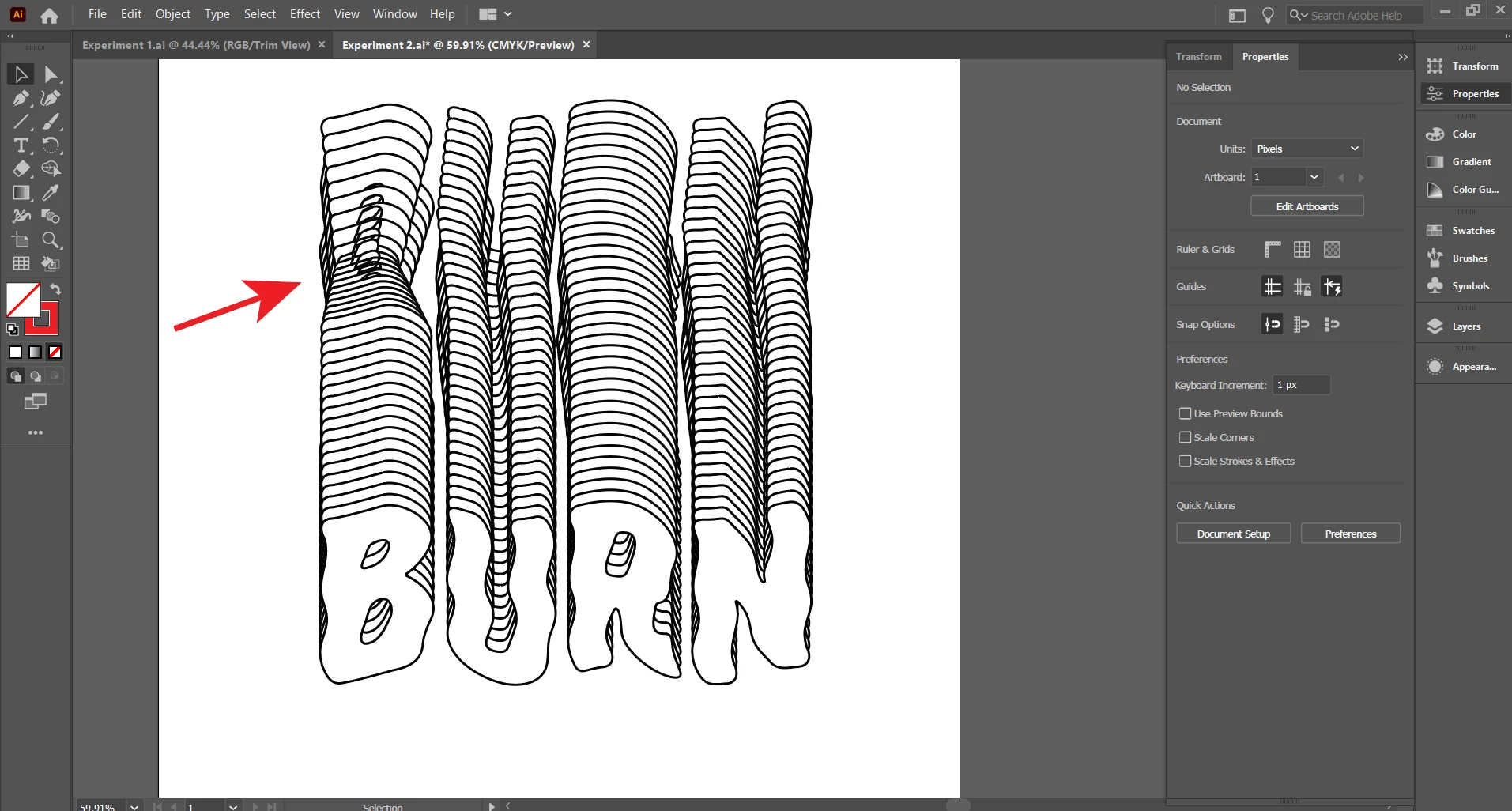
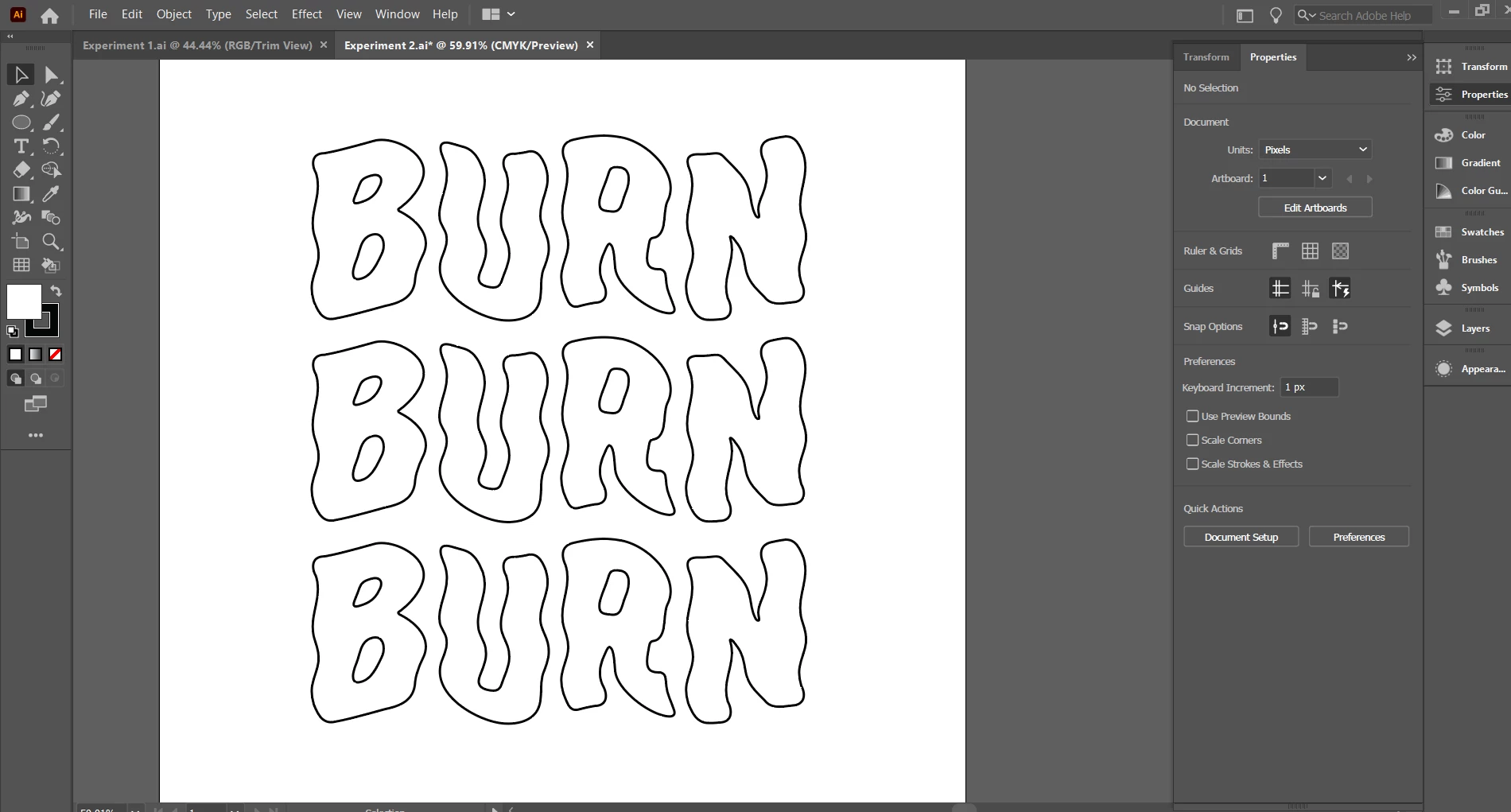
I am attempting to blend these three text objects and add a series of specified steps between them using the blend tool. Ideally, each copy created by the blend would be identical, but I am ending up with a strange warping effect in the copies between the first and second text object. This effect does not occur if I only blend two of the objects.Any guidance is much appreciated. Thank you.
This topic has been closed for replies.
Correct answer John Mensinger

Prior to blening, I would try selecting (each instance of) the entire word and making it a Compound Path. This will eliminate varied stacking orders as a cause of that problem.

6 replies

Jeff Witchel, ACI
Community Expert
Community Expert
January 4, 2021

If you Outlined your type, try it with editable type instead.

Jeff Witchel, ACI
Community Expert
Community Expert
January 4, 2021

See the difference between Outline Type and regular editable type below.

John Mensinger
Community Expert
Community Expert
January 4, 2021

I'd agree that the posted demonstration of your problem portrays a somewhat ambiguous application of the Blend tool, but I figured perhaps it is just an example. There are better ways to produce a series of exact copies, as Jacob suggested.

Jacob Bugge
Community Expert
Community Expert
January 4, 2021

Duncan,


Maybe far too silly, but is there a reason for having more than two text objects (it seems to be the same distance thoughout), or to have more than one rather than just using Effect>Distort&Transform>Tramsform>Move with the desired distance and number of copies (which can (also) be expanded if desired)?


Participant
January 5, 2021

A good question that I should have specified on. Im using Blend rather than Transform so that I can use the Replace Spine option, as I want the copies to appear along a non-linear path without having to manually adjust each one.

John Mensinger
Community Expert
John MensingerCommunity ExpertCorrect answer
Community Expert
January 4, 2021

Prior to blening, I would try selecting (each instance of) the entire word and making it a Compound Path. This will eliminate varied stacking orders as a cause of that problem.

Participant
January 5, 2021

This appears to have worked! I was under the impression that blending between more than two objects would follow the general hierarchy of the stacking order (i.e. from top to middle to bottom). I can see now how that might cause the interference I was experiencing. Thank you for the information. 

Monika Gause
Community Expert
Community Expert
January 4, 2021

The stacking order of objects in each group needs to be eaxactly the same. Looks like it's not.

c.pfaffenbichler
Community Expert
Community Expert
January 4, 2021

Can you provide the file?