

Known Participant
May 29, 2025
Answered

blended object spine

  • May 29, 2025
  • 2 replies
  • 393 views

I had read the solution to this topic but I can't find it anymore

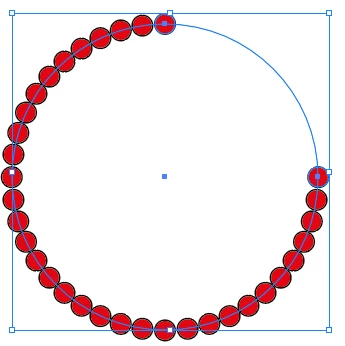
I can't distribute evenly filling all the space. What should I do?

my goal is to fill the entire circle


Correct answer Kurt Gold

You can split the path at one of its anchor points with the Scissors tool, for example.


Instead of using a blend, in recent versions of Illustrator you may also create an Objects on a Path object.

2 replies

Jacob Bugge
Community Expert
Community Expert
May 29, 2025

Milko,


In addition to what Kurt said, remember to set the number of Steps to one less the desired number of objects; you can count the number when replacing the spine.


Kurt Gold
Community Expert
Kurt GoldCommunity ExpertCorrect answer
Community Expert
May 29, 2025

You can split the path at one of its anchor points with the Scissors tool, for example.


Instead of using a blend, in recent versions of Illustrator you may also create an Objects on a Path object.
