
Participant
November 11, 2019
Answered

Blender Tool not working

  • November 11, 2019
  • 1 reply
  • 24141 views

My blender tool isnt working at all. Every time I make 2 lines, select them, then click on the blender options and try to select my options, the preview button is greyed out and no extra lines come out. I was trying to follow this tutorial (https://youtu.be/NMerkeTJ0nY?t=54) but I can't do anything if the lines don't even show up. I've reinstalled the program and reset all my preferences to no avail
This topic has been closed for replies.
Correct answer Monika Gause

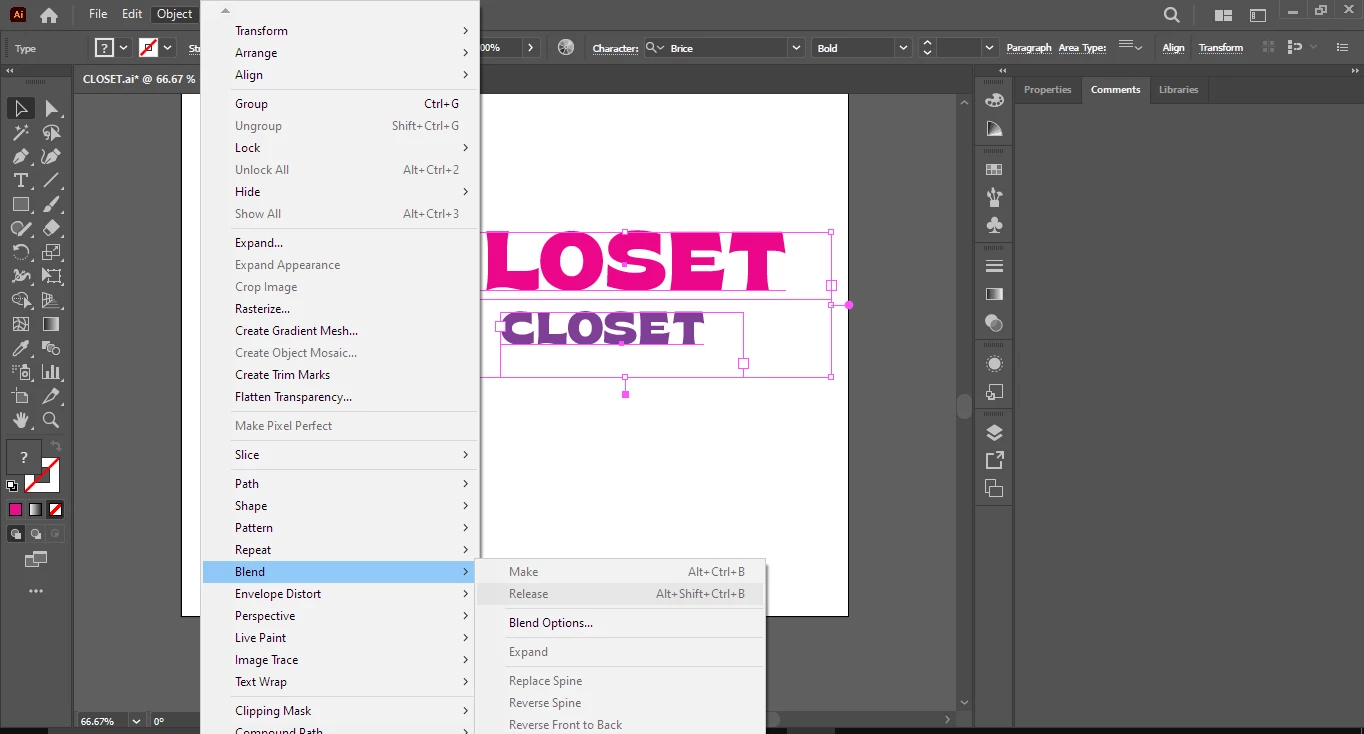
i figured that out already, I AM CURRENTLY LOSING BRAINCELLS FROM ILLUSTRATOR another problem occured, blend doesnt work again for text 


As stated already in this thread: blend only works on point text.

1 reply

キィィ─!!!
Participating Frequently
November 11, 2019

Hello, asdf15
The preview button can be checked when applying options to a blend object that has already been created.
First, create a blend. After that, when you open the options, you should be able to press the preview button.

asdf15Author
Participant
November 11, 2019

Hi! My main issue isn't that the preview button isnt working, but that I can't create a blend at all. No matter how much I click the create blend button after selecting my two lines, nothing shows up~

キィィ─!!!
Participating Frequently
November 11, 2019

Ah, right. I'm sorry.

I can't figure out the matter from what you wrote.


I will write the procedure
1. Draw a single path
2. Draw the second path
3. Select two paths
4. Object> Blend> Make
(After this, you should be able to press the preview button in Object> Blend> Blend Options.)
But is the preview button grayed out?

really sorry. I can't find a solution.