Known Participant
January 22, 2020
Answered

Blending between three text outlines is.. weird

  • January 22, 2020
  • 3 replies
  • 2120 views

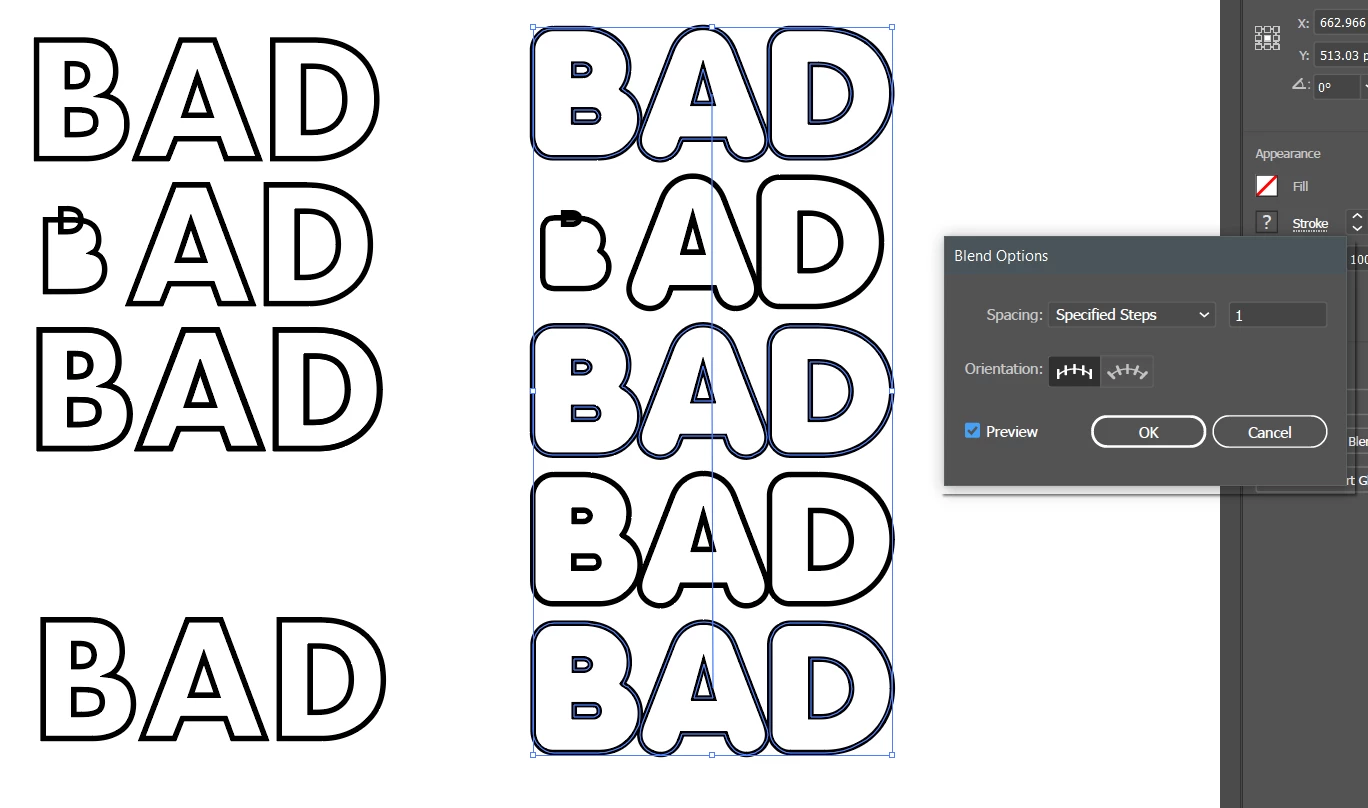
I'm quite new to illustrator and I'm trying to blend between three text outlines. It's acting really strange. Both of these examples have the same blend settings you can see in the right (specified steps: 1). The letter B looks strange, and the one on the left is missing a copy of the word that should be there. I tried this with different fonts but it seems to happen on every one. I'm not sure what to do.
 

This topic has been closed for replies.
Correct answer SJRiegel

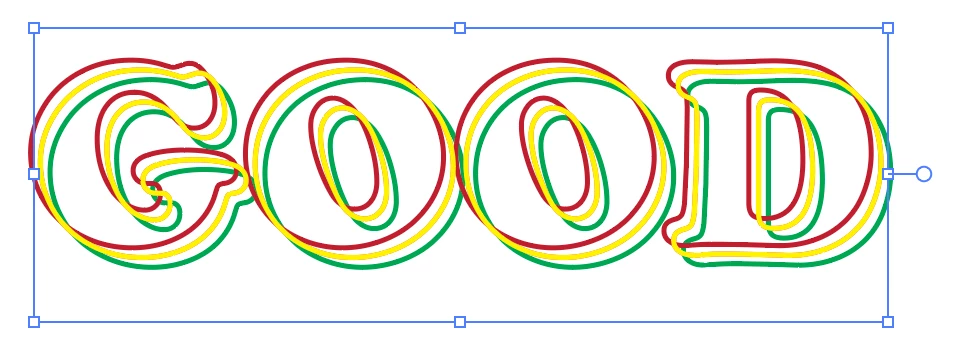
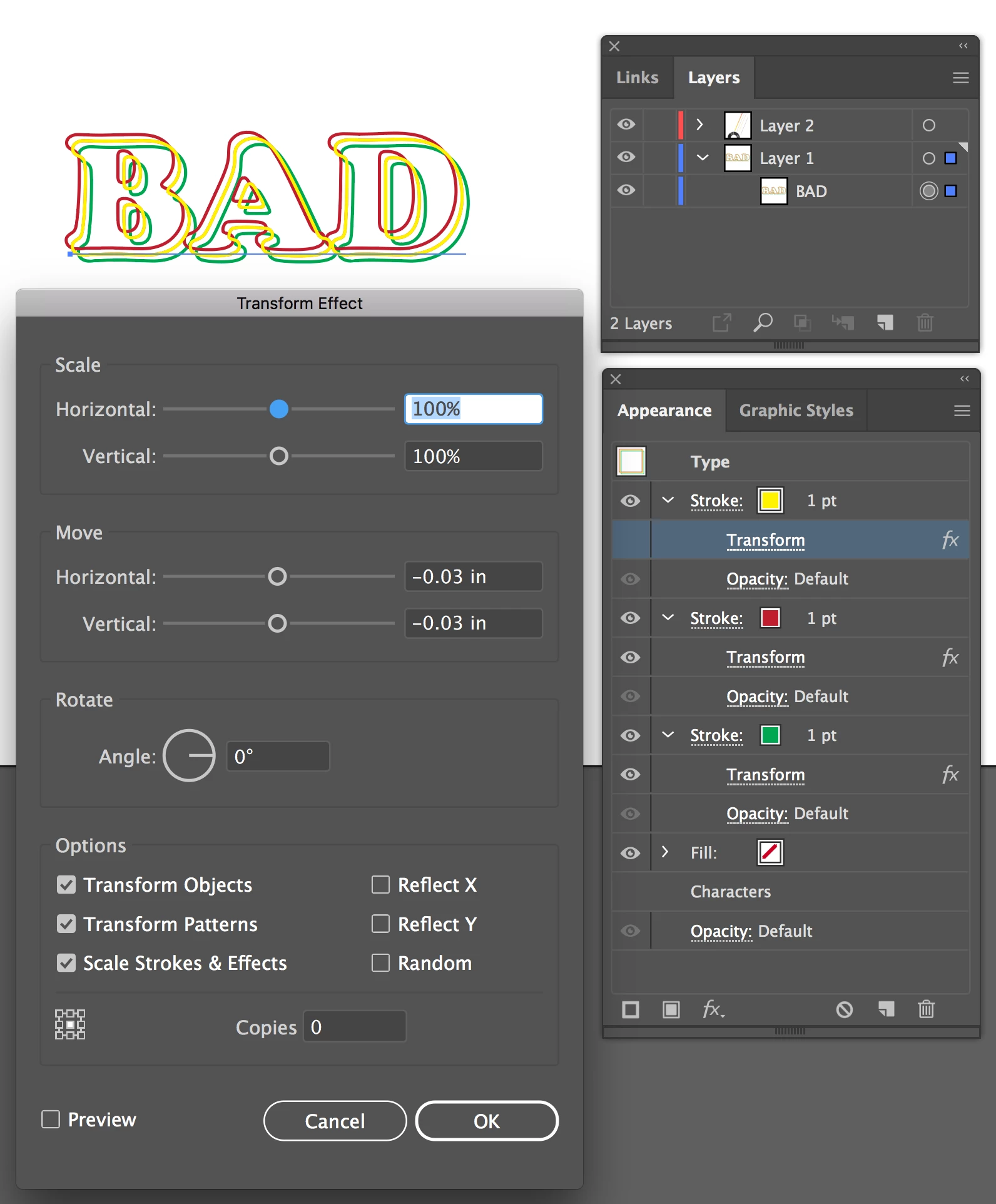
For multiple strokes on live text, choose Type in the Appearance Panel, and Add New Stroke. You can select each stroke separately in the Appearance Panel, and apply a separate Transform effect to each stroke to create the different offsets. 

This way you only have one instance of the text, and it's live, so easily edited, while maintaining the exact effects and offsets..


3 replies

SJRiegelCorrect answer
Legend
January 22, 2020

For multiple strokes on live text, choose Type in the Appearance Panel, and Add New Stroke. You can select each stroke separately in the Appearance Panel, and apply a separate Transform effect to each stroke to create the different offsets. 

This way you only have one instance of the text, and it's live, so easily edited, while maintaining the exact effects and offsets..


Known Participant
January 22, 2020

Hey thank you for helping me out. This is what I was looking for.

Legend
January 22, 2020

You're welcome.

Danny_Whitehead deserves the credit, though - he posted the technique - I just expanded a bit the steps involved.

Legend
January 22, 2020

I don't know what is happening with your blend, but if what you are showing is exactly the effect you want, you can do it with live text if you use the Transform effect instead of a blend.

Known Participant
January 22, 2020

Thanks for your help. What I'm really trying to do though is have a different color for each outline and for them to blend together basically. I also want to be able to make the outlines have a spine. End result is on the bottom right


Also noticed this only seems to happen with characters or outlines with two holes in them.


Danny Whitehead.
Legend
January 22, 2020

I'd also recommend using live type with multiple strokes/fills with the Tranform Effect applied...


Doug A Roberts
Community Expert
Community Expert
January 22, 2020

I can't induce a similar error from here. Can you specify the fonts you tried that showed this? Also, to clarify your steps, did you:


1. Type some text

2. Type > Create Outlines

3. Copy and paste or alt-drag the resulting object

4. Create a blend either by Object > Blend > Make or using the blend tool and clicking on specific parts?

Known Participant
January 22, 2020

Yes I tried all of this. It seems to happen regardless of what font I choose, and only if I'm blending 3 text outlines. This doesn't happen when I blend between 2. And this only happens with the captial letter B as far as I can tell. It's quite annoying because I need to use this letter

Doug A Roberts
Community Expert
Community Expert
January 22, 2020

Can you list some of the fonts you used?


Are you clicking with the blend tool or using the object menu/shortcut?