Inspiring
May 4, 2020
Answered

Blending Technique line Indicators around ellipse

  • May 4, 2020
  • 1 reply
  • 846 views

Hi Forum.  


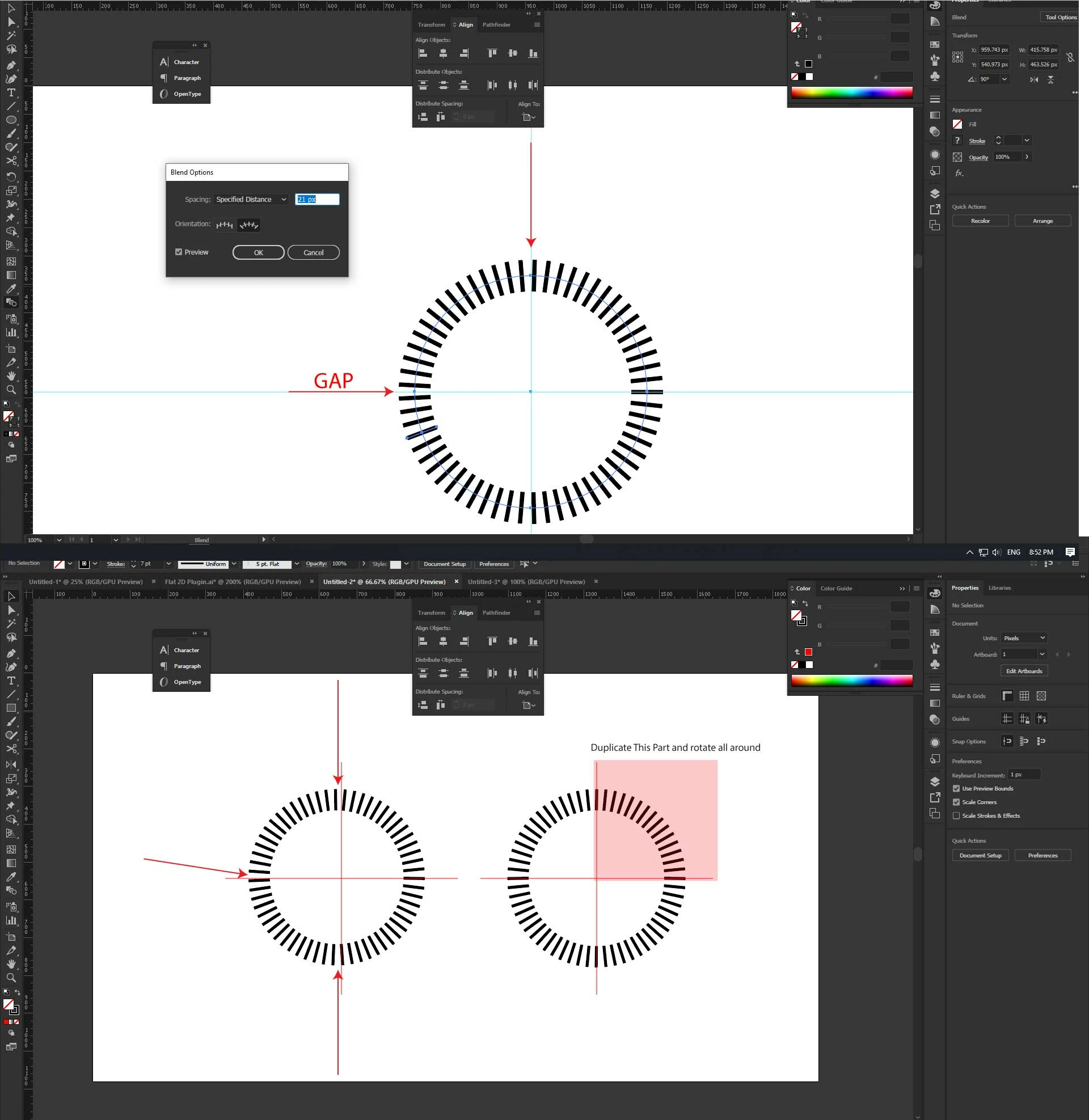
I'm trying to figure out how to blend 2 lines that go around an ellipse and are perfectly perpendicular aligned Horizontal & Vertical. When I do the blend, as seen in the example, the lines are not perpendicular, they tend not to align with the guides. No matter how many steps of distance I try withthe Blend Tool, they wont align to the guides. So the only solution I found, as seen in the example, I duplicated one side which had perfect alignment all around the ellipse to make it 100% perpendicular.
 

This topic has been closed for replies.
Correct answer Doug A Roberts

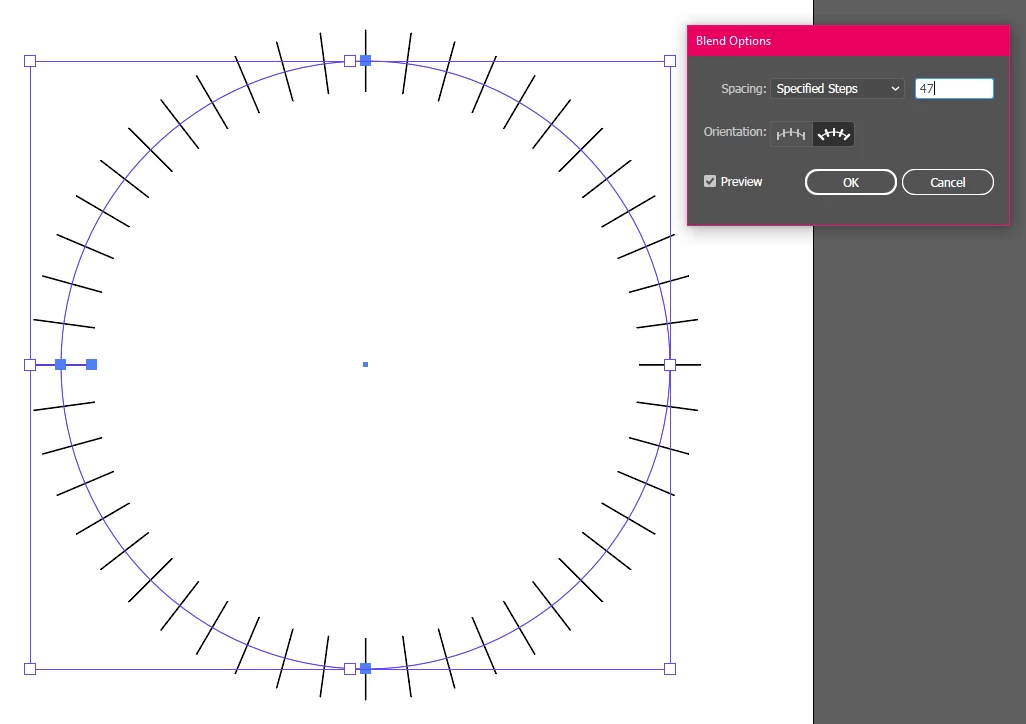
Do you specifically need to use the blend tool or will any method do? With the blend tool, I find as long as I use a number of steps that is a multiple of 4 -1 (i.e. 39, 43, 47, to account for one at each end) I get paths on the 90° markers:

1 reply

Doug A Roberts
Community Expert
Doug A RobertsCommunity ExpertCorrect answer
Community Expert
May 4, 2020

Do you specifically need to use the blend tool or will any method do? With the blend tool, I find as long as I use a number of steps that is a multiple of 4 -1 (i.e. 39, 43, 47, to account for one at each end) I get paths on the 90° markers:

Inspiring
May 4, 2020

That was it, It never occured to me to use less blends, for example I had like 1-10 or 1 to 13, but the 1-4 ratio workded well. The only thing which confused me was, when making the cut using the scissor too, my lines from 4 were becoming 3. (And then bumping up the specified steps)But eventually it worked out well.


Kind regards.