Inspiring
May 9, 2023
Answered

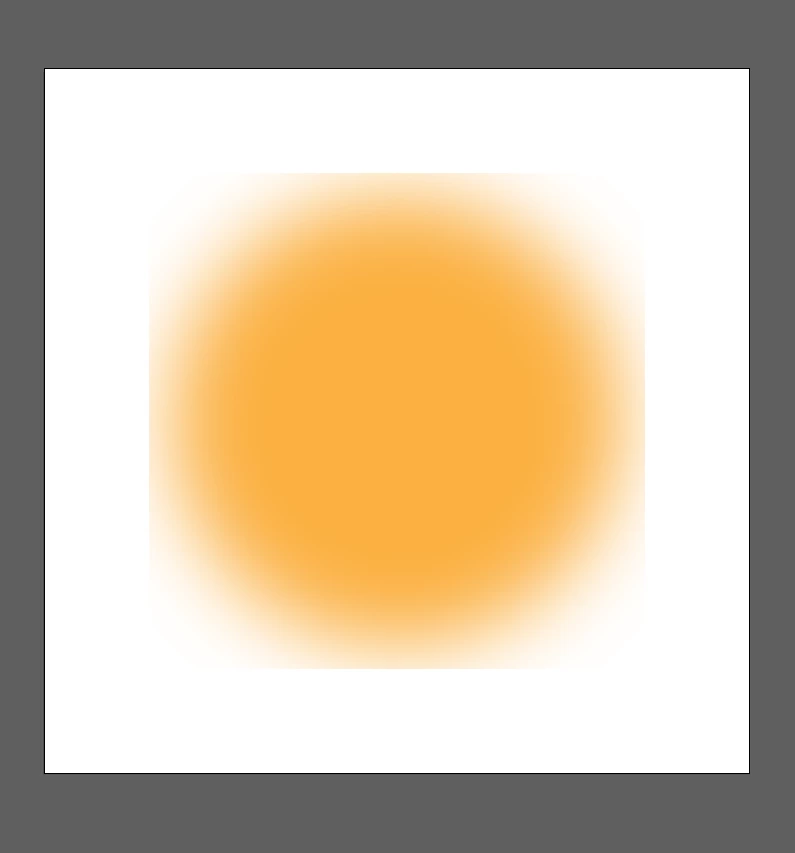
Blur effect cropped

  • May 9, 2023
  • 2 replies
  • 1351 views

Dear all, i'm trying to searh this problem, but seem i can not find it.

When i add a blur of shape, the result is like below, how to fix this? thanks.
This topic has been closed for replies.
Correct answer Ton Frederiks

Go to Effects > Document Raster Effects Settings and increase the space Around object

2 replies

Doug A Roberts
Community Expert
Community Expert
May 10, 2023

If anyone coming accross this finds this option a strange necessity, please take a look here and vote:


https://illustrator.uservoice.com/forums/333657-illustrator-desktop-feature-requests/suggestions/46538296-calculate-the-bounds-in-document-raster-effects-se

Inspiring
May 10, 2023

Thanks, i have voted it there. I'm not sure Adobe will read your vote.

######Raizen 7, 40Gb Ram, RTX 3060, Win 11 -- All of Software in the world are just tools. Buy it if it works for you :)
Doug A Roberts
Community Expert
Community Expert
May 10, 2023

The developers certainly read them. They can only prioritise those that gain more votes, however.

Ton Frederiks
Community Expert
Ton FrederiksCommunity ExpertCorrect answer
Community Expert
May 9, 2023

Go to Effects > Document Raster Effects Settings and increase the space Around object

Inspiring
May 10, 2023

Thanks so much @Ton Frederiks 

######Raizen 7, 40Gb Ram, RTX 3060, Win 11 -- All of Software in the world are just tools. Buy it if it works for you :)
Ton Frederiks
Community Expert
Community Expert
May 10, 2023

Good to hear that helped.
