Participating Frequently
November 13, 2017
Question

Blurry exports Illustrator CC 2018 AND 2017

  • November 13, 2017
  • 9 replies
  • 29168 views

Hi everyone, I'm having trouble exporting (save for web, export as, export for screen) in Illustrator CC 2017 and 2018. I've tired PNG, JPEG, and GIFs and all come out blurry no matter what resolution settings are. I'm not sure if it's the Illustrator program or my laptop (this would be the first time I'm using Illustrator on this laptop).

I've tried all export options and they always come out blurry.

I know this is an issue with CC 2018 and there's an update fix, but I don't see that option to download in my Creative Cloud?

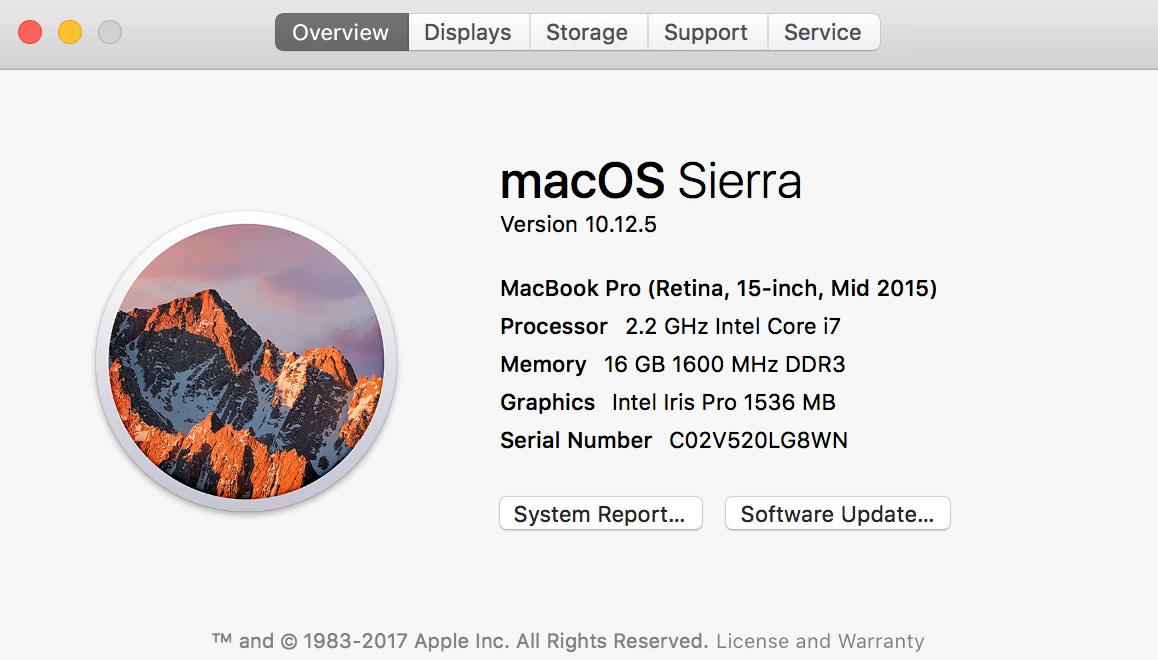
Help! Sample of the export below with a screenshot of my system.

This topic has been closed for replies.

9 replies

Participant
January 8, 2020

Hi! I had this problem forever and the best thing to do turned out to be to just export it as an SVG file, which is what is commonly used in web based media anyways. I use AI for all of my graphics on WordPress, so I know that some sites may have to have a plug-in to support SVGs but the artwork itself exports in perfect clarity. 


Hope this helps, I saw a lot of conflict above. Best wishes!

sahilm97086713
Participant
February 19, 2019

I was facing a similar issue with Exporting as a PDF through export for screens, I just clicked on the settings buttons and saw that the quality of all the different formats, including PDF, was set to low. Try seeing if changes this helps. :-))

Participating Frequently
October 9, 2018

Have you tried exporting at 1.5x or 2x under Export for Screens

ceyhun_akgun
Legend
May 24, 2018

I think here is a matter of resolution.

The Pixel Grid function can be used for pixel-based outbound transmissions. A sharper-looking appearance can be obtained.

If the resolution is low during export, the thin lines may appear fuzzy.

I might suggest a little trick here. Open this image in Photoshop and apply Sharpen at a small value.

Graphic Designer Educator / PrePress Consultant
mjf69
Participant
May 24, 2018

Hello, I believe i am having the same problem as some here.  Every time I export or save, all assets or artboards are "blurry".

With this particular design, the blurriness makes a huge difference and renders this logo unusable. I agree with previous posts, this is very frustrating. 

I have tried all the fixes here and even a few others I have found including re-installing Illustrator, to no avail.  As you see, this is NOT a small logo, artboard is 851 px X 315 px for a Facebook Cover.

I need to export as PNG but have also tried JPG.

any and all help will be appreciated, Thanks

Monika Gause
Community Expert
Community Expert
May 24, 2018

mjf69  schrieb

NOT a small logo, artboard is 851 px X 315 px for a Facebook Cover.

Your screenshot shows the zoomed in view. Of course that is blurry.

mjf69
Participant
May 24, 2018

What you should have said is "make sure your ppi is higher than 300" but thanks anyway for taking the SB approach...zoomed in?...really?

Participant
December 1, 2017

Using version 22.0.1
I'm having an issue with "export as". See "export as" jpg 100 quality, vs "save for web" jpg 90 quality.

Ton Frederiks
Community Expert
Community Expert
December 2, 2017

Try if jpg export with Art Optimized makes a difference

Participant
December 2, 2017

That fixed it for "export as" and "export for screens".
Thank you

Kevin Stohlmeyer
Community Expert
Community Expert
November 13, 2017

Have you read this thread yet? There are issues when exporting in CC 2018 from Illustrator. This very well could be related:

Error exporting as PNG

Participating Frequently
November 13, 2017

I have - the link takes me directly to adobe's help page about the update. Still no resolve for me!

Participating Frequently
November 13, 2017

Correction: I'm using version 22.0.1 and having this problem.

I'm not sure why no one else is seeing the difference. I'm viewing the images on a different computer and the difference is visible. I'm also viewing it on my iPhone, and the difference is visible.

If it is in fact my screen, how can I solve that?

Participating Frequently
October 25, 2019

I clearly see a difference! and I'm having the same issue. What would be great is if instead of debating whether or not you all see a difference, perhaps you could offer up solutions or suggestions.

Monika Gause
Community Expert
Community Expert
October 25, 2019

"instead of debating whether or not you all see a difference, perhaps you could offer up solutions or suggestions."


The solution depends on whether the difference is actually there or not.

If you have the same issue I would suggest that you create a new thread (because in this thread your post is close to invisible) and then you show your images and tell us exactly what you did. And yes, all the detail is important, especially the detail. Such things as pixel dimesnsions of your image and of course the details of your hardware.

Kurt Gold
Community Expert
Community Expert
November 13, 2017

Looking at your screenshot on my screen(s) I cannot detect something that could be called blurry.

Can you specify which parts of the drawing look blurry for you?

Participating Frequently
November 13, 2017

Kurt,

#1 is the export. #2 is a screenshot of the artboard. #2 is much sharper and clearer than the export.

Inspiring
November 13, 2017

I sense it is your laptop's display.  Virtually no difference between the two on mine.