
Participant
October 20, 2017
Question

Blurry Illustrator Exports

  • October 20, 2017
  • 3 replies
  • 1488 views

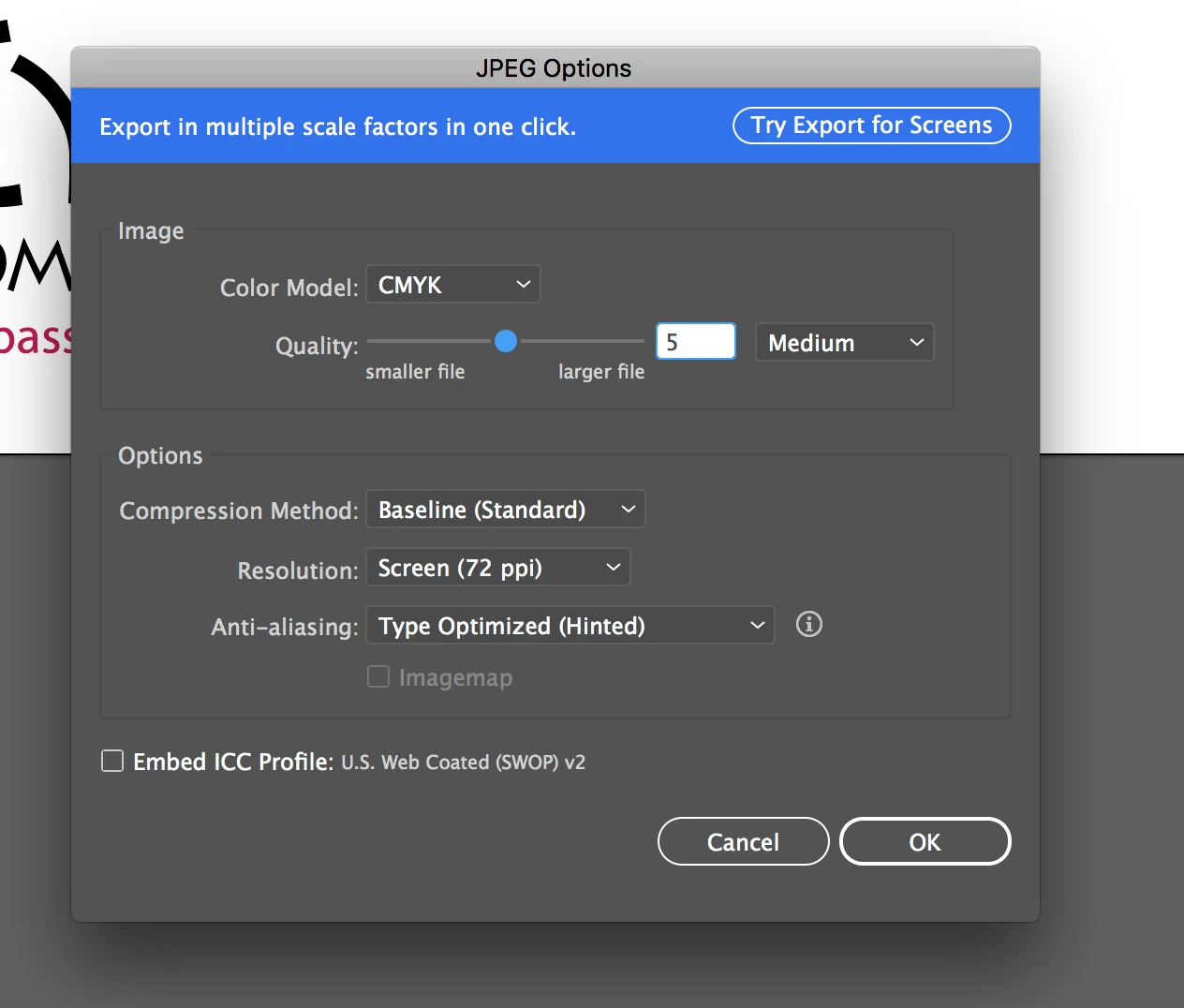
I'm trying to export a logo from Illustrator as a JPG. I didn't create the logo so I'm just opening the EPS in Illustrator and altering it to meet the requested specs. (artboard, 204 px wide by 43 px tall, less than 1KB and a JPG, BMP, GIF or PNG).  All of the formats I'm trying are coming out blurry! These are the default settings. I've tried changing all of them with no luck. Any ideas?

Thank you!
    This topic has been closed for replies.

    3 replies

    Nitish Agarwal
    Adobe Employee
    Adobe Employee
    October 23, 2017

    You can try Snap to Pixel and Make pixel perfect to get the correct output. What you have to do is Select the artboard tool > select the artboard on which your art is present and go to Object > Make Pixel Perfect (this will align your artboard with respect to the pixels). Do the same by selecting your art as well. To by default create your art/artboard pixel perfect go to View > Snap to pixel (this enables your art to be pixel perfect always). After doing this export the art  and see if you are getting the correct output.

    Johnny Sokko
    Inspiring
    October 20, 2017

    Is the logo you were given made in a vector program to begin with? Once imported into Illustrator, can you scale it upward with no loss in quality? If so, then export it, and move your Quality slider (in Export box) all the way over to highest quality, and change your resolution to maybe 600ppi or higher, then see how it looks.

    If it still looks bad, go back to Illustrator and export it again. If the Export window defaulted back to 72 PPI, (and I assume you're running Illustrator 2018), you might have to reinstall the program to get the Export feature to work right (I went through this yesterday). If you reinstall, you can do it through the Creative Cloud desktop interface, and be sure to have it remove preferences, when the option shows.

    If you are NOT experiencing a bad install as described above, then we might assume your original artwork you were given is not sufficient quality. But yes, if you can attach the file we can verify that.

    Kind regards-

    Monika Gause
    Community Expert
    Community Expert
    October 20, 2017

    Change the resolution to 600 ppi will of course make it look better, but then it will be a lot larger than 204x43 pixels, which is then completely outside the specifications.

    Johnny Sokko
    Inspiring
    October 20, 2017

    True, but we are trying to determine first if the program is the problem, or if the artwork is the problem. :-)

    Monika Gause
    Community Expert
    Community Expert
    October 20, 2017

    204x43 pixels is too small for most logos, so what do you actually expect?

    Participant
    October 20, 2017

    I am not a pro, which is why I am asking these questions - I didn't know what to expect. Any constructive advice?

    Monika Gause
    Community Expert
    Community Expert
    October 20, 2017

    Without seeing your logo, advice is not possible.

    It might even be completely impossible to get a decent result under these conditions.