


Participating Frequently
February 7, 2023
Answered

Blurry Logo despite being pixel perfect

  • February 7, 2023
  • 1 reply
  • 818 views

Hi there,


I try to export a pixel perfect figurative mark as an .png. The sizes are dividable by 4 and everything lays on even pixels, the grid is 4dp
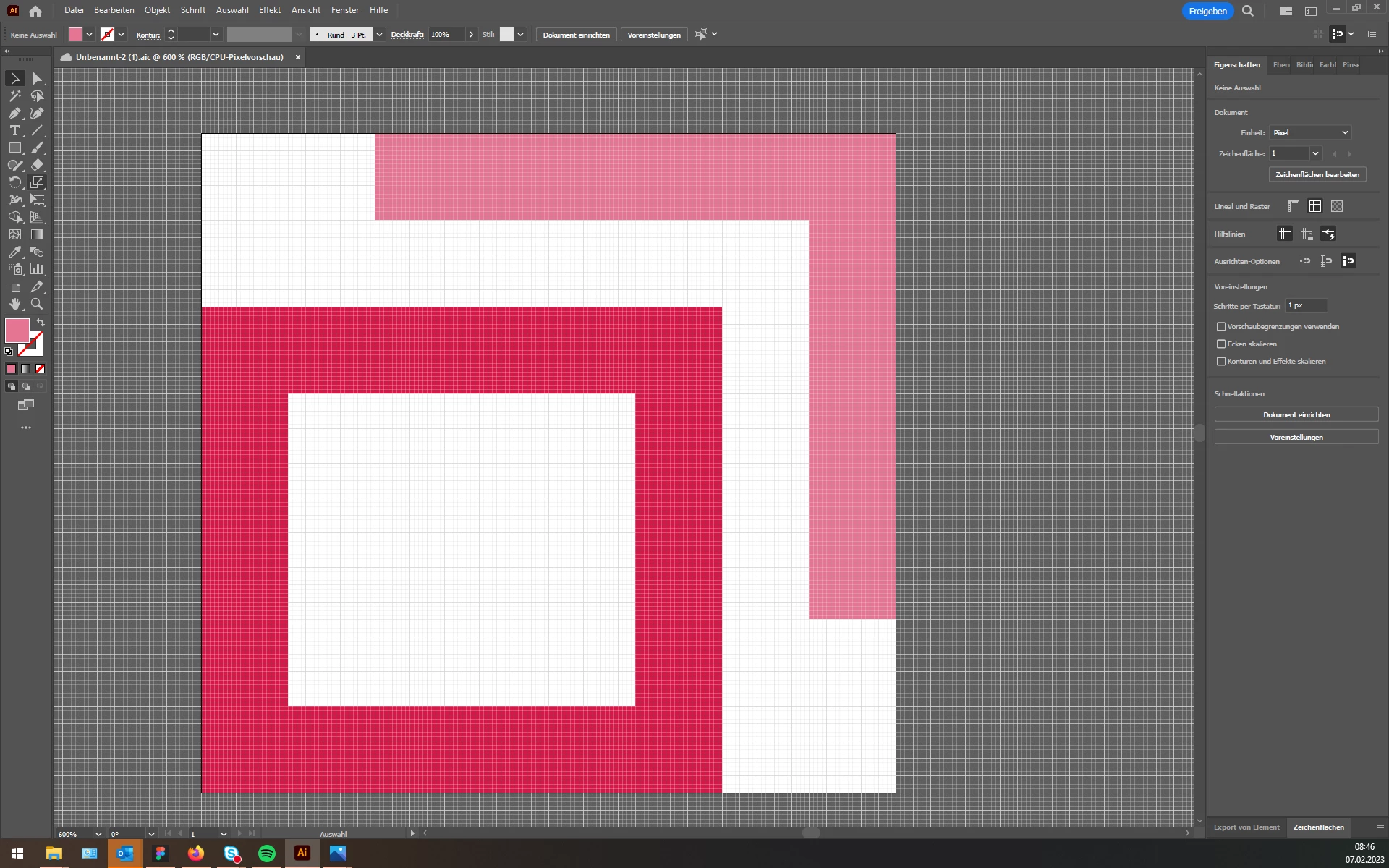


However exporting the image results always in blurry edges. I tried to export the file in 72ppi, 144ppi and 320ppi, used optimized anti-alias for images etc..

I made Artboards exports, Export as and Export for Web. Nothing works. I do not know what to do anymore. Is there anyone who could help me. (Screenshots attached).



Thank you so much for your help!

This topic has been closed for replies.
Correct answer Doug A Roberts

Thank you. I used the Windows 10 image viewer to look if it is perfect. The Logos will be used by my coworkers in programms like Word. That's why I wanted to test it.


The Windows Photos app appears to apply its own anti-aliasing/blur at high zoom levels. I don't think it's a reliable viewer in this case.

1 reply

Mylenium
Legend
February 7, 2023

A JPEG will always look slightly soft. It's inherent in how the compression works. You have to use PNG, GIF or any other uncompressed format.


Mylenium 

Participating Frequently
February 7, 2023

Hi Mylenium,


unfortunately I exported the Logo as a .png.

Doug A Roberts
Community Expert
Community Expert
February 7, 2023

Can you share the AI file?