Participant
September 27, 2022
Answered

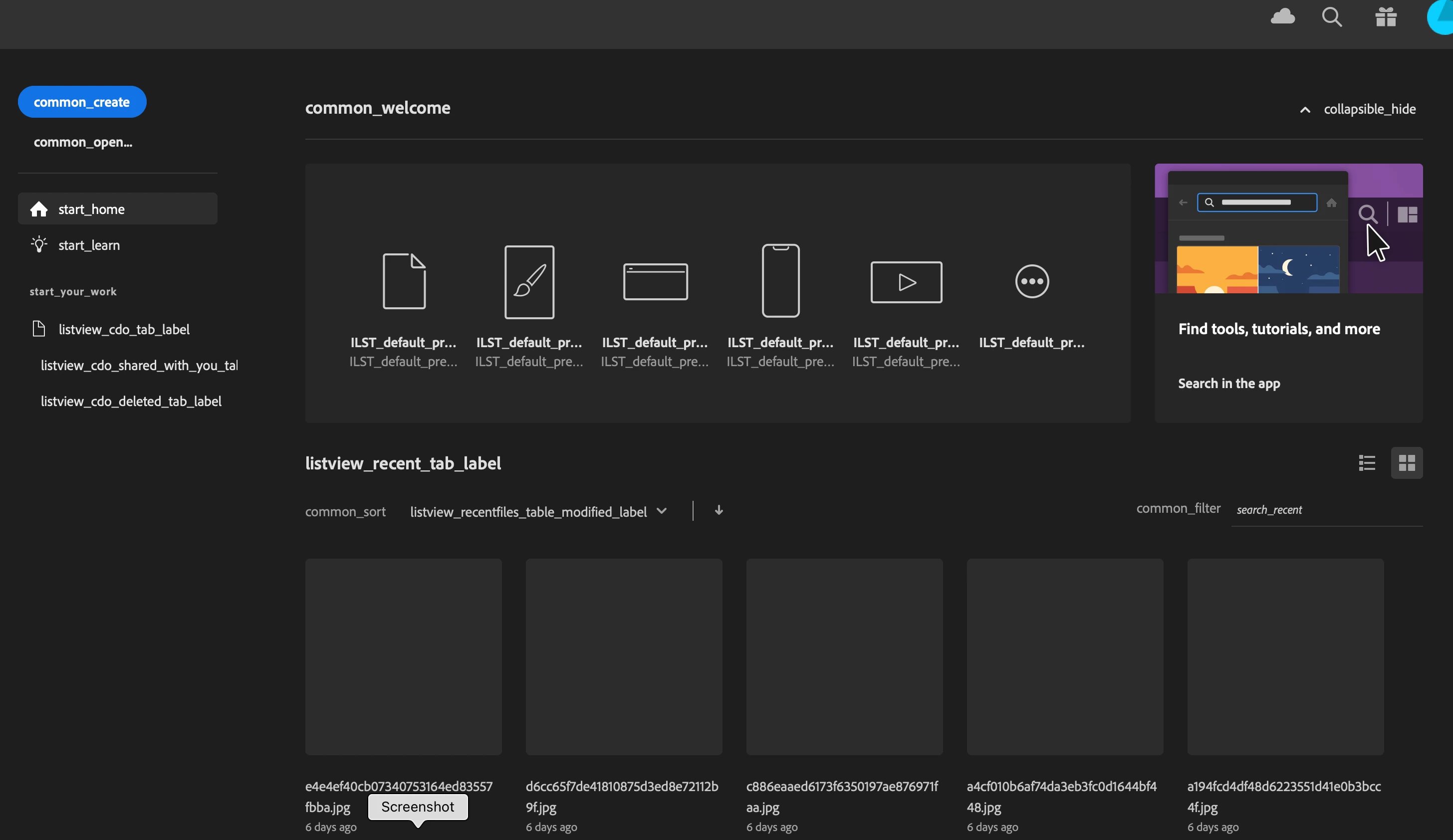
Booting up Illustrator, create new file/open file looks like this
  • September 27, 2022
  • 1 reply
  • 239 views

Please help! I have no idea why this started happening or how to even begin to troubleshoot outside of the standard- uninstall/reinstall- which i did do.  Any help would be greatly appreciated.

This topic has been closed for replies.
Correct answer Omar.Fathy

Try these solutions:

  • Reset Illustrator Preferences ( https://helpx.adobe.com/illustrator/using/setting-preferences.html) help to resolve the issue?
    If doesn't work, try the next one.

  • Rename the CEP folder to CEP.old from the following location:
    C:\Program Files (x86)\Common Files\Adobe
    If doesn't work, try the next one.

  • Rename the extensions folder to extensions.old in the following location:
    C:\Program Files\Common Files\Adobe\UXP
    If doesn't work, try the next one.

  • Uninstall the application using the CC Cleaner tool and reinstall from the Creative Cloud Desktop app.

1 reply

Omar.Fathy
Community Expert
Omar.FathyCommunity ExpertCorrect answer
Community Expert
September 27, 2022

Try these solutions:

  • Reset Illustrator Preferences ( https://helpx.adobe.com/illustrator/using/setting-preferences.html) help to resolve the issue?
    If doesn't work, try the next one.

  • Rename the CEP folder to CEP.old from the following location:
    C:\Program Files (x86)\Common Files\Adobe
    If doesn't work, try the next one.

  • Rename the extensions folder to extensions.old in the following location:
    C:\Program Files\Common Files\Adobe\UXP
    If doesn't work, try the next one.

  • Uninstall the application using the CC Cleaner tool and reinstall from the Creative Cloud Desktop app.
Participant
September 27, 2022
Thank you so much, i ended up having to use the cc cleaner tool after
trying all the other options but happy to have a program that plays nice
again!