
Inspiring
October 25, 2017
Answered

Bounding box on PDF export of assets

  • October 25, 2017
  • 2 replies
  • 1949 views

I am new to AI. I've been using another drawing program on and off so I have basic skills.

I have been trying to create a better version of a logo I use. The logo itself is very simple, just two rotated text boxes with the same text on ad behind a black rectangle and using a bit of masking. I can recreate the logo, but when I export it (as Assets to PDF), I get a bounding box that is larger than intended and also not perfectly aligned with what is intended.

The result must be 100% vector. I suspect that the rotated text boxes are outside the rectangle and thus influence the bounding box.

The result currently looks like this. (Still not perfect in other ways too, but it shows my issue).
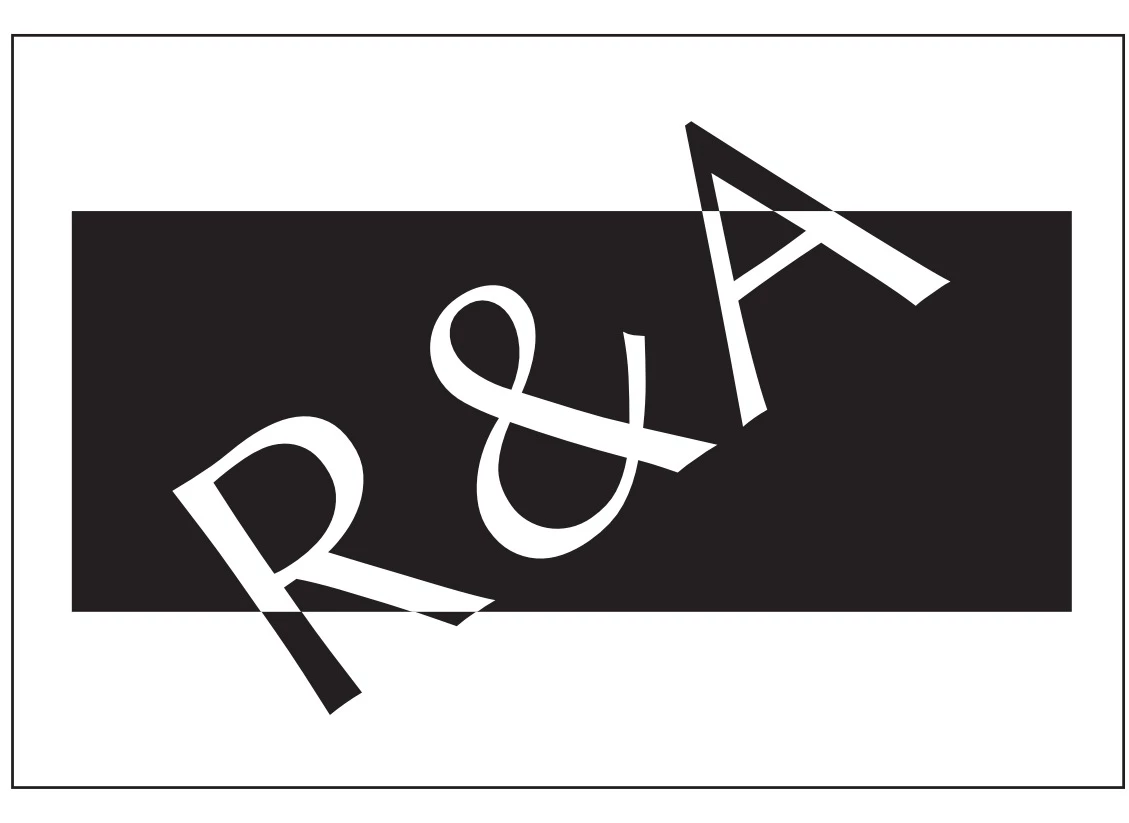
The JPEG is sized to the bounding box, but as you can see when you open it there is unequal white space around the outside rectangle stroke.

Is there a way I can just set the bounding box just as I want for these exported assets?

    This topic has been closed for replies.
    Correct answer Mylenium

    From your description it sounds like you didn't convert the text to outlines and hence the text's underlying em-boxes are correctly used to determine the padding and in turn the bounding box. Therein therefore lies the answer: convert before export. Also make sure to check any bleeds you may have defined somewhere. PDFs honor that, too.

    Mylenium

    2 replies

    Mylenium
    MyleniumCorrect answer
    Legend
    October 25, 2017

    From your description it sounds like you didn't convert the text to outlines and hence the text's underlying em-boxes are correctly used to determine the padding and in turn the bounding box. Therein therefore lies the answer: convert before export. Also make sure to check any bleeds you may have defined somewhere. PDFs honor that, too.

    Mylenium

    Monika Gause
    Community Expert
    Community Expert
    October 25, 2017

    Is the text outlined? Or still text?