
Question
Bounding Box Update Makes Snapping to Points Hard
I'm currently using Illustrator version 27.9, and I've noticed that the bounding box of a shape now always remains at the outer edge, be it if the stroke alignment is outside, center, or inside: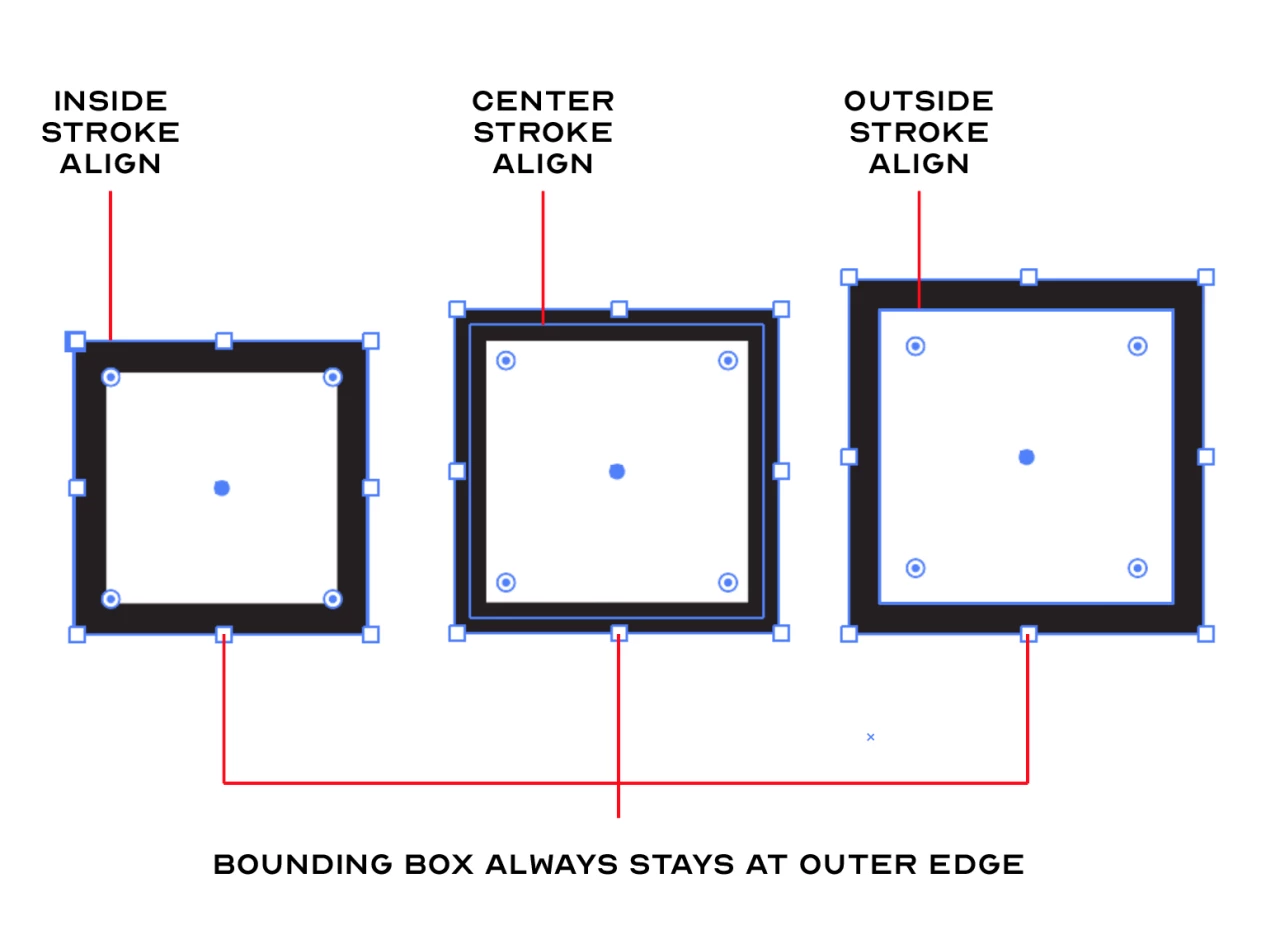
I had always use center stroke alignment in my projects. This update has made it really difficult for me to snap to the center stroke when the outer edge bounding box likes to snap to the center stroke of another shape: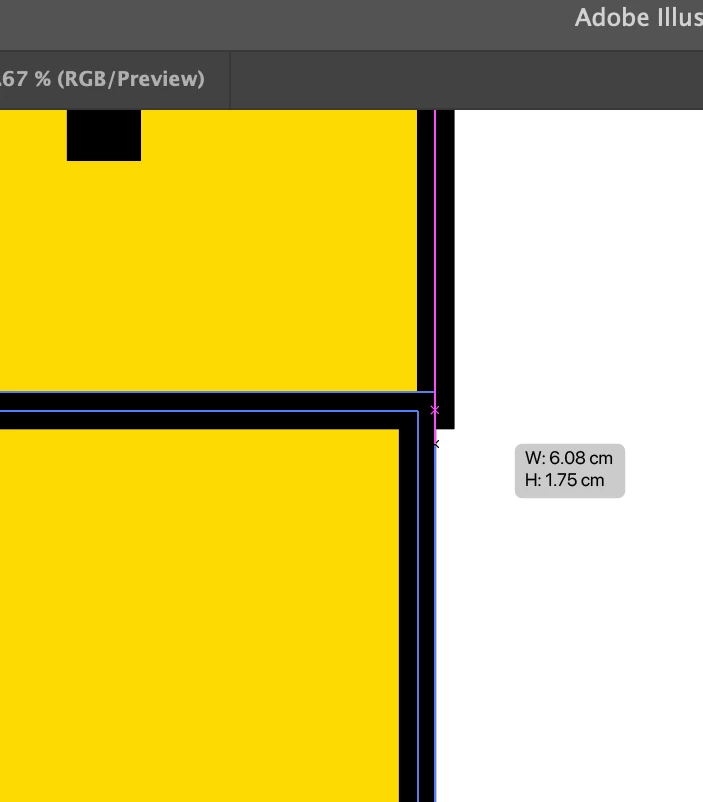
Is there any way to fix this problem?


 AdChoices