Hi Wren,
Thanks for your reply!
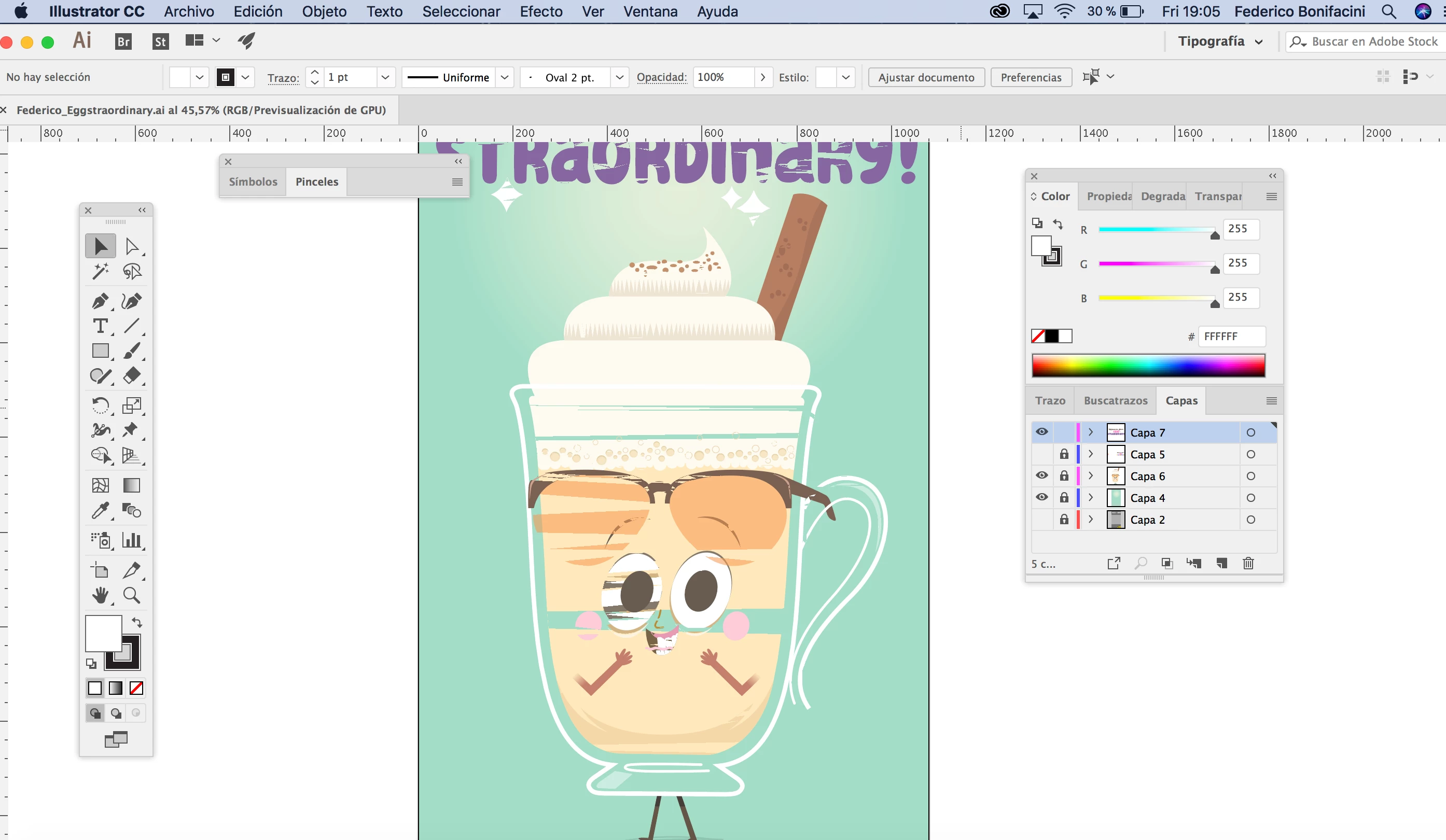
I tried by copying old content in a new document and saving but is the same problem.
So by the time I will continue using the 2017 version cause I need to open old files, maybe later when doing new illustrations I will use version 2018.
I bought a MacOS High Sierra version 10.13.1 a few months ago.
Processor 3,1 GHz Intel Core i5
8 GB
Macintosh HD
Intel Iris Plus Graphics 650 1536 MB
Thank you for help!
Best,
Federico
Thank you for the details, Federico! Thanks for trying my suggestion, as well.
The Illustrator team is currently investigating the GPU issues on High Sierra - customers with Intel Graphics cards have been experiencing rendering problems after the upgrade.
You can stay up to date on this issue by following the bug report here: High Sierra (macOS 10.13) GPU rendering issues - Intel Graphics – Adobe Illustrator Feedback
From Illustrator's QE team:
"We are aware of GPU issues on few Intel graphics card. We are working with Apple and trying to get this resolved. The fix will be in graphics driver that macOS bundles.
Few users emailed us that they see this issue on their MacBooks that does not have Intel cards. The MacBooks that you are referring to actually do have an Intel card. These have dual graphics card and the bug surfaces when it switches to the low powered card. Disabling “Automatic graphics switching” in “Energy Saver” in System Preferences is a workaround on those machines.
If you have any other observations please drop in a comment or please get in touch with us at sharewithai@adobe.com or any of the other support channels – https://helpx.adobe.com/support.html ."
Let us know if there's anything else we can help you with.
Best,
Wren

 AdChoices