emiliosa1982
Participant
November 26, 2017
Answered

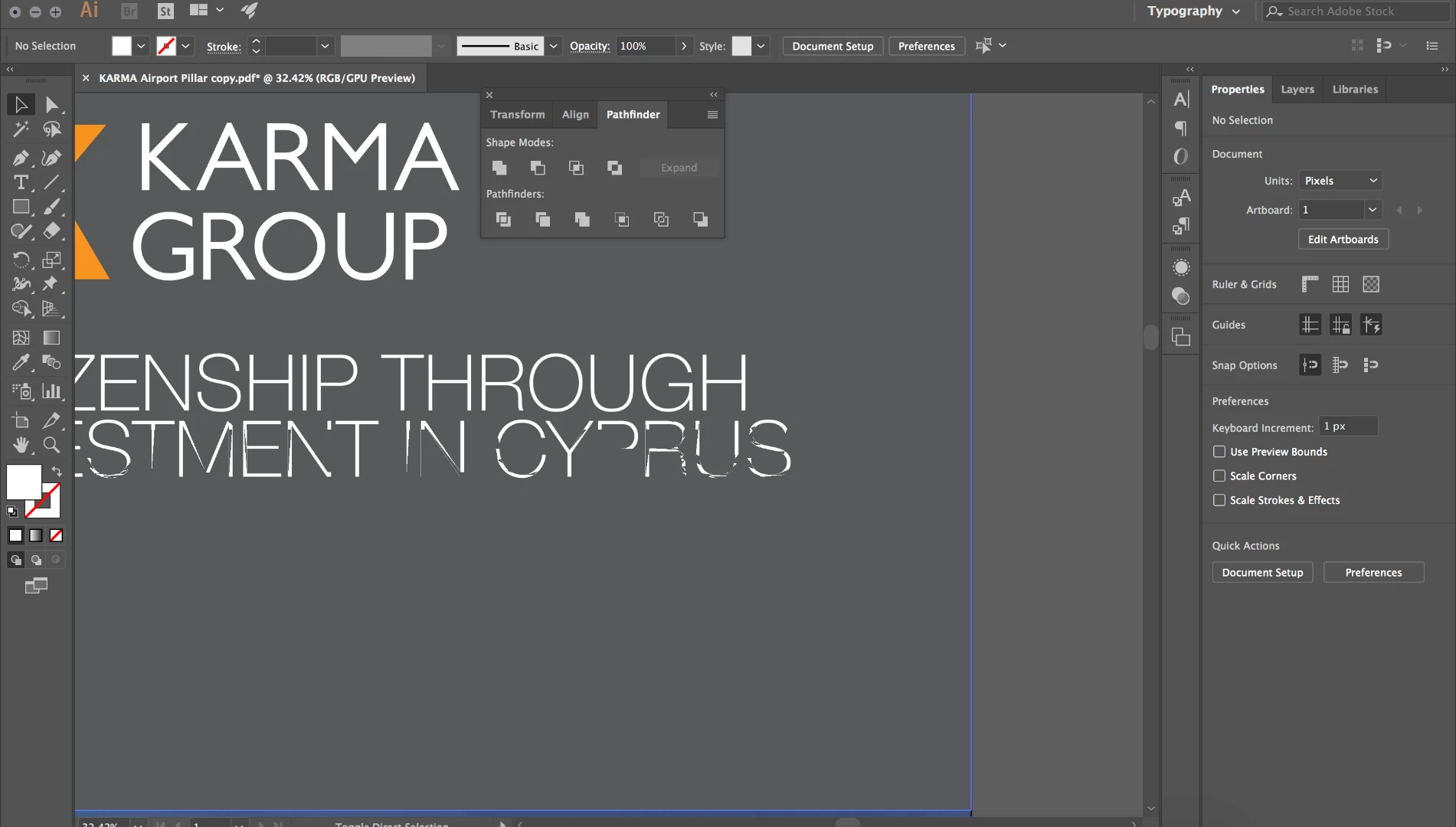
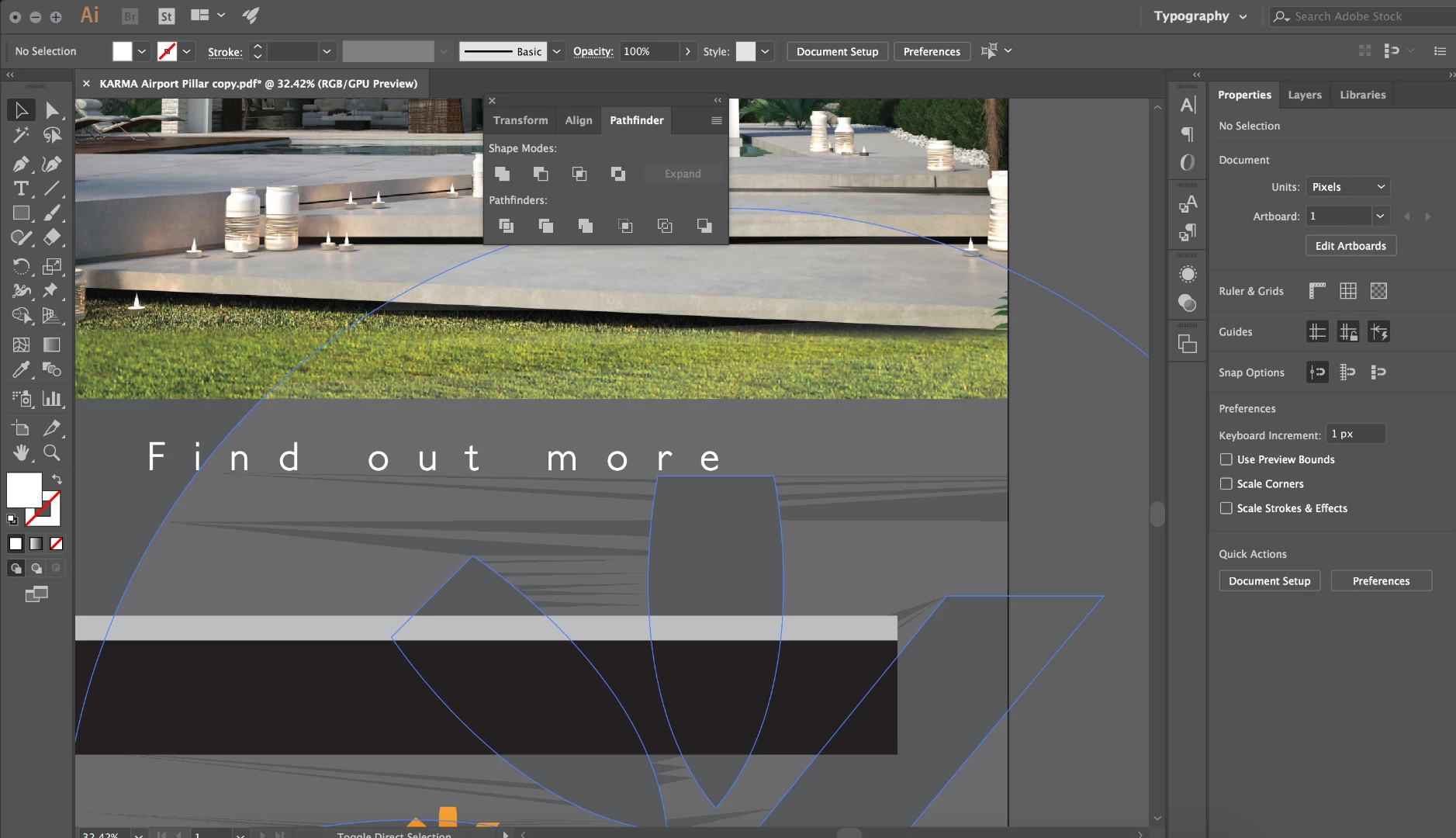
Broken vector shapes and text in preview

  • November 26, 2017
  • 1 reply
  • 583 views

Just changed to Mac Book pro 2107 and installed the latest version of Illustrator cc. Started using it and some shapes and text would appear broken with some triangular shapes disappearing. Does anybody know why
    This topic has been closed for replies.
    Correct answer Ton Frederiks

    Cmd E to switch from GPU to CPU preview.

    Or to disable it in the Preferences, click the Rocket Icon at the top.

    A problem with some Mac Video cards.

    See:

    High Sierra (macOS 10.13) GPU rendering issues - Intel Graphics – Adobe Illustrator Feedback

    1 reply

    Ton Frederiks
    Community Expert
    Ton FrederiksCommunity ExpertCorrect answer
    Community Expert
    November 26, 2017

    Cmd E to switch from GPU to CPU preview.

    Or to disable it in the Preferences, click the Rocket Icon at the top.

    A problem with some Mac Video cards.

    See:

    High Sierra (macOS 10.13) GPU rendering issues - Intel Graphics – Adobe Illustrator Feedback

    emiliosa1982
    Participant
    November 27, 2017

    Thank you so much Ton!

    Ton Frederiks
    Community Expert
    Community Expert
    November 27, 2017

    Glad that helped.