
Participant
December 4, 2020
Answered

Brush stroke outline for text is not working

  • December 4, 2020
  • 1 reply
  • 763 views

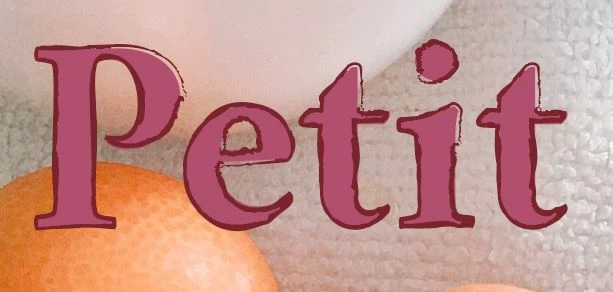
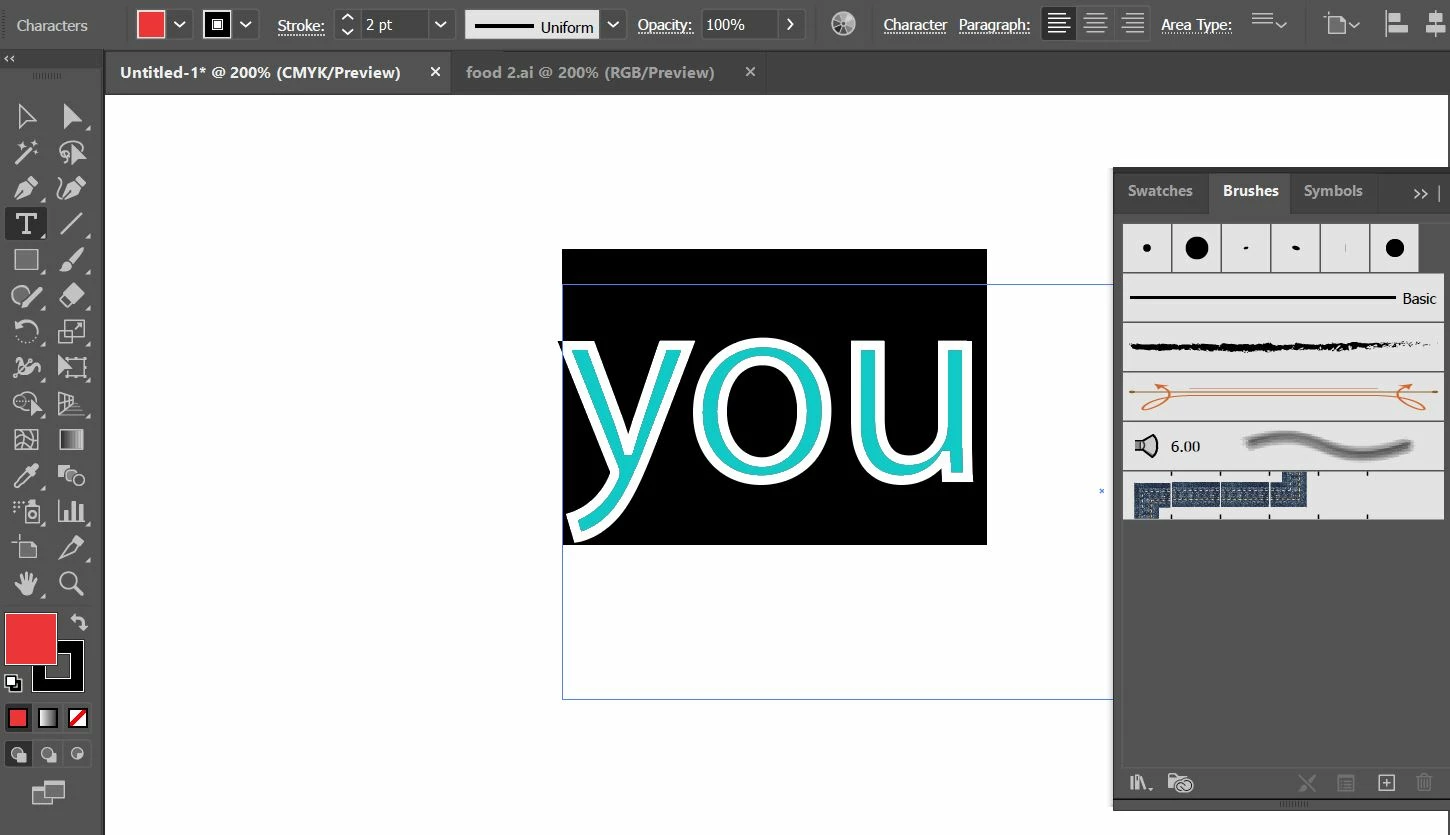
Hi, I have an issue with using the brush stroke as the outline of the text. The first image was the effect I had. But somehow it is not working anymore as on the second image. I am not sure if I had clicked / locked any tools by mistake. (I have already re-installed the AI. However, the function of brush outline is still not working) Would you have an advice for me? Thanks!
This topic has been closed for replies.
Correct answer PrepressPro1

I was a little confused by this, but when I added another stroke (this is key) to the text object I was able to apply the brush to that stroke.

Also if you have an Appearance you like in one document it might be best to save it as a Graphic Style and apply to other text objects. If your Graphic Style has multiple strokes an fills make sure they are all living at the Object level and not at the Character level to correctly apply as a Graphic Style.

1 reply

Monika Gause
Community Expert
Community Expert
December 4, 2020

You have to select the text object with the Selection tool (black arrow)

Then open the Appearance panel

Add a stroke to the text object

Apply the brush to that stroke

ching5FBCAuthor
Participant
December 4, 2020

Hi, there is still no way I can add a brush stroke outline. Would you know if there is any step I missed?

Monika Gause
Community Expert
Community Expert
December 4, 2020

If you now click on a brush that doesn't work?