



Brush Tool Effect Disappears Randomly
I have designed a bunch of nice brushes that simulate various types of pipes and cables.
Most recently, I have been working with PVC pipes that have flared ends, so I had to create a new set of brushes that had flared ends.
I got them all working fine and used the Brush Pallet to scale them to 20% and they still looked great.
However, when I tried to make the fifth or so pipe flared on both ends, suddenly all of the newly defined brushes stopped working. As in the paths they were applied to disappeared. And by disappeared, I mean that the stroke shows up, the appearance panel doesn't show any change in opacity, the shape remains, but no stroke. And no brush-stroke either.
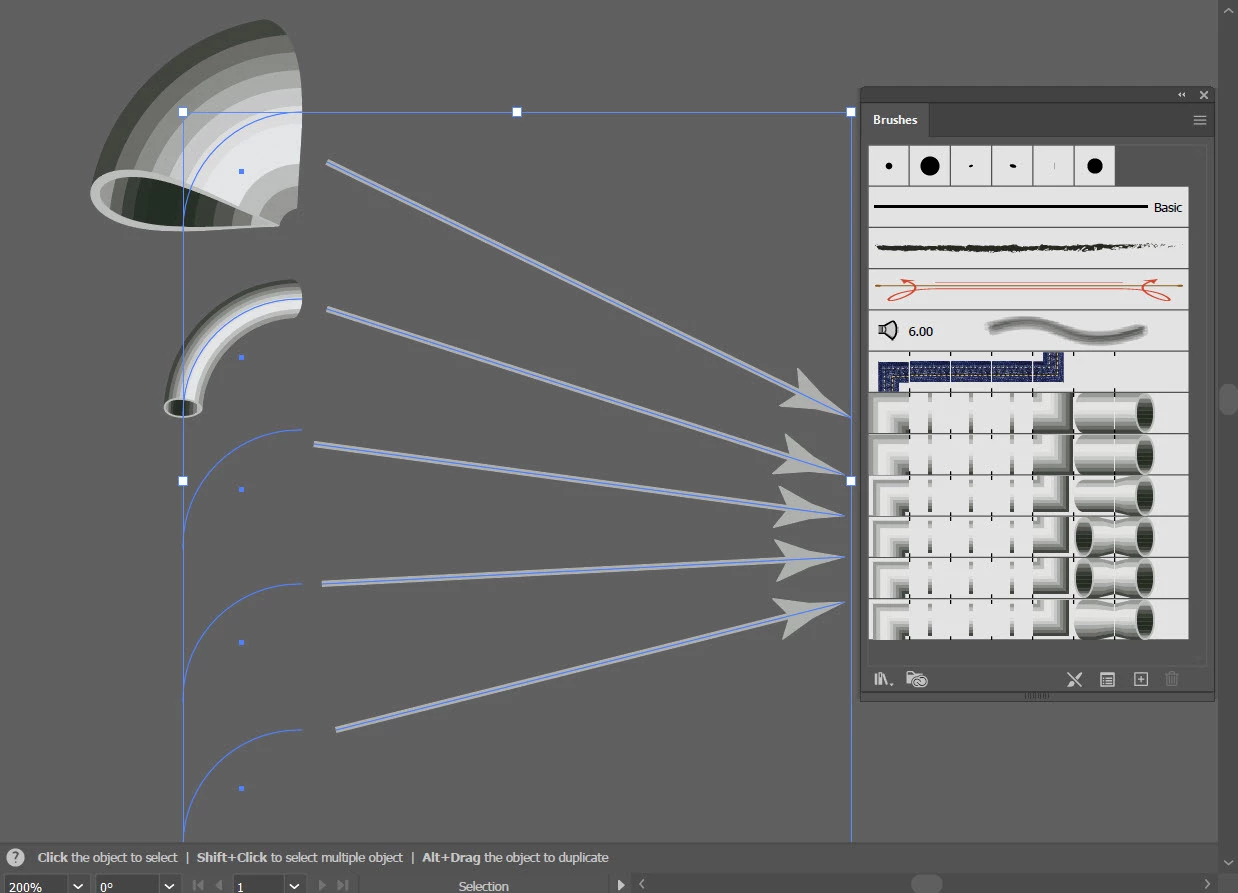
This shows the same path with different brushes applied. Notice the bottom three have disappeared.
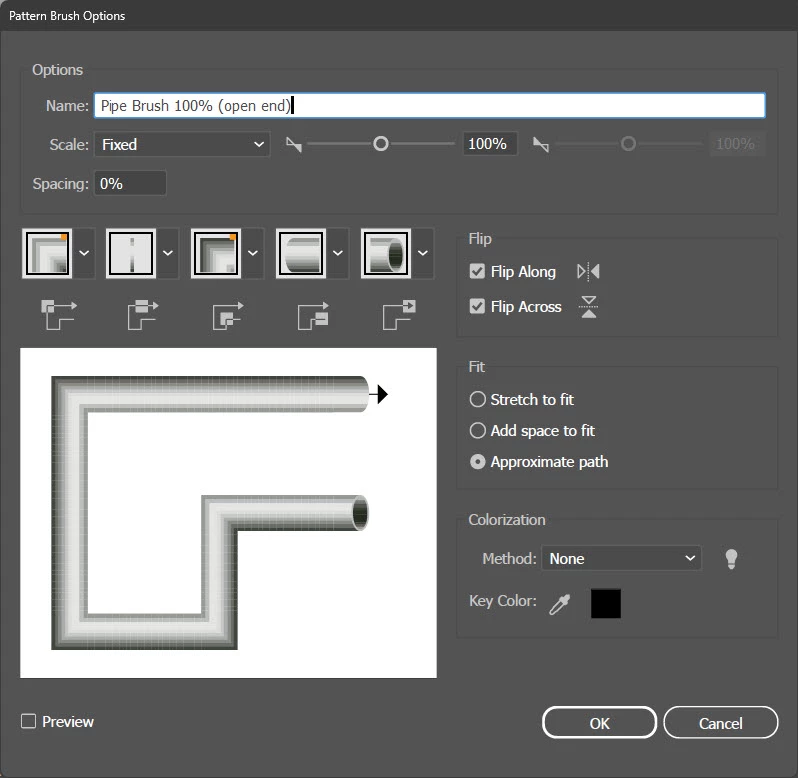
This is the default brush at 100px x 100px
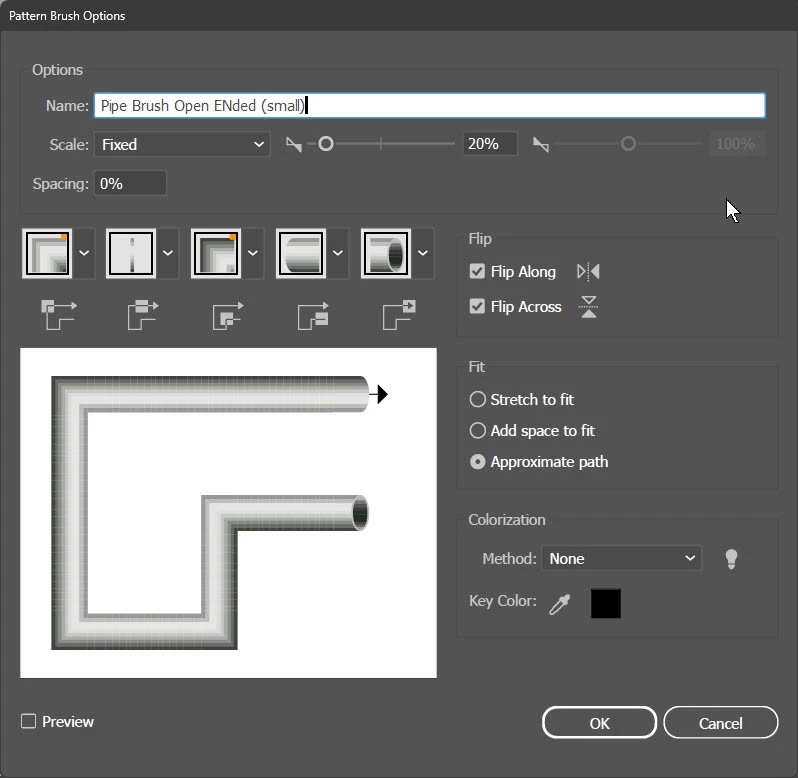
This is the default brush duplicated and applied with 20% scaling to preserve the shapes on the ends.
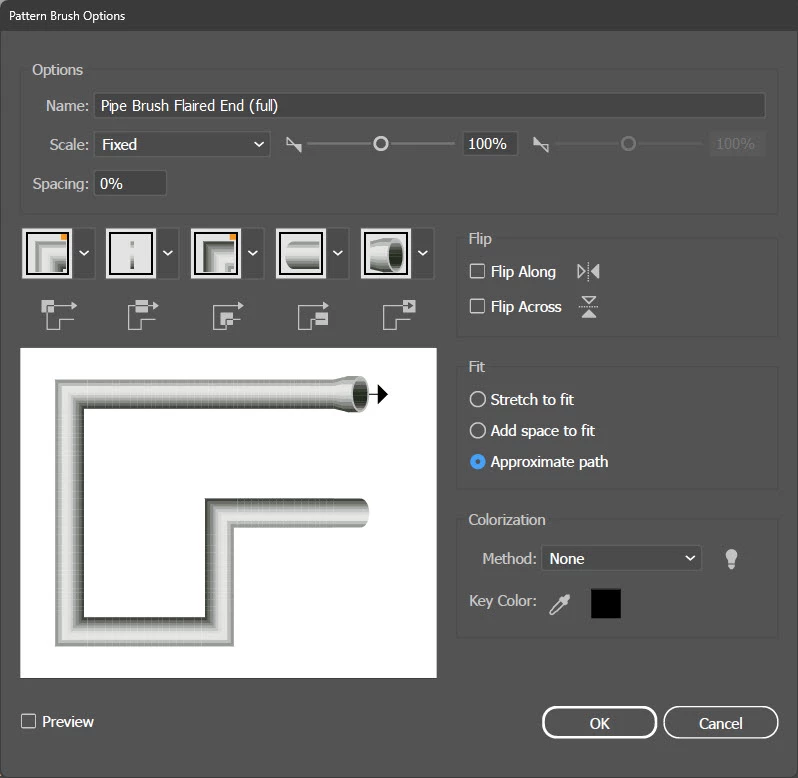 This is the default brush duplicated with modifications made to accommodate the flared head.
I have tried two version of Illustrator (beta, 25) and the same problem. It's not a memory problem because I have tried rebooting and running illustrator with 50% of my available RAM (32Gb) dedicated to it and generous swap disks including two 2 NVMEs and 2 ssds (plenty of cache space).
The strange thing is that all of the brushes were working great until suddenly they just stopped. Now only the first two work.
And I have even tried copying the brushes into a clean file by copying and pasting paths with the brushes applied and still doesn't work.
This is the first time I have had this problem in more than 20+ years. Anybody have any idea what could be happening? Thanks for any input.
p.s.
Just to be sure that I wasn't having script or plugin issues, these were taken when I was in Safe Mode.
 AdChoices