Inspiring
December 18, 2025
Answered

brushes? installing assets, I must be missing something...

  • December 18, 2025
  • 3 replies
  • 371 views

Hi Community,

I'm new, so please forgive me. I've looked at the directions I could find with Google. They aren't working for me. 95% of the brush downloads from the Adobe Stock page do not load the way it is suggested they should. 

I put them in a folder, use the brushes panel to locate them, and...nothing happens. It opens a blank brush panel, or, even stranger, a second iteration of the standard brush panel. 

Many of the brushes open as .ai files. I don't know how to turn those into brushes. They are just vector images to me. I can't get them to "become" a brush.

Usually, when I encounter this level of error, it means I am doing something terribly wrong. I just don't know how all the gurus I have googled could be misleading me.

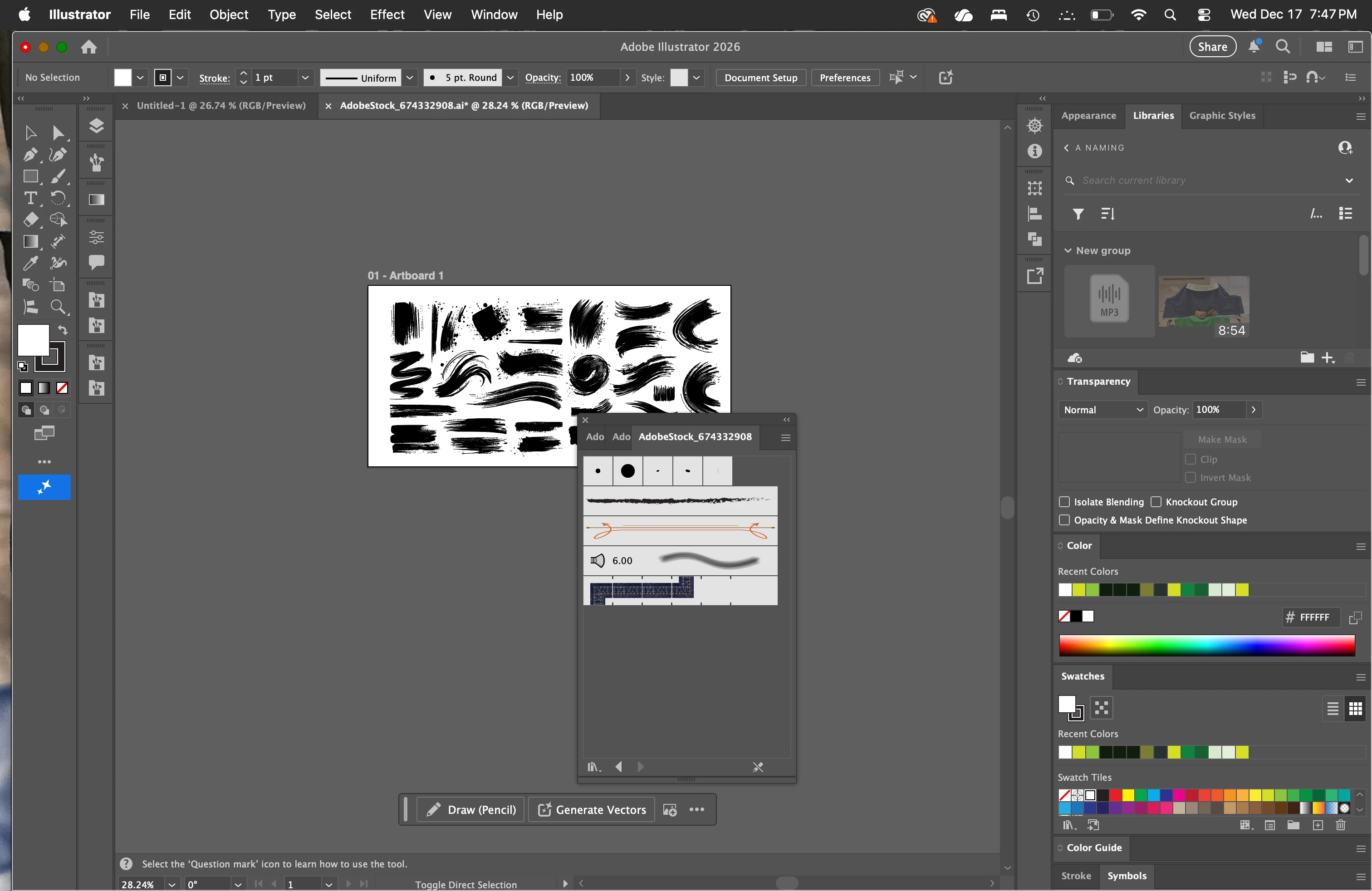
Just as a for-instance, I've attached the opened brush menu for brush #AdobeStock_674332908. It is also the .ai file open on the artboard. How do I get the brushes on the artboard into the brush menu? There are only standard brushes in there.
870369i250FA6E76D66130C.png870367i6C6AAB8A250586A6.png870368i8415265BE8EBABE3.png

Correct answer Monika Gause

And how to make brushes from raster images: https://youtu.be/JGqzZKV6txI 

3 replies

Monika Gause
Community Expert
Community Expert
December 18, 2025

Please check out this: https://youtu.be/fMQEDBOeZso 

Monika Gause
Community Expert
Monika GauseCommunity ExpertCorrect answer
Community Expert
December 18, 2025

And how to make brushes from raster images: https://youtu.be/JGqzZKV6txI 

CarlosCanto
Community Expert
Community Expert
December 18, 2025

I downloaded the file from Stock but it came as a Raster Image, so I Traced it and dragged one of the brushes to the Brushes Panel (Bristle Brush).

Inspiring
December 19, 2025

Thank you Carlos, this is all new to me, and it seems like Google is not enough. I am grateful to the Adobe forums. I've learned how to use InDesign here, and I've found everyone to be exceedingly helpful, polite, and curious.

thanks
Community Expert
December 18, 2025

You can drag a vector object that's on the art board and drop it into the Brushes panel to turn it into either an Art Brush or a Pattern Brush.

Inspiring
December 19, 2025

Thank you, Bobby. Great solution.

thanks