Participant
June 6, 2025
Question

Bug dans créations de formes avec la plume

  • June 6, 2025
  • 2 replies
  • 194 views

Bonjour,

J'utilise quotidiennement Illustrator et je rencontre des difficultés à cause de bugs du logiciel. 

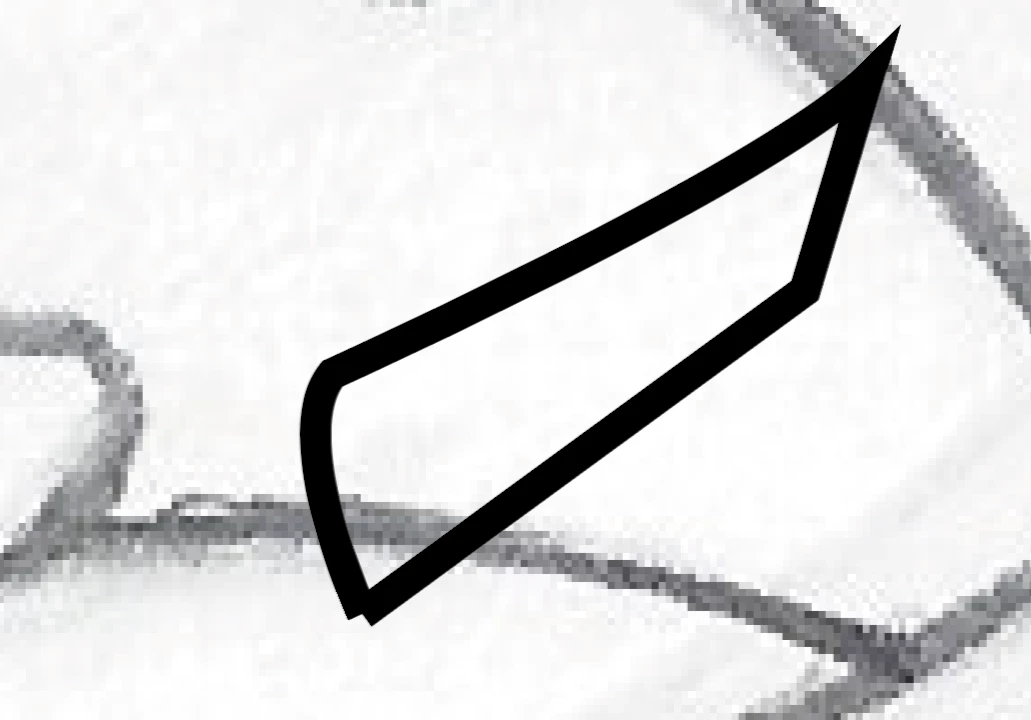
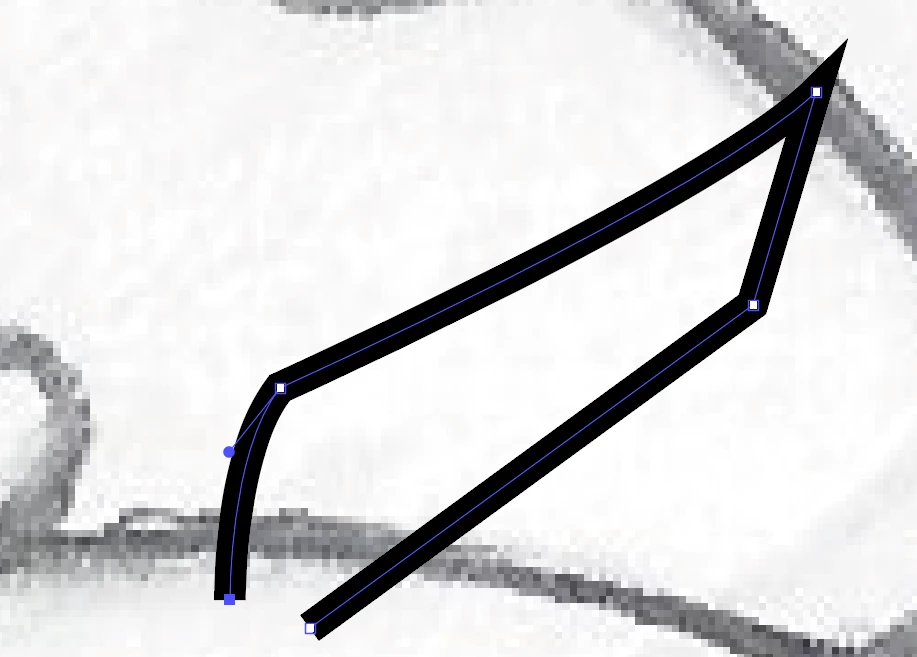
Tout d'abord, mes formes ne se ferment pas. Comme vous pouvez voir ci dessous, les tracés ne se joignent pas.


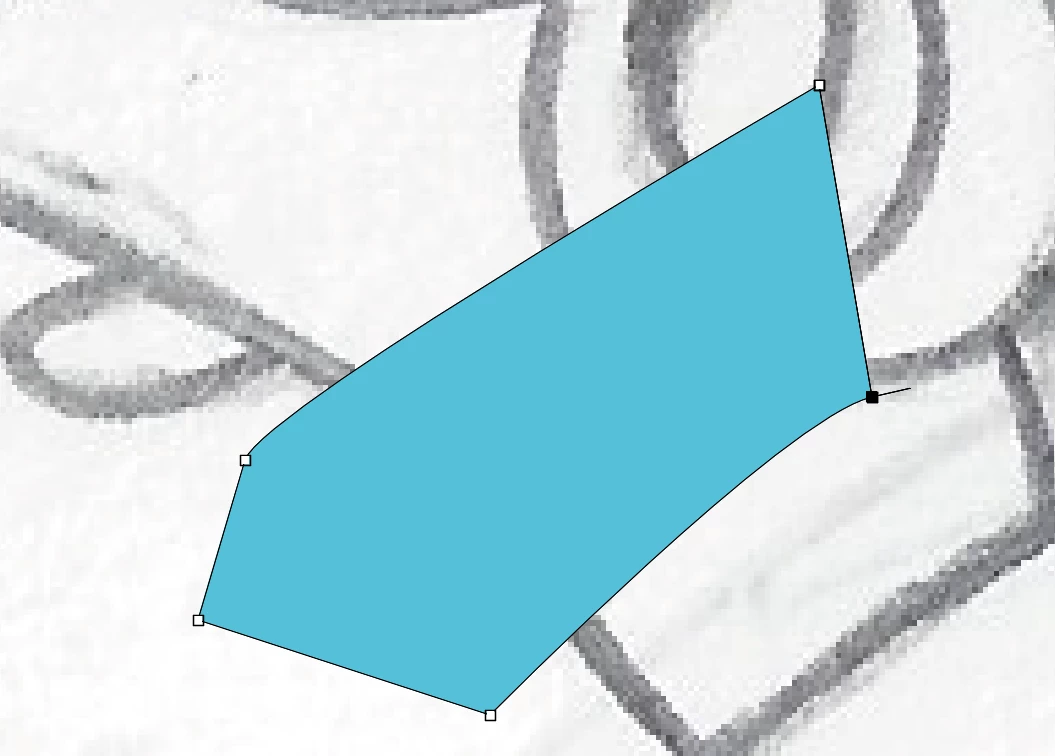
De même, lorsqu'après avoir fait un angle avec la plume, je souhaite créer un tracé droit (il faut recliquer sur le dernier point tracé pour supprimer la courbe), cela me fait une ligne en plus, vous pouvez le voir ci-dessous. 
 

Je souhaiterai qu'une mise à jour soit faite afin de corriger les bugs, mais je ne sais pas où le signaler 😞

2 replies

Jacob Bugge
Community Expert
Community Expert
June 6, 2025

Nausicaa,


Are you relying Smart Guides as friends, to snap to close paths?

https://helpx.adobe.com/illustrator/using/rulers-grids-guides-crop-marks.html


In the first sample with thick strokes, the last Click ought to snap to the first Anchor Point, and the second one seems to lack a Click on the first Anchor Point at the bottom right.


Concerning the samples with the thin strokes and fill, when you wish to switch between Handle/No Handle either way at Anchor Points, Alt/Option is your friend:


1) To go from Handle to No Handle, start with ClickDragging, then press Alt/Option and pull the outgoing Handle back into the Anchor Point, which will leave the ingoing Handle unchanged.

2) To go from No Handle to Handle, start with Clicking, then press Alt/Option and simpy Drag out the outgoing Handle from the Anchor Point with the desired direction and length.

Participant
June 6, 2025

Anubhav M
Community Manager
Community Manager
June 6, 2025

Hello @Nausicaa26612887kbr7,

Could you share more details, like the exact version of the OS/Illustrator installed, and a small screen recording of your exact workflow and the problem, so I can better assist you?

Also, try resetting Illustrator's preferences as described in this article (https://adobe.ly/3FAWZnN) and share your observations.


Disclaimer: Please note that renaming preferences folders will remove all the custom settings, and Illustrator will launch with default settings. You can also save a backup of the folders in case you want to. The location is mentioned above.


Looking forward to hearing from you.

Anubhav