
Participant
September 21, 2022
Question

Bug Illustrator 2022 — Color burned — Online document

  • September 21, 2022
  • 3 replies
  • 214 views

Hello,

I have some issue with my Illustrator file saved in the Adobe cloud.
For a certain period of time my file looks good but, at this time, all the colors are burned and it looks likes its definitive. Try to copy/paste on another document with different ICC profile, don't work.

All images are integreted in the doc. I know how to use color profile and I did a clean install, try to visualise it on another computer… colors are still burned. 
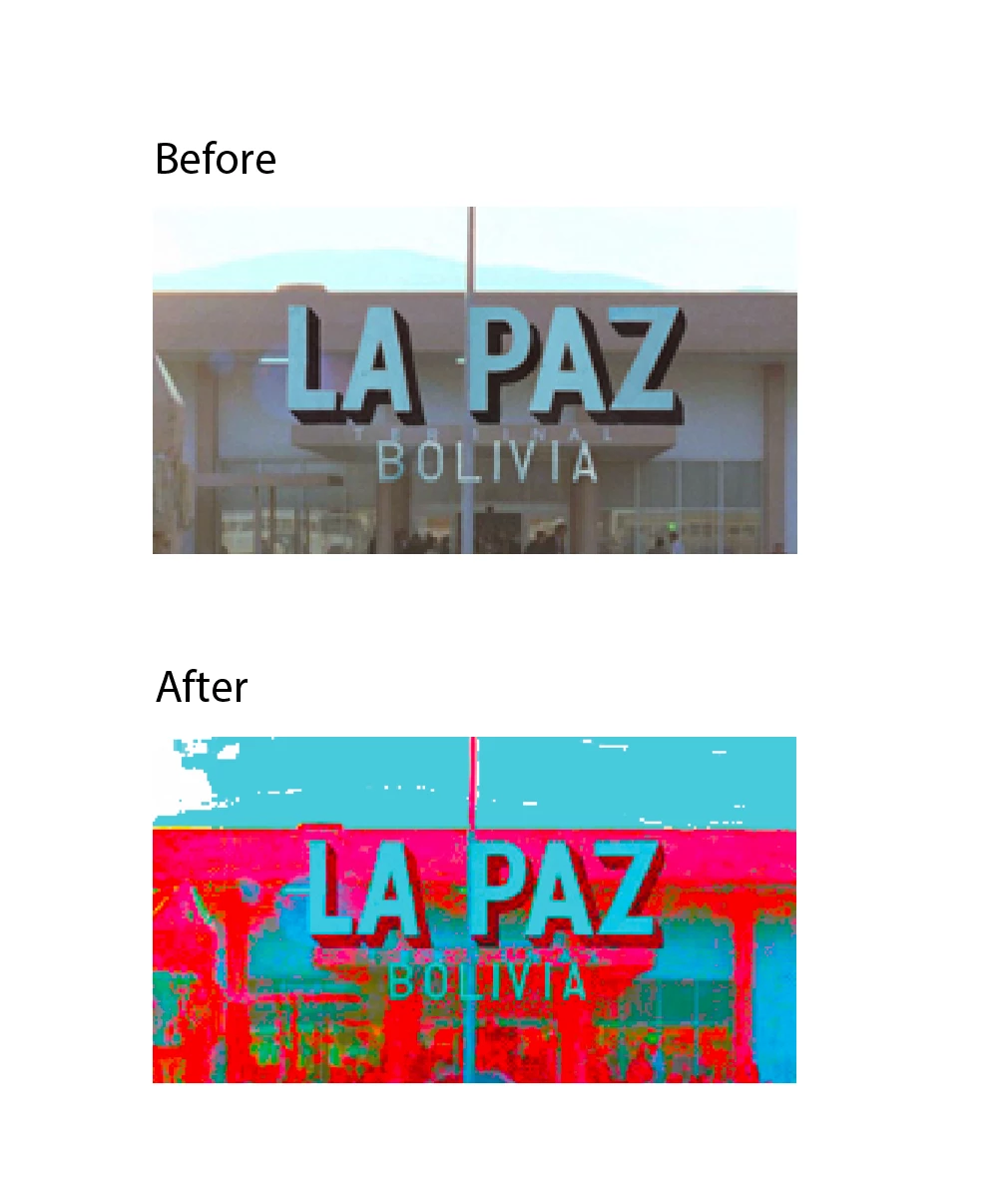
This topic has been closed for replies.

3 replies

Anubhav M
Community Manager
Community Manager
September 21, 2022

Hello @Gaël23696033eqbt,


Sorry to hear about this experience. Would you mind sharing a link to a few of your cloud documents here or via DM so we can check it on our end?


Looking forward to your response.


Thanks,

Anubhav

Ton Frederiks
Community Expert
Community Expert
September 21, 2022

Are these .png files?

There was a bug with embedded png files (I believe an update fixed it).

Because embedding png files is your only option with cloud documents, I would suggest to save locally as .ai and link the png files.

Participant
September 21, 2022

Hi, it's about all colors. Even on vector elements.
I do not use Cloud file saving anymore, it's a shame.

Participant
September 21, 2022

Color Burned on all Cloud saved files.
Desktop saved are ok.