
Known Participant
December 17, 2022
Question

Bug Issue When Create PDF File That Content 3D Effect, Thin Line Around the Object 3D

  • December 17, 2022
  • 1 reply
  • 615 views

Dear All,

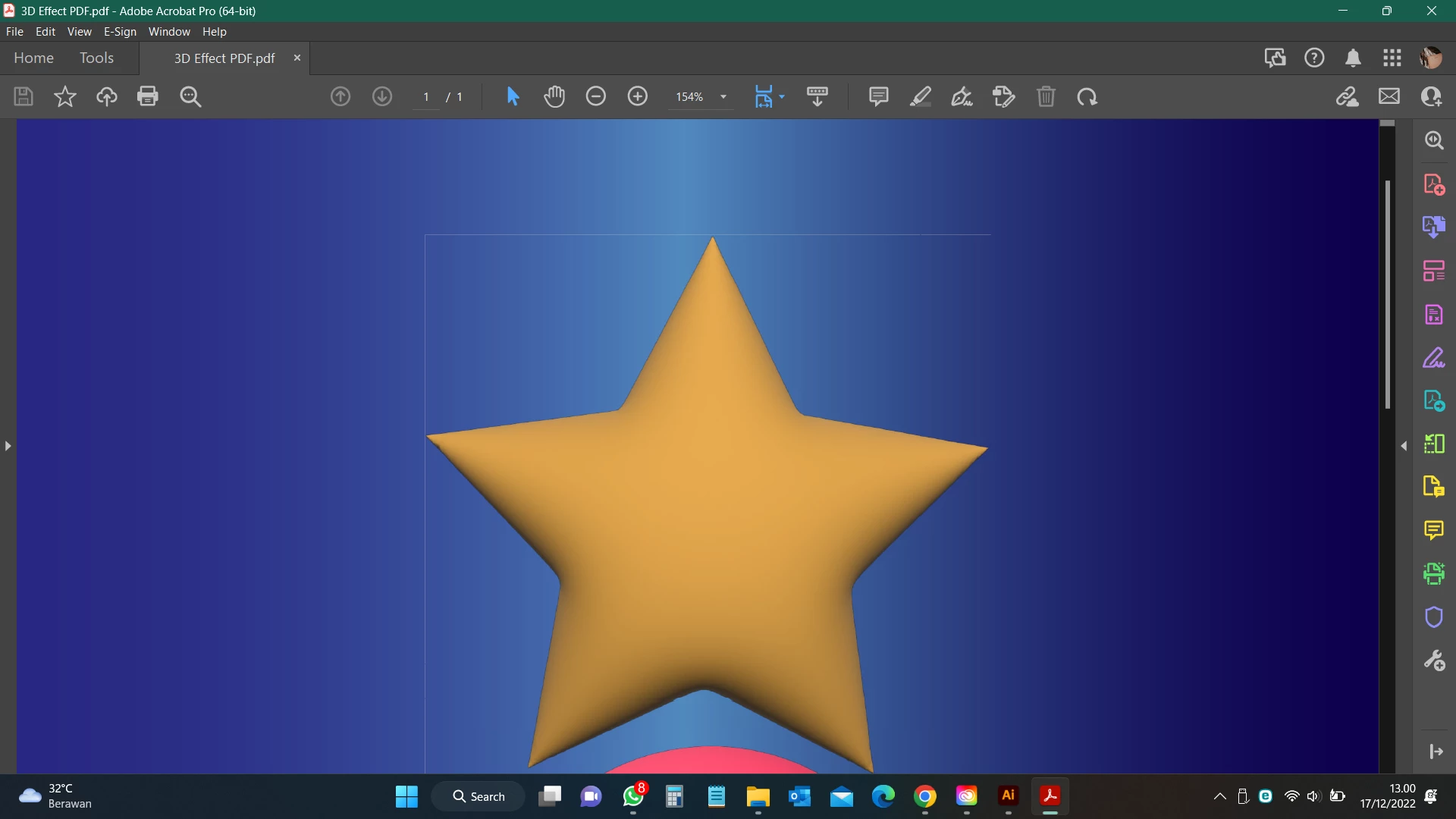
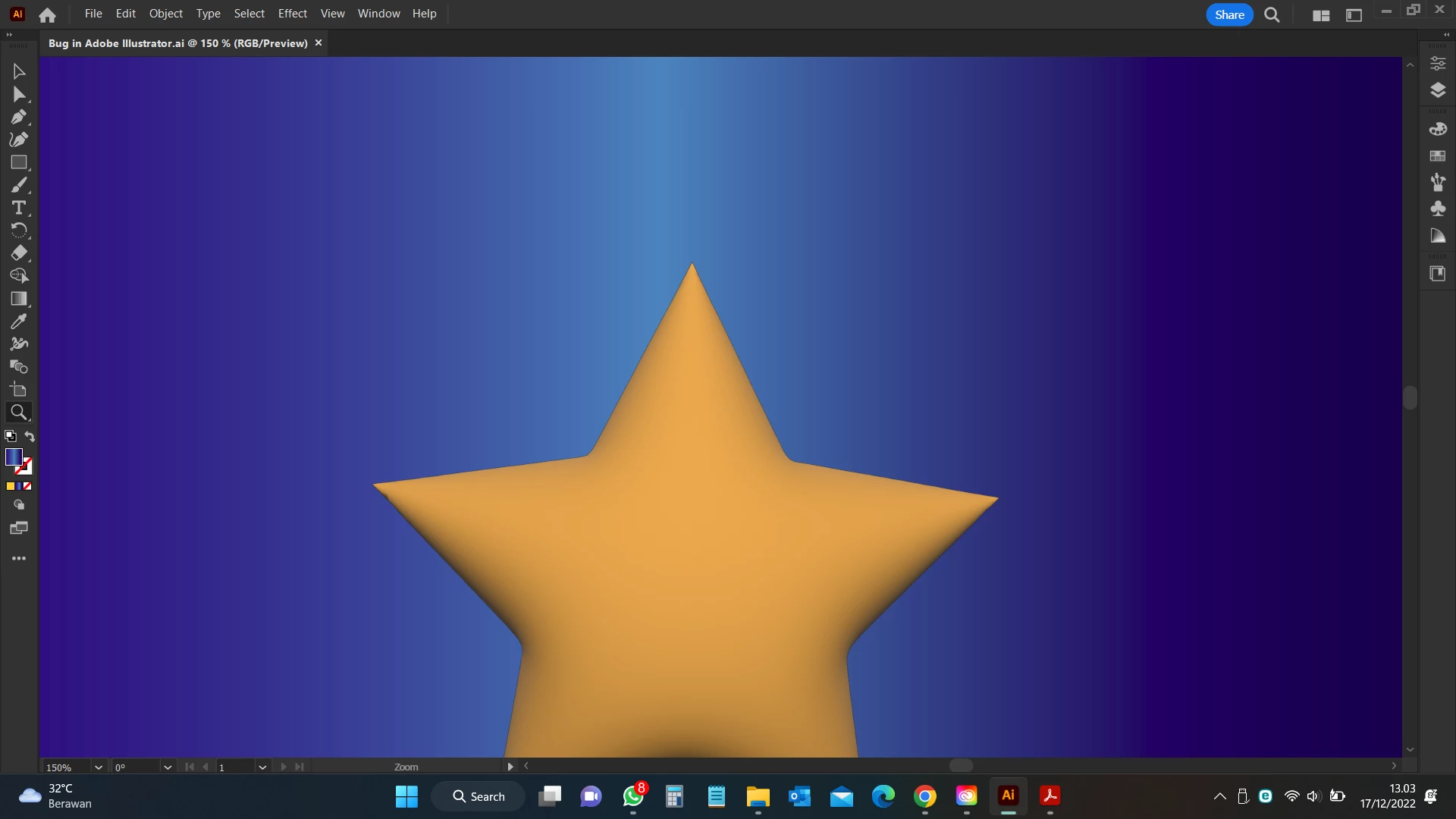
I found a Bug when create PDF File that content 3D Effect, in PDF file the 3D object serounded a thin line as per screenshot attached, please advise how to resolve it.


Thank you

*in PDF File
*Desain in Illustrator 27.1.1


This topic has been closed for replies.

1 reply

Ton Frederiks
Community Expert
Community Expert
December 17, 2022

Your PDF file only contains only images. You could Select > All in Illustrator and use Object > Rasterize... to create a single image.

Known Participant
December 18, 2022

Thanks Tom, would you pleased inform why the object should be rasterize, and why the thin line appear its looks like picture frame as I just create a scratch 3D effect from shape tool.


Ton Frederiks
Community Expert
Community Expert
December 18, 2022

The thin line is caused by anti-aliasing. It is a display problem, but can also be visible when printing on desktop printers. You will notice it will appear and disappear when zooming in or out or when turning off smoothing in Acrobat preferences. 

How did you create your PDF? Try saving as PDF in Illustrator, it looks like yours is created by the Distiller.