

wøøfie
Inspiring
December 2, 2022
Question

[BUG] Menu Bar Swatch Crashes Illustrator v27.0.1

  • December 2, 2022
  • 3 replies
  • 497 views

3 / 5 times, when I change the fill or stroke of an object using the menu bar swatch panel, I get the beach ball of death. It will spin indefinitely. After force-quitting, recovered files typically break linked and / or embedded raster images, and I lose those elements.

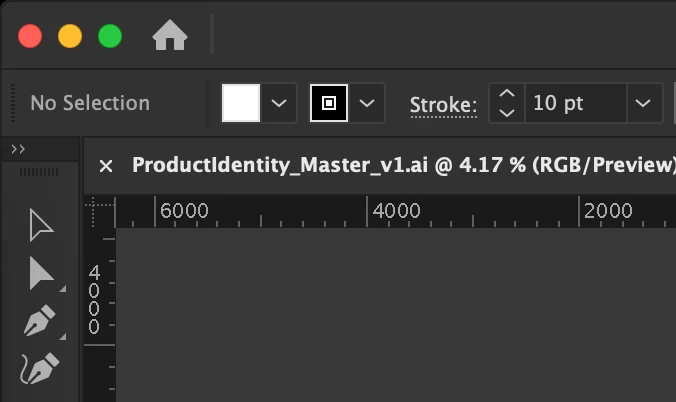
This only occurs after using the menu bar swatch panel (see image). The side swatch panel works flawlessly. This has been happening for the past two illy updates.

Illustrator v27.0.1

MacBook Pro, 14 inch, M1 Pro, 2021
MacOS Ventura 13.0.1
This topic has been closed for replies.

3 replies

Anshul_Saini
Community Manager
Community Manager
December 6, 2022

Hi @jessicas42149918,


We are sorry to hear about the crashing & delayed response. Would you mind confirming if this is happening while working on a particular file or all? Also, would you mind confirming the document color profile and swatch?


If you get Illustrator crash reporter on a crash, then would you mind submitting the crash report as suggested in this helpx article (https://helpx.adobe.com/illustrator/kb/crash-next-steps.html)? This would help us investigate the crash.
While submitting the crash report, please use the same email address with which you are signed in on this community. This will help us find the crash report and assist accordingly.


We will be looking forward to your response.


Thanks,
Anshul Saini

Monika Gause
Community Expert
Community Expert
December 2, 2022

Do you reboot that Macbook regularly?

Did you reset the preferences when  updating Illustrator? You will lose all your settings, so you might want to rename the preferences folder in order to reset them. This can be undone.

wøøfie
wøøfieAuthor
Inspiring
December 2, 2022

I reboot daily but I have not tried a preference reset. I'll try that now.

Kevin Stohlmeyer
Community Expert
Community Expert
December 2, 2022

How large is this file? Your screen shot shows you are working at 4.17%??

There are some known issues with upgrading to Ventura and a new Illustrator release for that OS has yet to be released. It could be a bug.

wøøfie
wøøfieAuthor
Inspiring
December 2, 2022

Ok, good to know. Hopefully this bug is known and on the squish-list. The issue has been happening consistently regardless of file size. But yes, this particular file is bigger than Adobe's Figma budget. Wish me luck.