Participating Frequently
December 2, 2018
Answered

Bug with rasterisation in Adobe Illustrator?

  • December 2, 2018
  • 2 replies
  • 1761 views

Hi All,

I hope someone can shed some light on a situation that I have discovered recently. It may be a bug or just the way that Illustrator has been written, but it had me chasing my tail for several months.

A little background

We got a new label printer at work, and through trial and error we figured out that sending rasterised PDF gave us the best print results. The rip attached to the printer allows us to substitute any spot colours that have been preserved in the rasterised file.

The problem

We started experimenting with Illustrator's rasterise function, which enables users to rasterise their vector layouts whilst preserving spot colours (instead of building from scratch), but we discovered a problem. It seems that it only supports 4x spot colours (properly). Every time I try and use more than 4 spot colours it breaks and seems to overprint entire channel for any number above 4. To illustrate this I have created a dummy and retraced my steps

The process

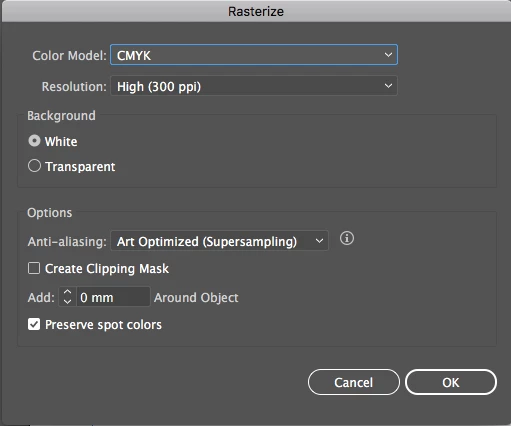
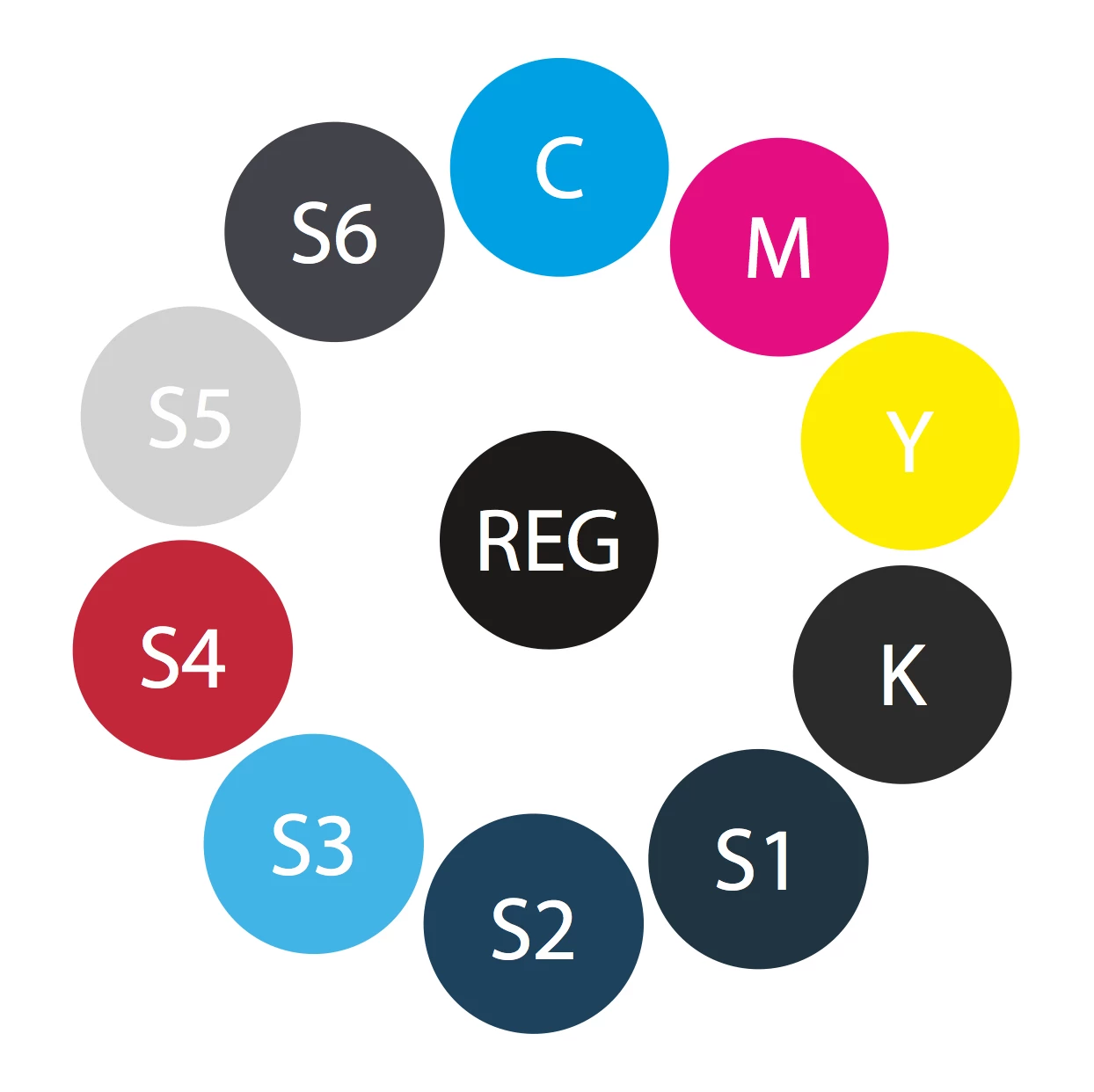
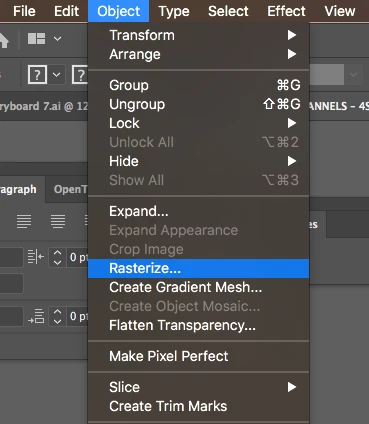
This is a screen shot of my illustrator file showing CYMK + 6 spot colours. In order to rasterise you go to the Object menu and select Rasterize, select your colour space etc and select preserve spot colours.
When you do this with 4 or less colours and save as a PDF you get the desired result:
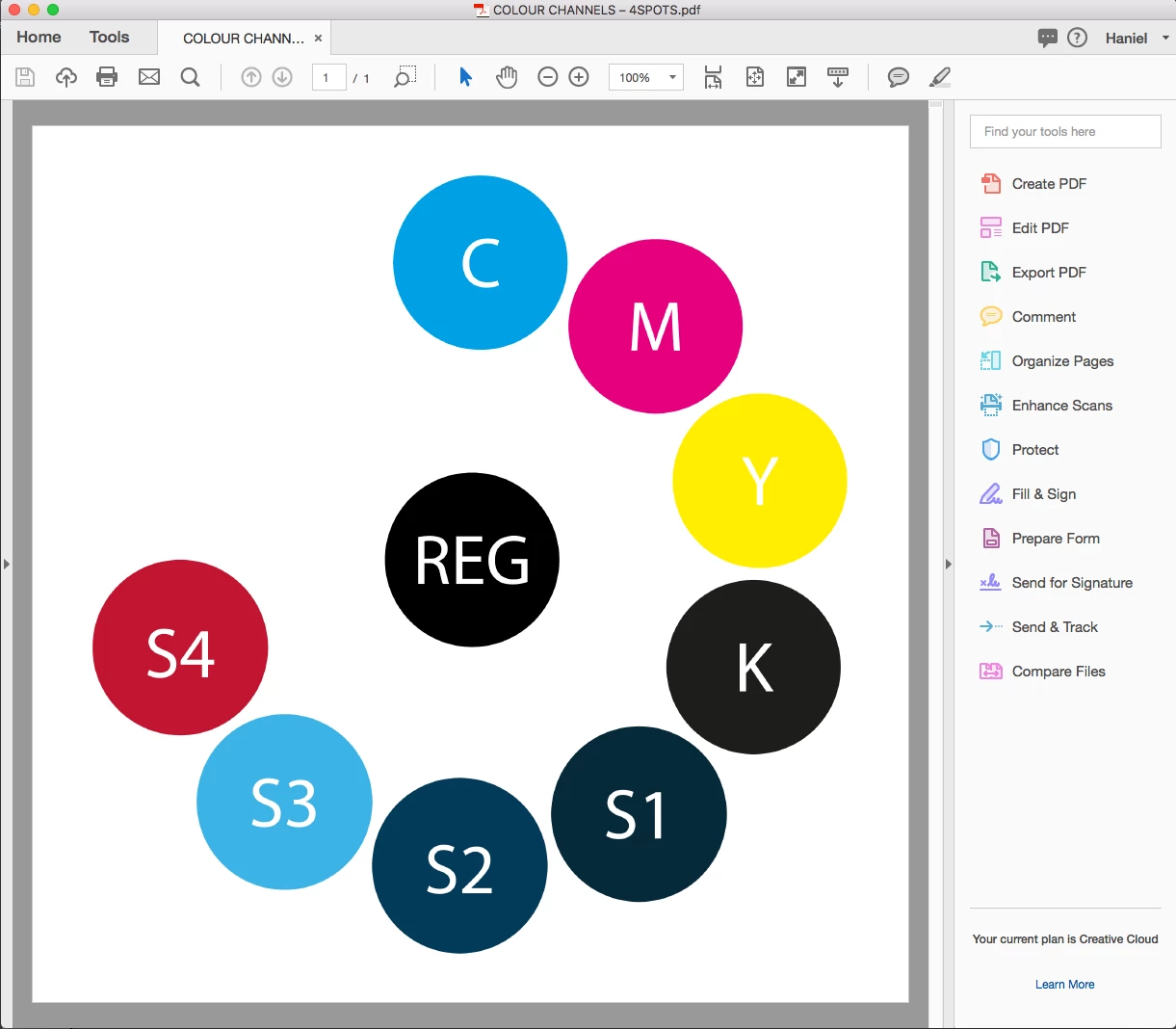
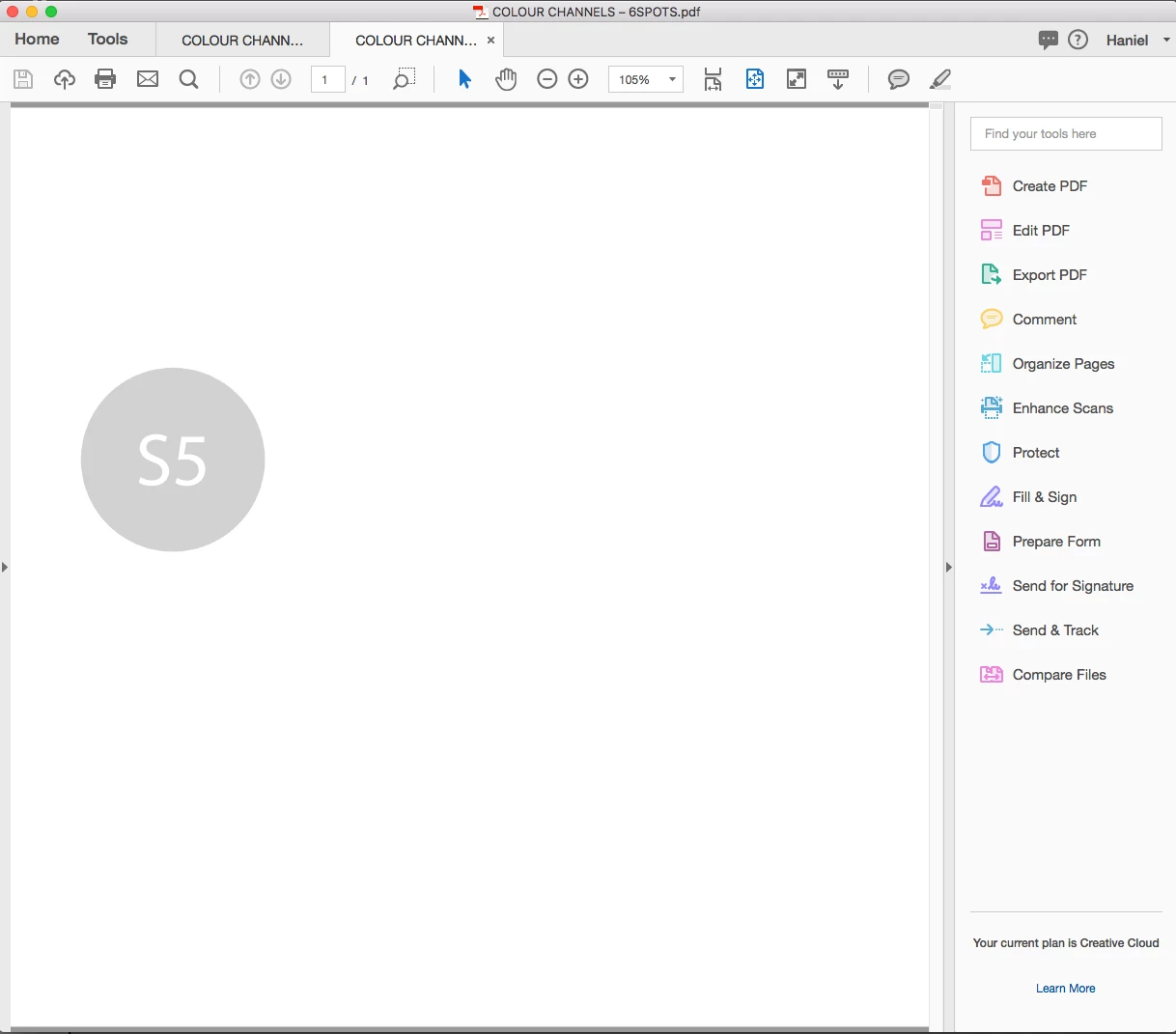
But when you do it with 5 or more you get a result like the below. As you can see only the grey spot is showing (unless you turn overprint preview on). These have no overprint set at all so you wouldn't expect any overprints to happen:
I hope someone can help here, I would ideally be able to substitute more than 5 spot colours!
This topic has been closed for replies.
Correct answer Ton Frederiks

So I have done some more research and it seems that there are two things at play here:

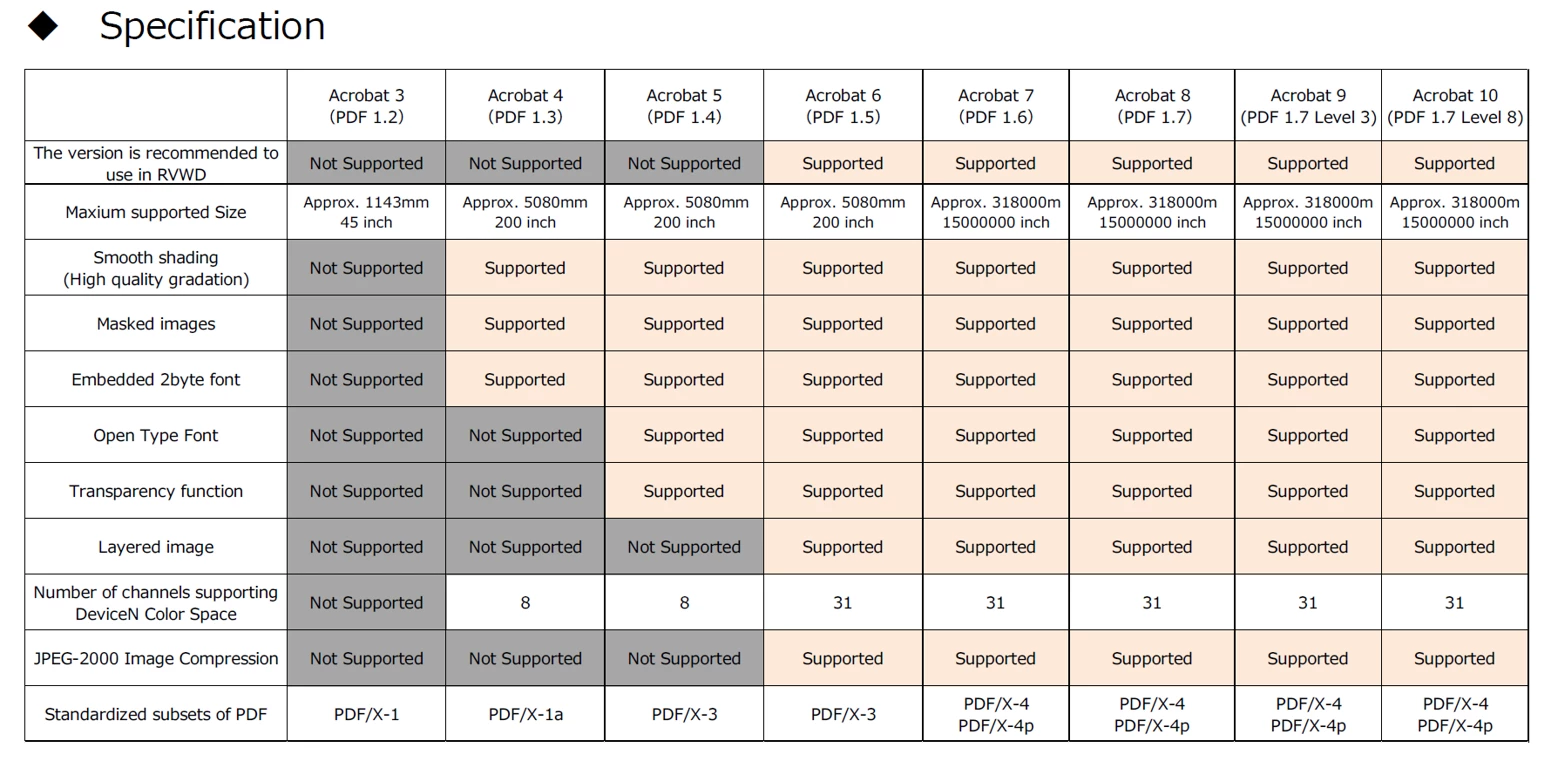
1. The PDF 1.3 & 1.4 standards only supports 8 Channels for DeviceN

2. PDFs that have embedded profiles don't always display correctly in PDF readers outside Acrobat.


I checked the files in Acrobat Preflight, the PDF 1.5 fies uses DeviceN colors and saves the image as a single Mixed Ink Image (that's what Illustrator shows when you open the PDF part in Illustrator.

The PDF 1.4 file does not save the colors as DeviceN, but saves them in Separation color space and makes a separate image for each spot color, stacked on top of each other.

The underlying images only become visible whe Overprint Preview is turned on.

So for your purpose PDF 1.5 or higher is the right version.

2 replies

Ton Frederiks
Community Expert
Community Expert
December 3, 2018

Which version of Illustrator are you using?

How do you save your PDF?

I cannot replicate your problem. After rasterizing, more than 4 spots are preserved.

Participating Frequently
December 3, 2018

Hi Ton,

I have tried both Illustrator CC 2018 and 2019 with the same result. I have tried creating PDFs a few ways but normally Save As PDF. I have also tried multiple types/versions of PDF, all with same result.

Here are a couple of screen recordings that show the process:

4 Spots - ShareFile

6 Spots - ShareFile

Thanks for your help!

Ton Frederiks
Community Expert
Community Expert
December 4, 2018

I can reproduce that when I choose Press Quality as Adobe PDF Preset.

When I choose Illustrator Default, it works fine.

I wonder if it is Acrobat or the Output settings.

Press Quality uses Compatibilty Acrobat 5 (PDF 1.4)

If I change the PDF version to 1.5 it works as expected.

Monika Gause
Community Expert
Community Expert
December 2, 2018

"Overprint preview" also renders spot colors differently.