

Rudolf Huber
Participant
February 16, 2026
Question

Buggy & messy lines over the canvas on outline view

  • February 16, 2026
  • 1 reply
  • 36 views

Hi everyone,


This happens every time after I’ve been working on a file for a while. When I switch to Outline Mode, the lines appear buggy and messy across the entire canvas. Restarting Illustrator resets it, but the issue always comes back after some time.


For clarification, these files sometimes contain only simple geometric shapes and lines, with no custom downloaded brush strokes. Sometimes there is text, sometimes not.


I’m viewing Outline Mode using GPU Preview.


I’m currently using MacOS M3 Tahoe 26.3, but I’ve been experiencing this issue since Sequoia.


I’ve tried resetting Illustrator preferences before, but the issue still returns after a while. 


I’m not using any plugin. 


Hope someone can help. Many thanks!
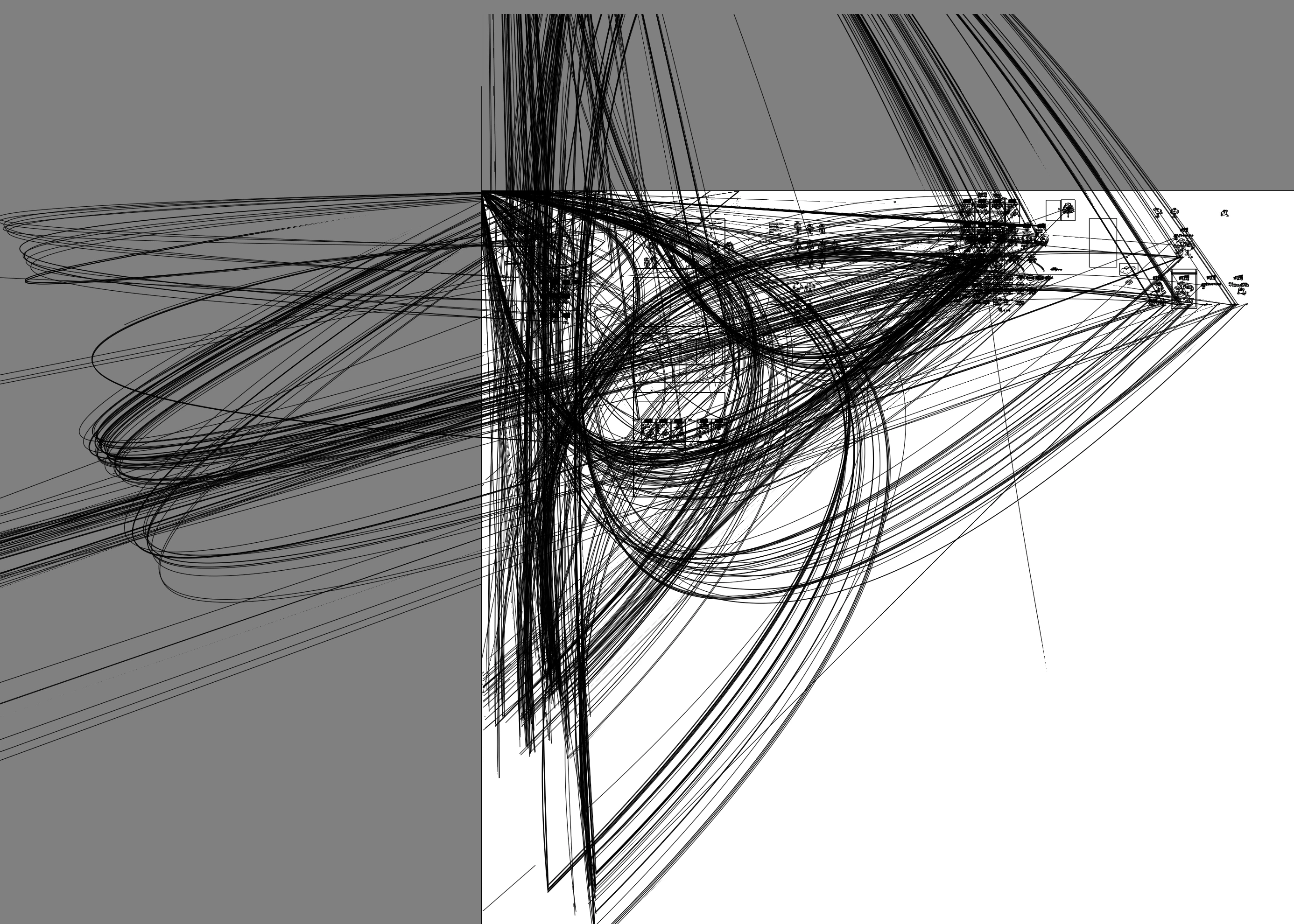
 

During outline mode


1 reply

Anubhav M
Community Manager
Community Manager
February 16, 2026

Hello ​@Rudolf Huber 


I’m sorry to hear about your experience. Would you mind sharing more details, such as the exact version of Illustrator installed and whether this happens with all files, so we can better assist you?

Looking forward to hearing from you.
Anubhav

Rudolf Huber
Participant
February 20, 2026

Hello ​@Anubhav M , thanks for your reply!


I’m currently using Illustrator 30.2.1 (not the Beta version). This issue happens in the majority of my files.


My files may contain illustrations/shapes, text objects, guides, and embedded or linked images.


The buggy lines appear to originate from random objects — sometimes shapes, sometimes text, and sometimes embedded images.


When the canvas is zoomed to around 50% (sometimes even lower), these buggy lines start to appear. However, when I zoom in further — usually to 70% or more — the messy lines disappear. The more I zoom out, the more buggy and messy lines appear.

Few different images in outline mode when zoomed at 70%+
When zoomed at 20%+


Buggy lines appearing from different objects, including editable texts

Also in Outline Mode, some stroke lines also “disappear” until I zoom again. After re-zooming, they sometimes reappear, but sometimes they do not.

HARSHIKA_VERMA
Community Manager
Community Manager
February 25, 2026

Hi Rudolf Huber,


Thank you for sharing the requested information. Would you mind telling us whether you can select these lines and delete them? Does that happen with this specific file or all files? 

Could you please try copying and pasting one of the objects from where the lines are appearing into another file and check if the lines are visible in the new document in outline mode?


We will try our best to investigate.


Thanks,

Harshika