
Bulk/batch rename selected artboards (script or plugin)?
Hi all,
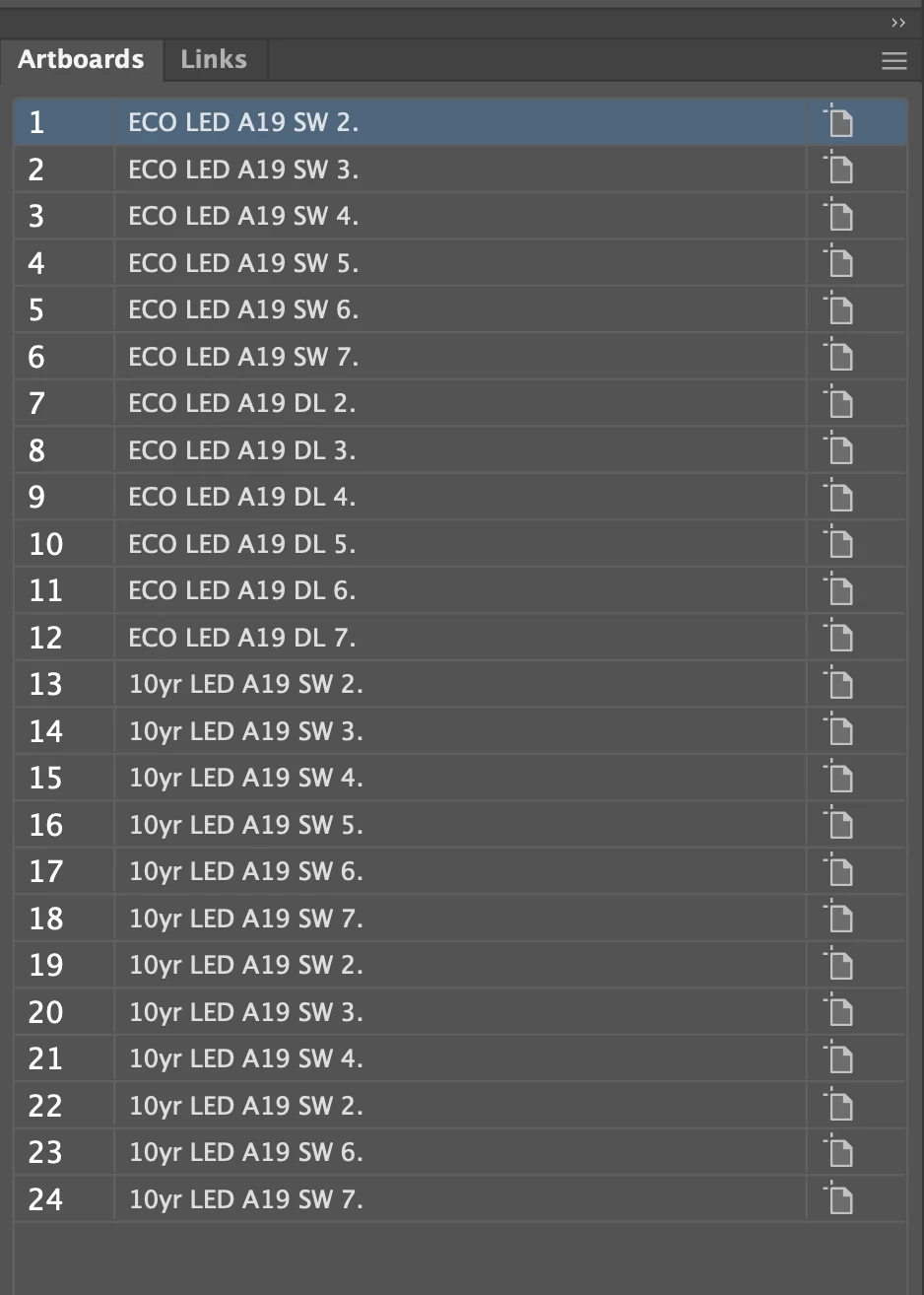
I regularly make between 8–96 layous in a document. I name every artboard so when I bulk export them filenaming is done (even with re-exports). And I have name groups (see screenshot), so I don't want to rename everything at once. It's a lot of work, but I'm pretty sure it's the most efficient way to work.
I know this has been asked several times, but there doesn't seem to be a one-and-done solution for renaming artboards in bulk.
What I want to do:
- Bulk rename selected arboards in a sequence: XYZ 1., XYZ 2., etc.
- This could also work: Rename the first 8 arboards as XYZ 1., XYZ 2.…, and the next 8 artobards as ABC 1, ABC 2…, etc etc., until all artboards are named.
- Enter artboard name on the fly, in a dialog box
I've found and tried various code snippets, but my expertise is visual. (I'm proficient in HTML and CSS, and a teeeeeeeny bit of PHP, but that's it.) Any help would be tremendous.
If you can recommend a freelance site where I can request this as a plugin to be developed, I'm happy to pay someone for it, too.
Thanks so much!
 AdChoices