



Chris  P.  Bacon
Inspiring
October 24, 2022
Answered

Can I change the swatch icon background color?
  • October 24, 2022
  • 2 replies
  • 977 views

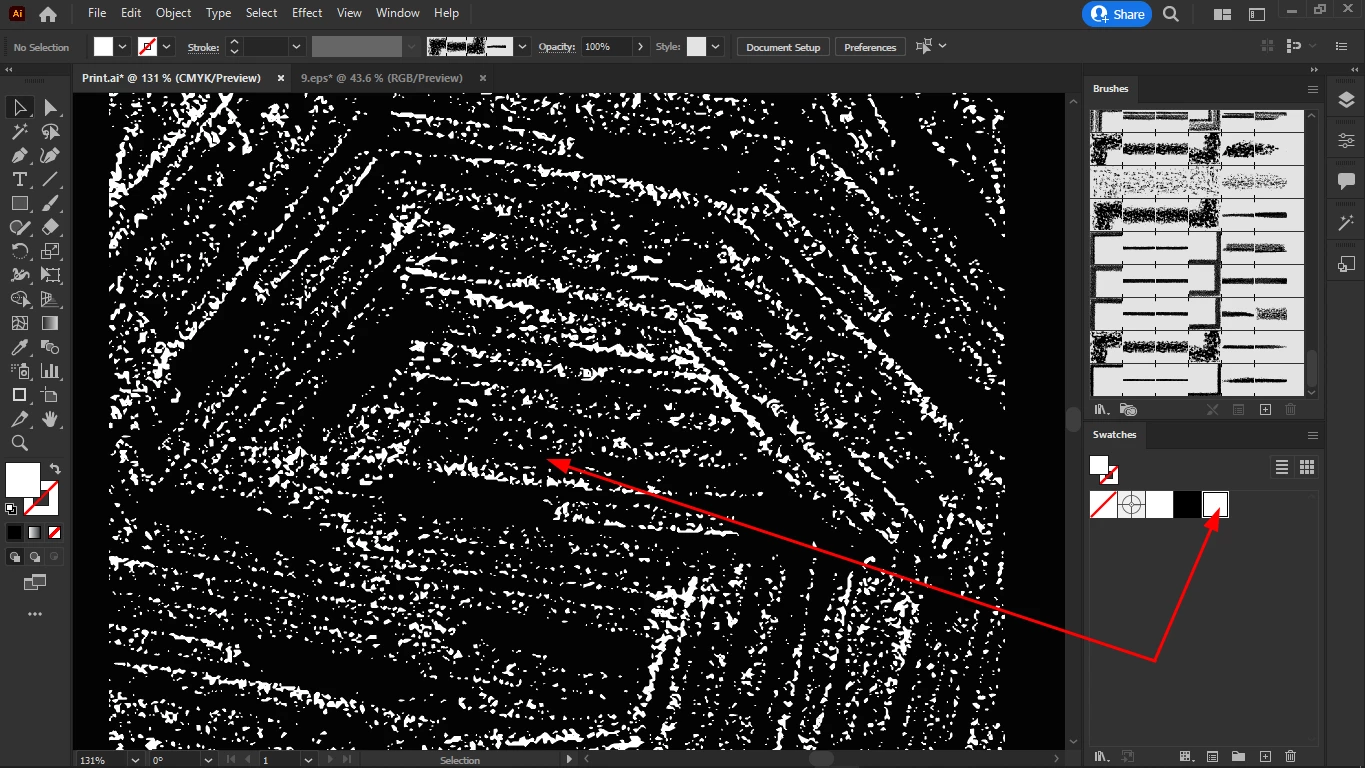
My swatches are white patterns on transparent backgrounds.

But because the swatch icons have white backgrounds, I will not be able to distinguish my swatches by looking at their icon.

I don't want a black background for the swatch itself, it needs to be transparent, and it is.

I just want to change the swatch icon background color to black so I can distinguish my swatches by looking at their icons. 

This topic has been closed for replies.
Correct answer Monika Gause

Please post this to Uservoice as a feature request. https://illustrator.uservoice.com 

2 replies

Ton Frederiks
Community Expert
Community Expert
October 25, 2022

I just voted, it would be useful to change the preview background to black for white patterns.

In the meantime, I would use black patterns and change the pattern fill, when applied to objects to white using Edit > Edit Colors > Invert Colors.

Chris  P.  Bacon
Inspiring
October 25, 2022

I could get the color inversion right previously, but now for some reason the whole object will be painted with white, and an additional white swatch will be created, when doing the inversion with the object selected.

I think the issue is that I selected the object and not the pattern swatch.

Is that right?

Monika Gause
Community Expert
Monika GauseCommunity ExpertCorrect answer
Community Expert
October 24, 2022

Please post this to Uservoice as a feature request. https://illustrator.uservoice.com 

Chris  P.  Bacon
Inspiring
October 25, 2022