Can I create separate color plates for CMYK blends?
Hi,
I'm very sorry if this question is nonsensical... I'm new to Illustrator, so I've searched around for an answer in the forums and Google, but was unable to find an answer.
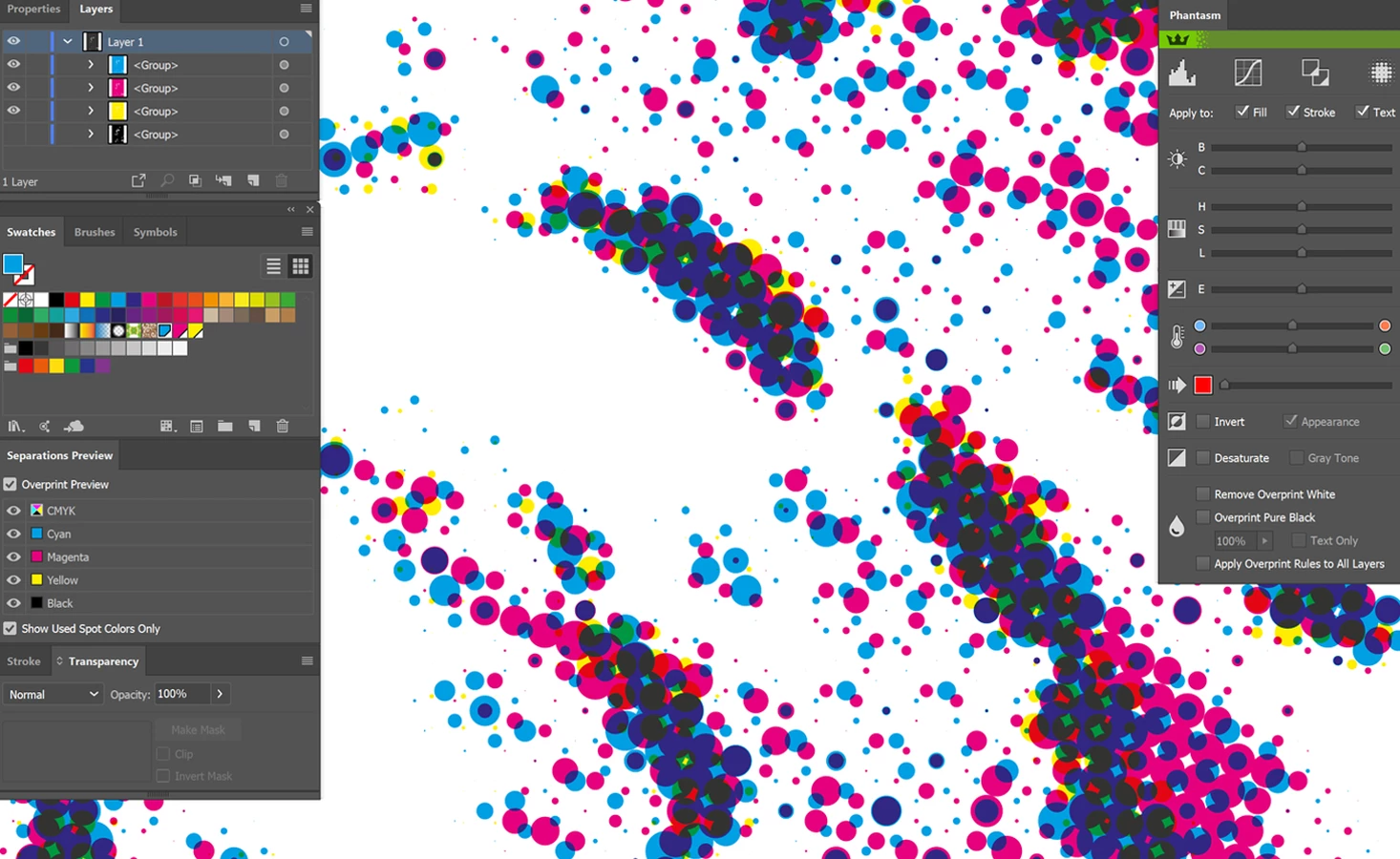
I've converted an image from Photoshop to vectorized halftones in Illustrator, using the Phantasm plugin. I now have 4 CMYK plates which, where they blend, create additional colors. What I would like is for these additional colors to have their own separate printing plates as spot colors for printing, instead of emerging as a result of the blend of CMYK plates.
Is there a way for me to select these colors resulting from the CMYK blends, and create separate color plates for each of them?
This is a screenshot of what my workspace and image (close-up) looks like:
My Illustrator version is CC 2018, for Windows. I really appreciate any help and time you can spare me. Thank you!
Ana
 AdChoices