Participant
January 11, 2019
Answered

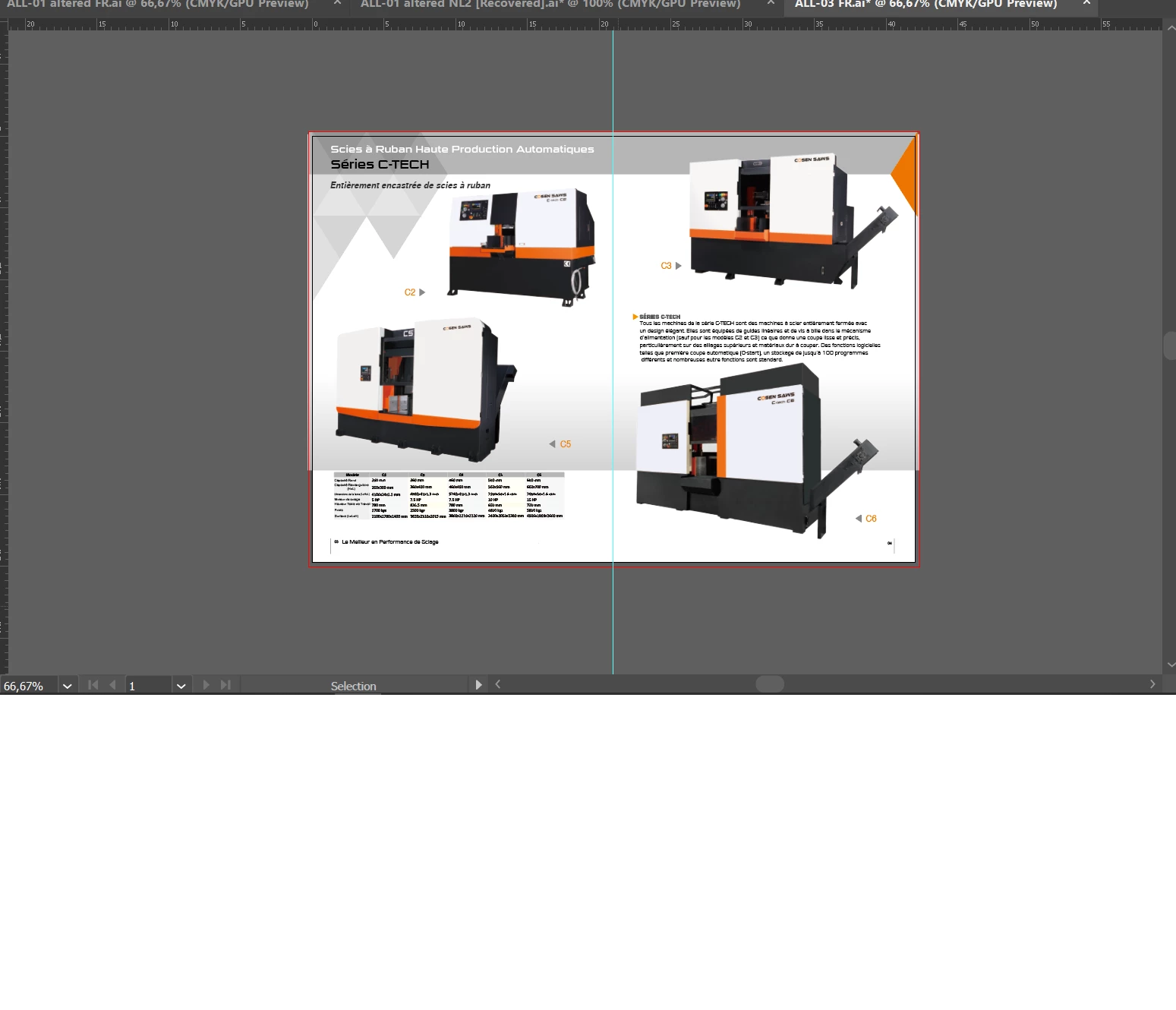
Can I still cut these spread pages and add 3mm bleed, and how?

  • January 11, 2019
  • 4 replies
  • 863 views

Dear forum,

For my work I am busy with a catalogue of machines that we sell. This catalogue is already pre-made and I made some significant changes to it.

I tried to send it to the press company but they say they CAN cut the pages loose but that the 3mm bleed is missing, which might cause white edges.

I am not an expert in illustrator, just barely knew how to edit the file, but is it somehow possible to cut the pages loose from each other and add the 3mm bleed, but most importantly for me: how?

Hope to hear from someone! Thanks in advance.
    This topic has been closed for replies.
    Correct answer Hoi patrick

    Dear all,

    Thanks for all the tips I have received.
    I agree that Illustrator is not much of an catalogue creator, but the company makes them all in that software and they do turn out fine every time.

    What I have done for my particular situation is create a new file with 3mm bleeds and simple copy and paste from old to new file, then leaving the second page out of the printing area. I send it to the press company and it turned out great!

    4 replies

    Srishti_Bali
    Legend
    January 17, 2019

    Hi Patrick,

    I would like to know if the steps suggested above worked for you, or the issue still persists.

    Kindly update the discussion if you need further assistance with it.

    Thanks,

    Srishti

    Hoi patrickAuthorCorrect answer
    Participant
    January 21, 2019

    Dear all,

    Thanks for all the tips I have received.
    I agree that Illustrator is not much of an catalogue creator, but the company makes them all in that software and they do turn out fine every time.

    What I have done for my particular situation is create a new file with 3mm bleeds and simple copy and paste from old to new file, then leaving the second page out of the printing area. I send it to the press company and it turned out great!

    Srishti_Bali
    Legend
    January 22, 2019

    Hi Patrick,

    Thanks for confirming.

    Thanks,

    Srishti

    Known Participant
    January 11, 2019

    is this full editable in illustrator?

    I would save it as pdf first

    then createa new page the dimension of printed size with 3mm bleed

    place the pdf on the new page

    makie a duplicate of it (ctrl c and ctrl f)

    stretch/resize the top page manually to touch the bleed (the inner side)

    and send the stretched page at the back.

    This time you can get away with it cause it's a gradient shading but if it was actual content you would risk either cropping of the graphics or stretching the page with 3mm, which might be noticable or not (mostly not)

    hope it helps

    Danny Whitehead.
    Legend
    January 11, 2019

    First things first... it was a huge mistake to create 64+ page brochure in Illustrator. It should have been done in InDesign. Whoever did it in Illustrator, as reader spreads, has no business accepting payment to design brochures.

    With that said... Is this going to be perfect bound? If that's the case, the printer doesn't need inner bleed. You'd have to wreck the book's spine to stand a chance of seeing a white edge. And even if they did, ironically, the fact you're sending reader spreads actually gives them image they need for it.

    Monika Gause
    Community Expert
    Community Expert
    January 11, 2019

    You will need to make two nighbouring artboards out of this one.

    Then export them each with bleed.

    You really made a catalogue in Illustrator? Seriously, this is a job for InDesign.