Participant
March 12, 2024
Answered

Can't change color (stroke/fill) in Illustrator

  • March 12, 2024
  • 1 reply
  • 578 views

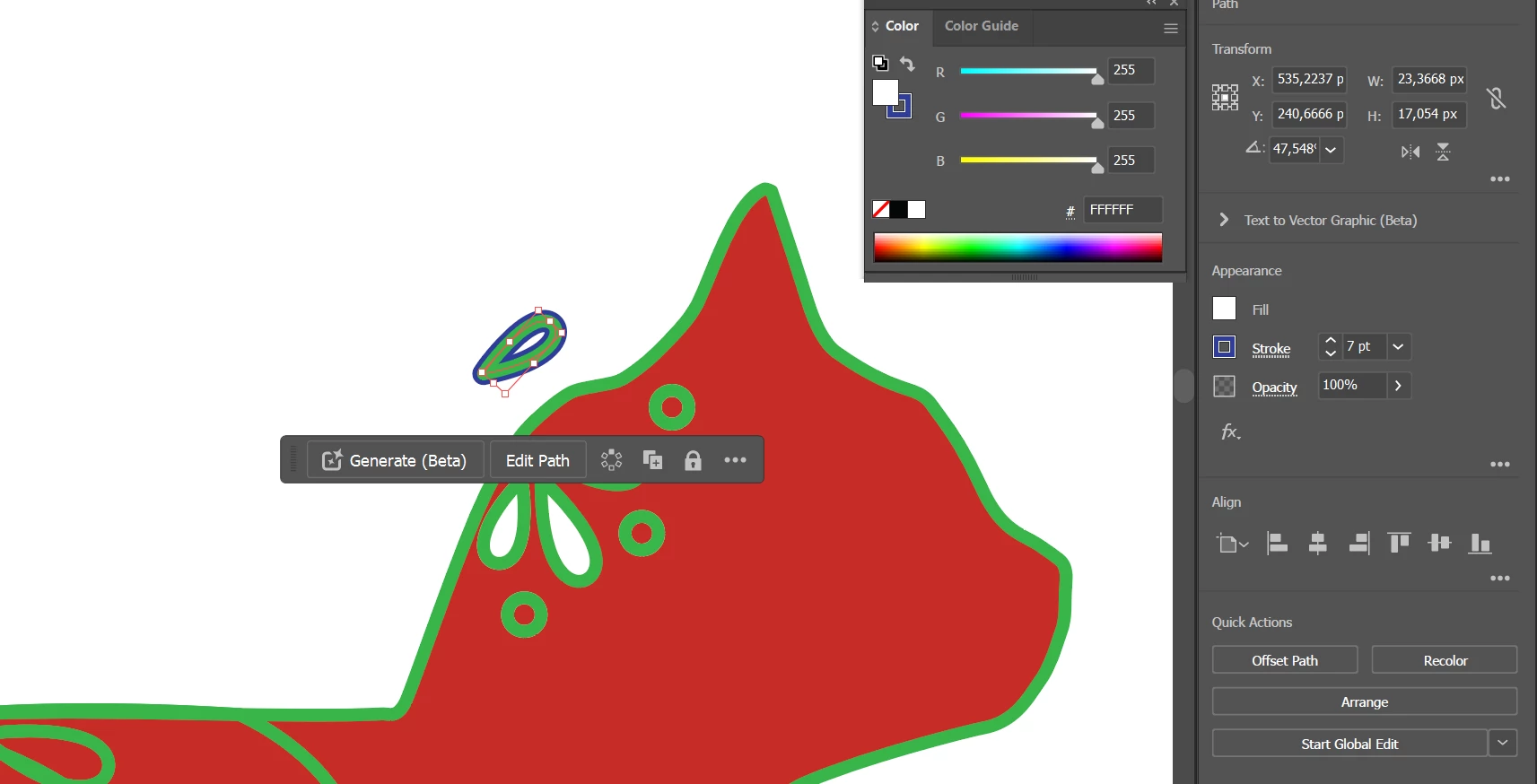
I've created a path in Illustrator and now I want to change the color of the stroke (or fill, it doesn't work on both), but when I chose the new color nothing happens. Edit: strangely, it changes the stroke color but under the previous color (dont know what to think about that)
This topic has been closed for replies.
Correct answer Monika Gause

The stroke or fill could be on the layer. Please try this: https://youtu.be/YZooJyG2UT4 

1 reply

Monika Gause
Community Expert
Monika GauseCommunity ExpertCorrect answer
Community Expert
March 12, 2024

The stroke or fill could be on the layer. Please try this: https://youtu.be/YZooJyG2UT4