Answered
Can't choose shape or path for my pen
Hi guys, I wonder if anyone could help me.
When I select a pen, I am unable to choose either shape or a path. What do I do to bring these options back? They are simply not there. Thank you! 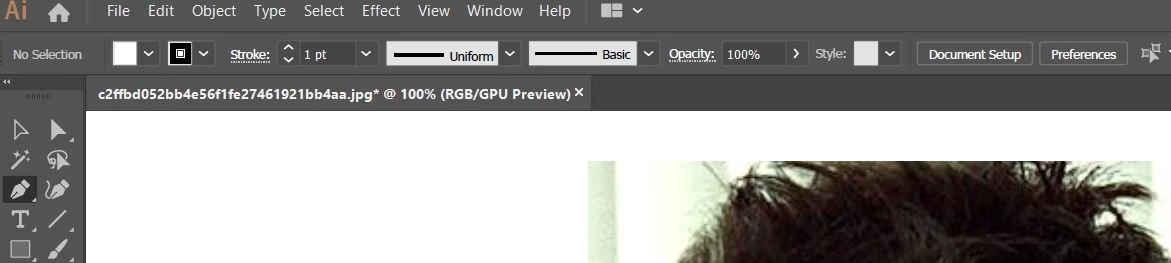

Hi guys, I wonder if anyone could help me.
When I select a pen, I am unable to choose either shape or a path. What do I do to bring these options back? They are simply not there. Thank you!
It sounds like you're talking about Photoshop options. Illustrator doesn't have that distinction.
Already have an account? Login
Enter your E-mail address. We'll send you an e-mail with instructions to reset your password.
 AdChoices