Participant
December 20, 2021
Answered

Can't edit shape on Adobe Illustrator

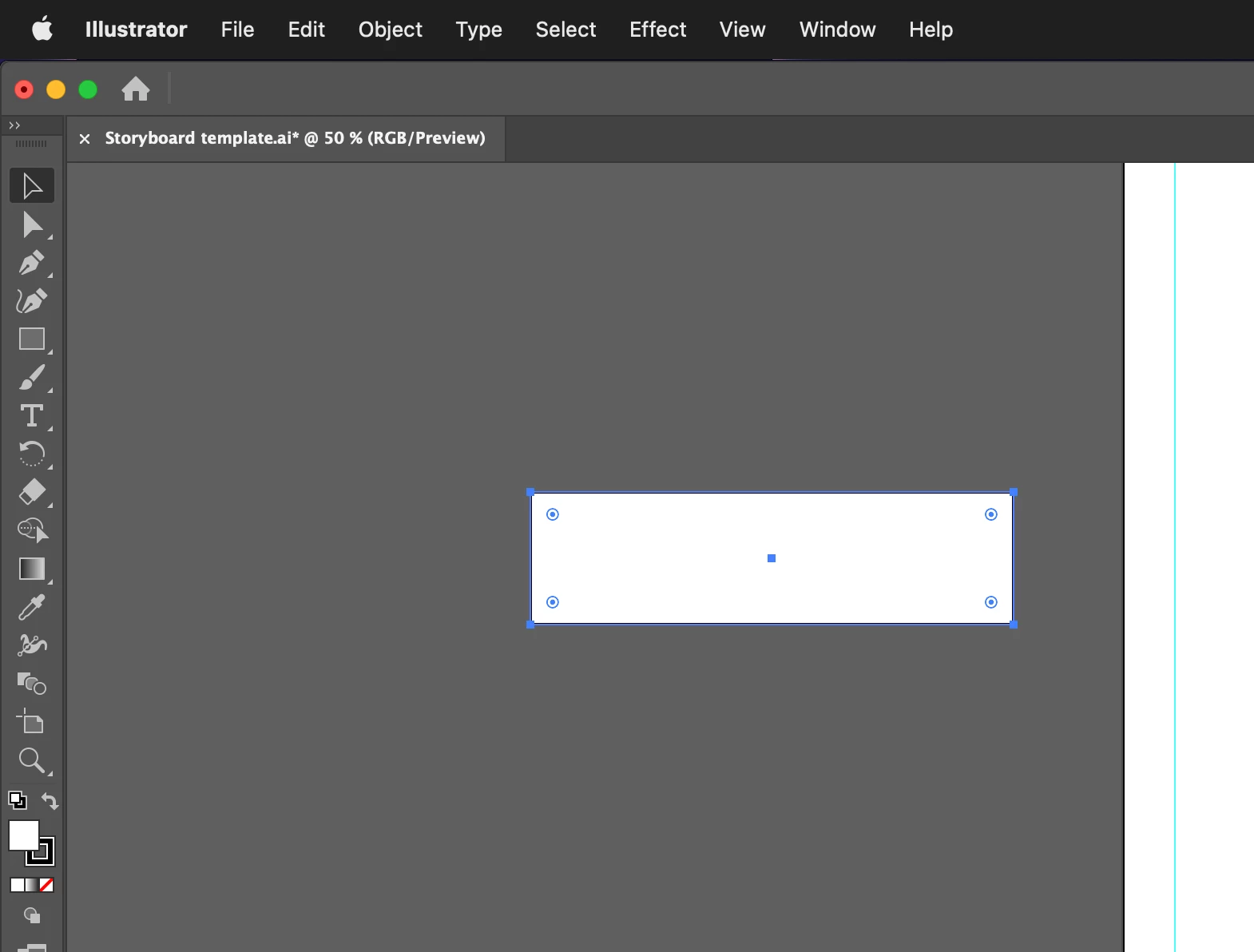
I cannot edit any shape that I create on the software, If I drag the corners the shape moves and doesn't change the size like it usually does 
tromboniator
tromboniatorCorrect answer
Community Expert
December 20, 2021

My guess is that you have accidentally pressed shift + cmd/ctrl + B, which hides the bounding box. Press that combination again (or go to View menu > Show Bounding Box) to reactivate.


Peter

8 replies

Participant
September 26, 2025

Hello! I am having this same issue today- Sept. 26, 2025 and the commands given to solve it are not restoring the settings so that I'm able to edit shapes. Thank you!


Translate
Anubhav M
Community Manager
Community Manager
September 29, 2025

Hello @leah_naomi,

I'm sorry to hear you're having similar trouble with Illustrator. Please create a new post with details about the exact version of the OS/Illustrator installed, along with screenshots or a small screen recording of the problem, so we can better assist you.

Looking forward to hearing from you.

Anubhav

Translate
Participant
April 3, 2025

I know I'm a few years late to this lol but I have been struggling to figure out this exact issue for over an hour and this finally fixed it ToT im so happy lol.

Translate
tromboniator
Community Expert
tromboniatorCommunity ExpertCorrect answer
Community Expert
December 20, 2021

My guess is that you have accidentally pressed shift + cmd/ctrl + B, which hides the bounding box. Press that combination again (or go to View menu > Show Bounding Box) to reactivate.


Peter

Translate
sweetharmAuthor
Participant
December 20, 2021

Thank you Peter, that was the thing 🙂 

Translate
tromboniator
Community Expert
Community Expert
December 20, 2021

You're welcome! I'm glad you found it useful.

Translate
lambiloon
Community Expert
Community Expert
December 20, 2021

Hi use direct selection tool to do that shape change...regards

Translate
Ali Sajjad / Graphic Design Trainer / Freelancer / Adobe Certified Professional