



Kohiko
Participating Frequently
June 23, 2026
Question

Can't get rid of the 'long' dot at the beginning of my strokes

  • June 23, 2026
  • 3 replies
  • 0 views


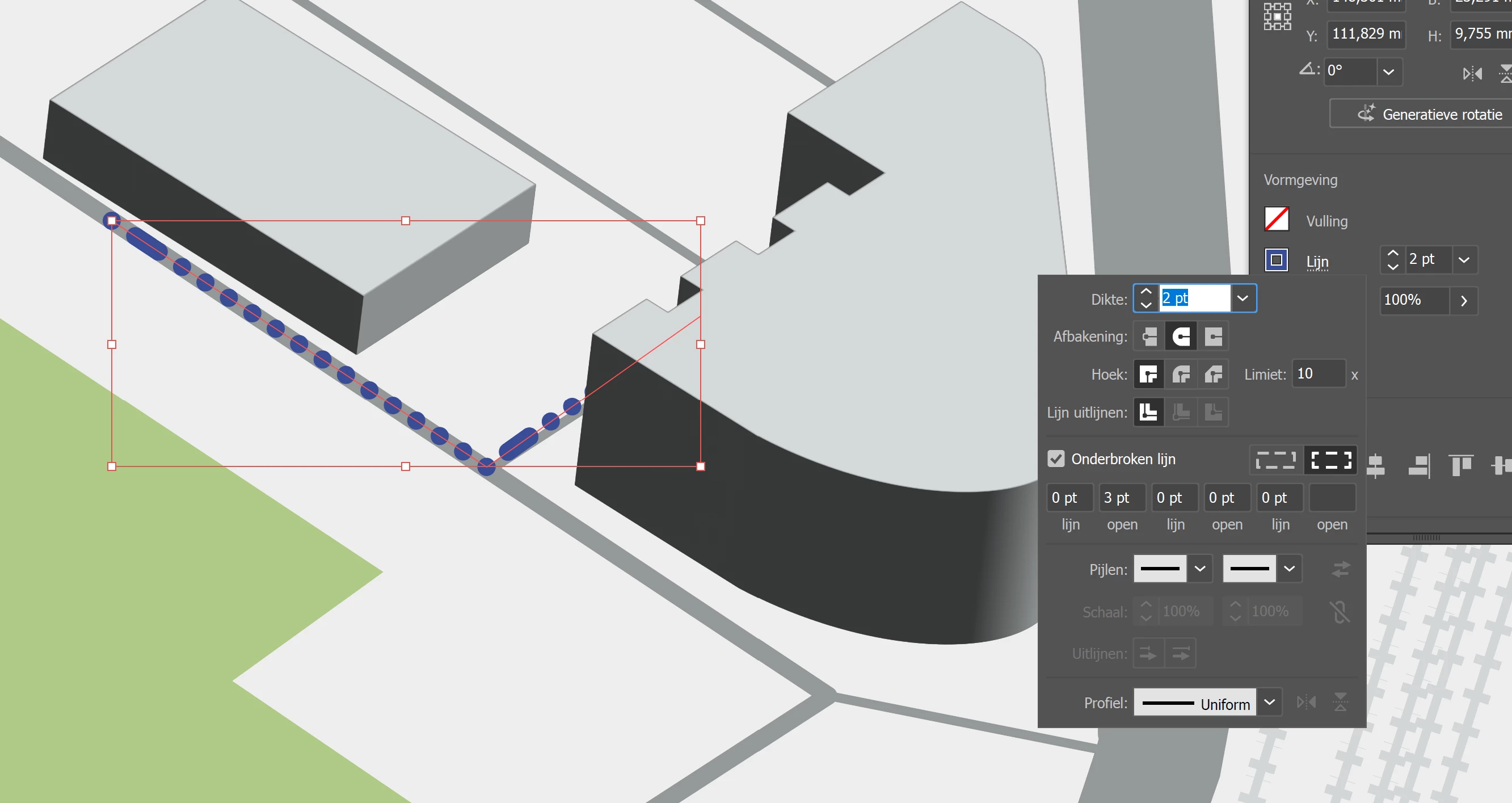
I just can't get rid of that 'long' dot at the beginning of my brushstrokes. See attachment. This is the first time I haven't been able to get it right; am I overlooking something?
 

    3 replies

    RvdT
    Legend
    June 23, 2026

    Wat voor soort lijn wil je wel hebben?
    Met dezelfde instellingen krijg ik dezelfde lijn. Zie groen.
    Bijv.: alleen stippen, zie instellingen screenshot.


    Ton Frederiks
    Community Expert
    Community Expert
    June 23, 2026

    @Kohiko You can try what Abishek suggested or just leave the values for lijn and open empty after the 3pt open.

    Monika Gause
    Community Expert
    Community Expert
    June 23, 2026

    Unfortunately those values sometimes need to be forcefully deleted.

    Abhishek Rao
    Community Manager
    Community Manager
    June 23, 2026

    Hi @Kohiko,


    Looking at your screenshot, it appears that the stroke may be using a dashed line, and the elongated dot at the start could be coming from the dash pattern settings.

    Could you try selecting the stroke, opening the Stroke panel, and setting the value in the last dash/open of the dashed line settings to 0 pt? Then check whether the start of the stroke displays the way you're expecting.

    If that doesn't help, could you also share which brush type you're using?


    Looking forward to your update.

    Abhishek