Can't launch Illustrator CC 2017 because of a Permissions error
I recently downloaded a trial version of Illustrator CC 2017 via the Creative Cloud desktop app but every time I try to open the app, it gives me this error:
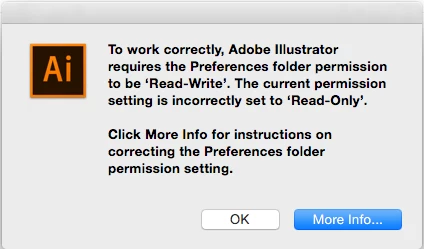
I'm using a 21-inch iMac with OS X Yosemite 10.10.5. Here are some of the trouble shooting options I did so far with no luck:
1. I've already changed the permissions of the Preferences and Application Support folders to Read and Write, clicked the gear icon and selected "Apply to enclosed items"
2. I'm logged in as an administrator user
3. Tried repairing disk permissions via Disk Utility
4. Tried resetting permissions by booting in Recovery mode
5. Uninstalled using the Cleaner tool and re-installed the app
Nothing worked for me so far. As a last resort, I created a new Admin account and tried to launch the app from there, and it opened. But this still doesn't work for me since all my files are in my other account, so I'd want to launch the app in my original account instead of the new one.
Will appreciate any suggestions! I only have 6 days remaining to use the trial 
 AdChoices