


alexe16919786
Participant
July 11, 2025
Answered

Can't open existing files in Illustrator

  • July 11, 2025
  • 3 replies
  • 436 views

I'm trying to open an existing file in Illustrator, but I'm getting an error message every time.
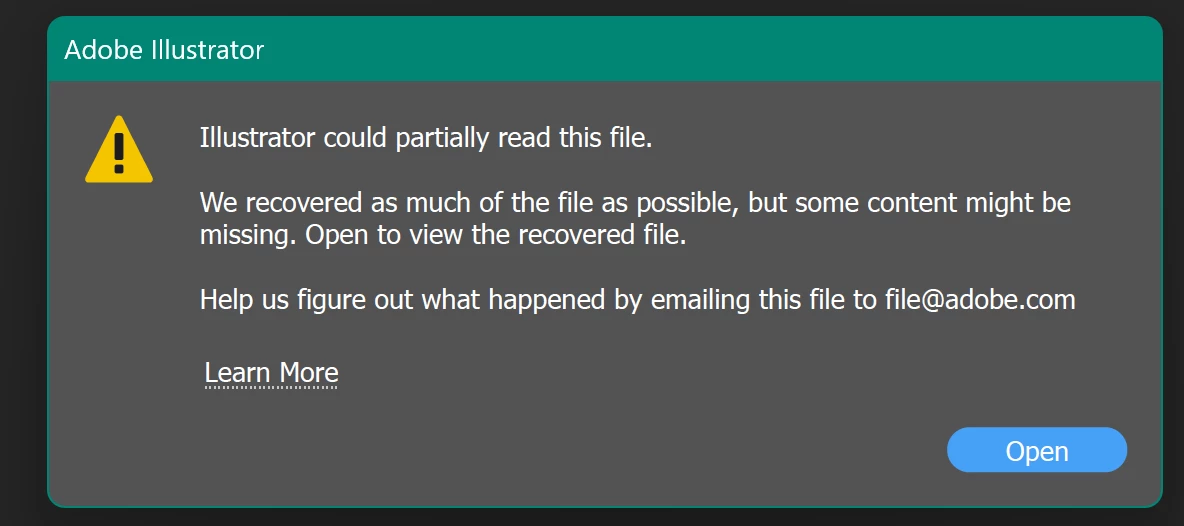

I've tried uninstalling/reinstalling the app to no avail. I've opened the file on another machine/user, so I know there is nothing wrong with the file. I can also create a new file, save the file and reopen the file.

HELP!!


Correct answer alexe16919786

I've created another user and that seems to have fixed the problem. Thanks.


3 replies

barbara_a7746676
Community Expert
Community Expert
July 12, 2025

I had a problem years ago that was fixed by changing user. There was a character in the username that was causing a problem. I hope changing username works for you.

Otherwise, what I was going to suggest was to try try opening the Illustrator file in Acrobat and from there open it in Illustrator.

Abhishek Rao
Community Manager
Community Manager
July 11, 2025

Hi @alexe16919786,


Thanks so much for reaching out and sharing the screenshot. I can imagine how frustrating this must be, especially when you're working on tight deadlines.

Since the file opens fine on another machine and user account, it seems the issue might be related to your current system environment or user settings rather than the file itself. Could you please confirm your exact macOS or Windows version along with the Illustrator version you're using?

It would also help to know if this happens only with this particular file or with other files too.

I'd recommend testing the file in a new local user account on your machine to see if the issue persists. You can also try starting your system in Safe Mode and then opening the file. Here are some references to help you with that:

Set up a new user on Mac: https://adobe.ly/4eUJlsL

Set up a new user on Windows: https://adobe.ly/46IKf9w

Please keep me posted on what you find.


Looking forward to your update.

Abhishek 

alexe16919786
Participant
July 12, 2025

Thanks for the reply. 

It's happening with other files too. I can open them, but they are missing a lot of information. What artwork is displayed is skewed or in weird clipping masks.


I'm a Windows user on Windows 11 and using the most up-to-date version of Illustrator.

I'll try your tip of using another user on my account to see if that fixes the problem.


Community Expert
July 11, 2025

Was the Illustator file created by Illustrator or could it have been exported in .AI format by another application?

I'm currently seeing bad issues with .AI files exported by CorelDRAW; if the files contain any live text objects Illustrator will refuse to open the file. This is solved by either opening the file in an older version of Illustrator (such as version 28) and then re-saving the file there or by converting the live text objects to outlines in the application that exported the .AI file.

alexe16919786
Participant
July 12, 2025

Thanks for the reply. 

It is a file that was created by Illutrator on the same machine.