
williams18993099
Participant
November 8, 2017
Question

Can't open exported files on my PC

  • November 8, 2017
  • 2 replies
  • 1566 views

How's it going guys,

So, recently I've come across an issue with exported files.  When I open Illustrator or Photoshop and try to open jpeg, png, svg, or pdf files they open with no problem.  However, when I try to open those same files from my PC I get this:
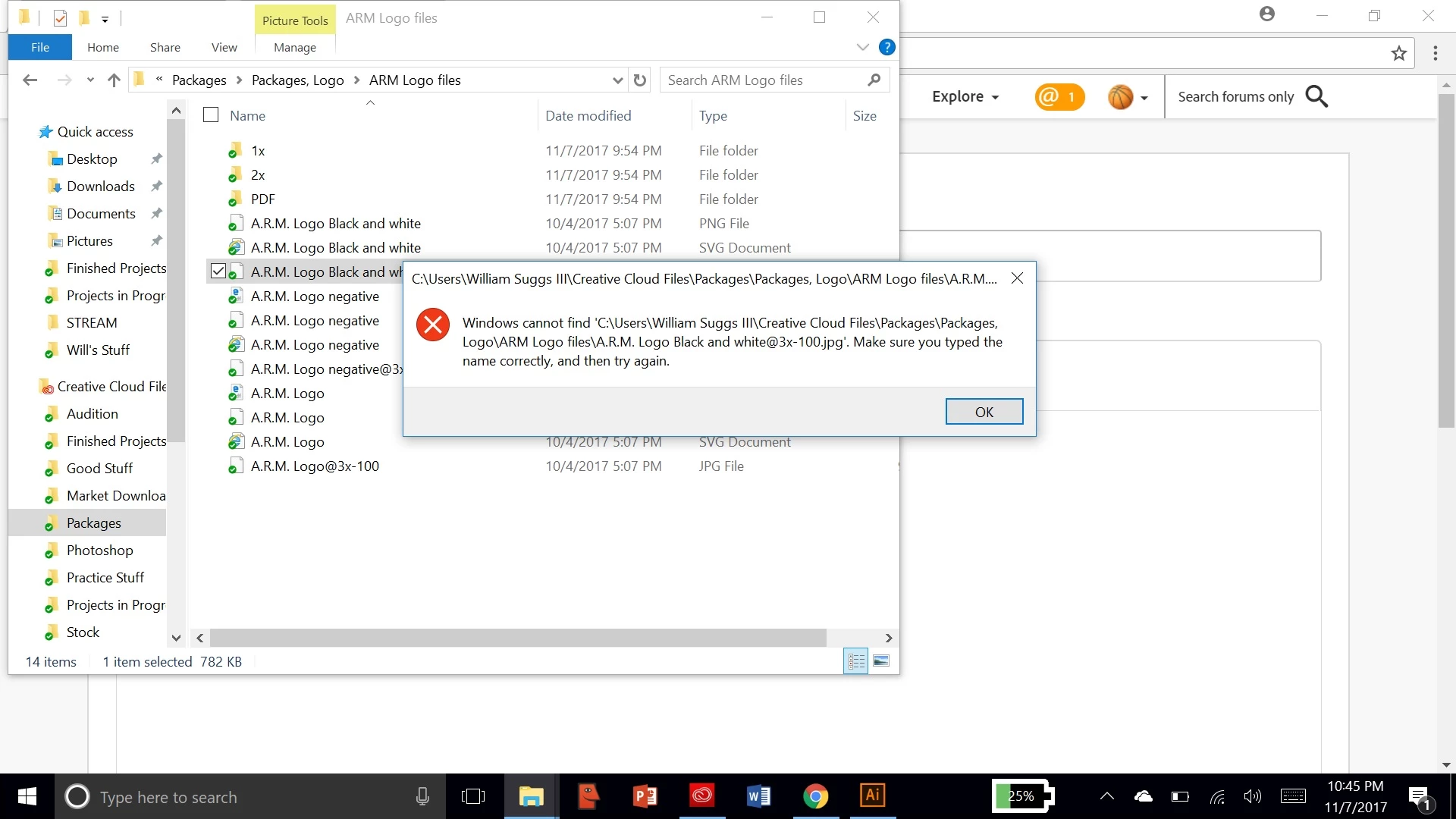
This is something that just started happening, and I'm not sure if it's because of the updates or what, but whenever I try to open any exported files without Illustrator or Photoshop it gives me this message.  Does anybody know how to fix this or why this is happening????

This topic has been closed for replies.

2 replies

Participating Frequently
November 13, 2017

Try removing the comma in the folder name, and the @ from file names. Both should work, however. They work on my machine.

The small white icons beside your .jpg and .png filenames makes it look like your file associations aren't set.

Are you able to open the files by right mouse clicking and choosing Open With... Adobe Photoshop?

If Open With works, you can change the file associations with Choose another App

Mylenium
Legend
November 8, 2017

Start by removing your "creative naming". Windows is pickish about filenames and using @ and other special characters can throw things off.

Mylenium

williams18993099
Participant
November 13, 2017

Sorry for the late response.  How do I do that?  Is that like changing the file name entirely?