

Can't Open Files from File Explorer (Windows 10)
Ever since installing Creative Cloud 2021 apps, I can no longer double-click on an Illustrator file in File Explorer to open it.
If Illustrator is closed when I double-click, it opens and displays a message that Illustrator quit unexpectedly.
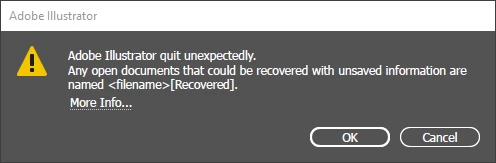
If Illustrator is open when I double-click, nothing happens.
Note that it's not just double-clicking - I can't use Open or Open With either. (When I try either of these, Illustrator opens, but the file does not – unlike double-clicking, this does not cause an error message.)
I have tried everything I can think of... changing permissions, re-installing the apps, editing the registry, three different graphics drivers... nothing works.
The other CC apps that I use (Photoshop, InDesign, Acrobat, Bridge) work fine – it's only Illustrator that has this problem. Because I work in so many different programs in addition to the CC apps, I need to be able to open files from File Explorer.
Any ideas?
Additional Info:
Windows 10 Pro, Version 20H2 (64 Bit), 19042.685
Intel(R) Core(TM) i7-8565U CPU @ 1.80GHz 1.99 GHz
Intel(R) UHD Graphics 620
NVIDIA GeForce GTX 1050 with Max-Q Design
 AdChoices