
Can't Open Files with Embedded Profile Mismatch
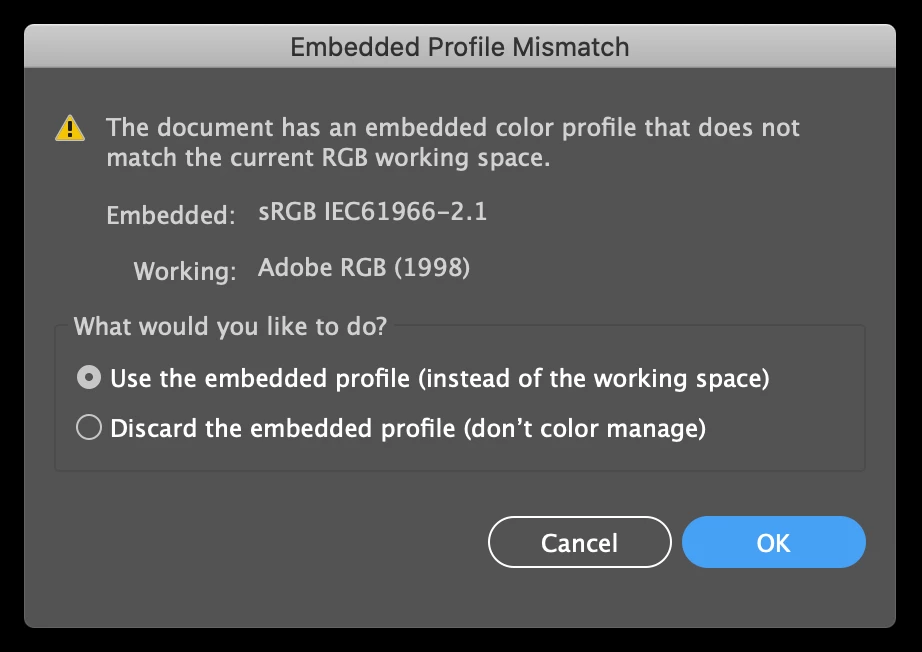
I've been experiencing a bug where Creative Cloud won't sync my color profiles. SUPER annoying, but I can work around it by assigning profiles for each document. When I open most files, this window pops up because Illustrator keeps reverting to Adobe RGB 1998:
Like I said, this is super annoying. I've set my color settings in Bridge to sync, but it's not working.
Sometimes, when this window pops up, no matter which option I choose, I can't open the file. The same window keeps popping right back up instead. I could choose "use embedded profile" or "discard" a thousand times, and I still can't open my file.
What's going on here? 1) I'd like for my color settings to stick across my Adobe apps and stop reverting to Adobe RGB 1998, and 2) I really need to open this document. Please advise.
 AdChoices