Participant
Nov 5, 2020 2:59 PM UTC
Answered

Can`t open Illustrator

Hi, I updated AI. 2 days ago and I can't open it.

It says something about some plugins... but I haven´t done anything different.
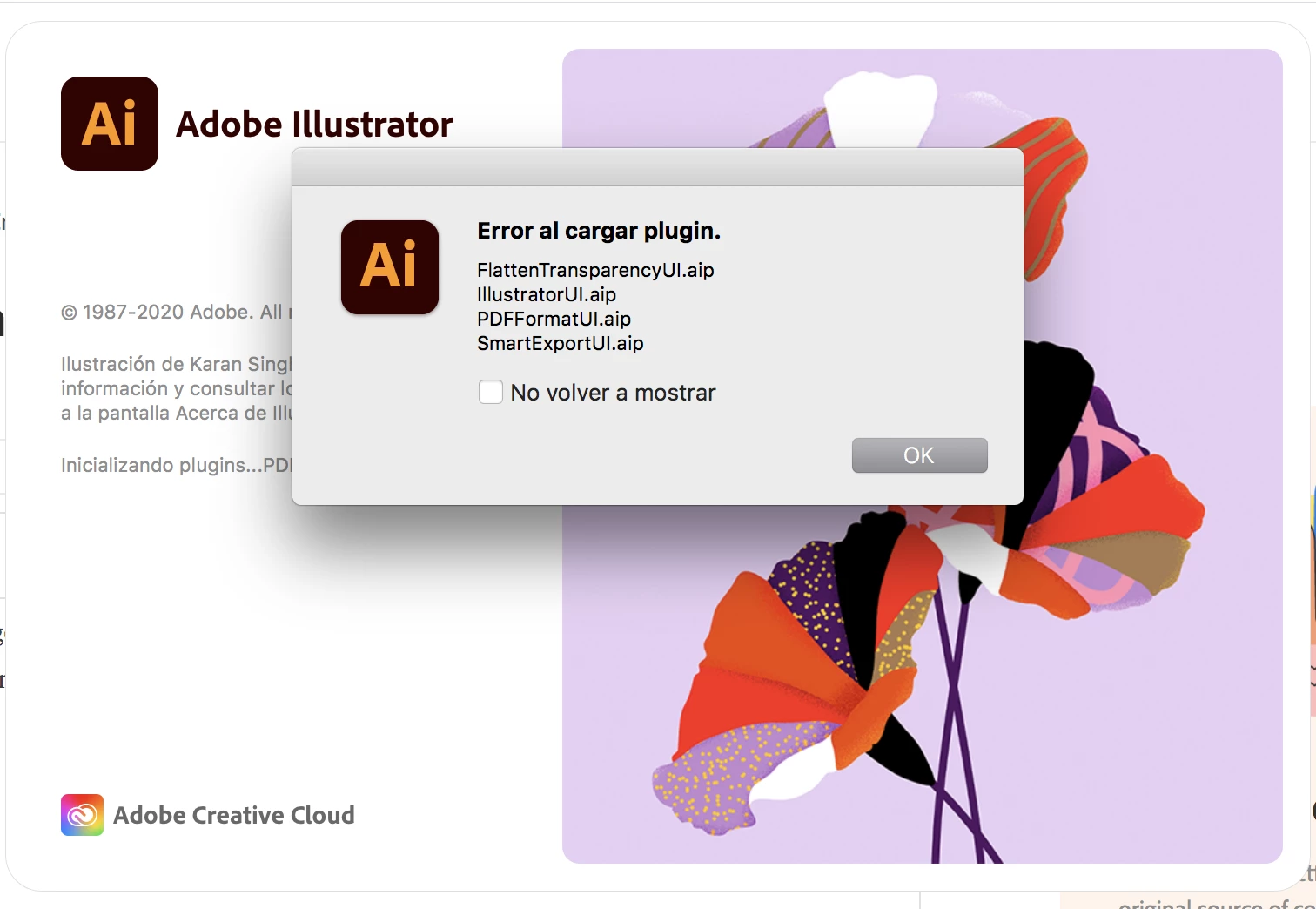


SOS!!!!

This topic is closed to new replies. Start a new post to keep the conversation going.
Ashutosh_Mishra
Ashutosh_MishraCorrect answer
Inspiring
Nov 5, 2020 5:48 PM UTC

Hi there,


Sorry to hear about your experience. Would you mind sharing the version of the OS?
In addition to what Monika has suggested, I'd request you to follow steps given on this help article & let us know if it helps.


Regards,

Ashutosh

9 replies

Participating Frequently
Aug 10, 2024 10:25 AM UTC

Hi there, 


This guys advice was golden. Its what solved it for me after stumbling around in the dark for two days. 


https://community.adobe.com/t5/indesign-discussions/can-t-open-indesign-and-illustrator-apps-on-mac-m1-pro-2021/m-p/14791205


Translate
Ashutosh_Mishra
Ashutosh_MishraCorrect answer
Inspiring
Nov 5, 2020 5:48 PM UTC

Hi there,


Sorry to hear about your experience. Would you mind sharing the version of the OS?
In addition to what Monika has suggested, I'd request you to follow steps given on this help article & let us know if it helps.


Regards,

Ashutosh

Translate
Monika Gause
Community Expert
Community Expert
Nov 5, 2020 4:17 PM UTC

It can't load the plugins. Usually this happens when something has gone wrong when installing.

When was your last computer reboot?

Did you reset preferences when installing?

Translate
Participant
Nov 5, 2020 4:26 PM UTC

Hi, i just reboost it, and nothing....

I did not reset any preferences, I just did it thru creative cloud as usual. 

Translate
Monika Gause
Community Expert
Community Expert
Nov 5, 2020 5:05 PM UTC

In Creative Cloud resetting the preferences needs to be set as an option.


You can try if it helps by renaming the folder as described in here: https://helpx.adobe.com/illustrator/using/setting-preferences.html

Translate