Participant
September 16, 2022
Answered

Can't open older files in Illustrator running on Monterey

  • September 16, 2022
  • 4 replies
  • 709 views

I am running Monterey and among the MANY issues with Adobe and Monterey I see I cannot open any of my files saved from many years of work.


Is anyone else having trouble opening regular files used from older versions?


Is there a fix to this issue as I need to be able to open older files or else the software is no good to me.

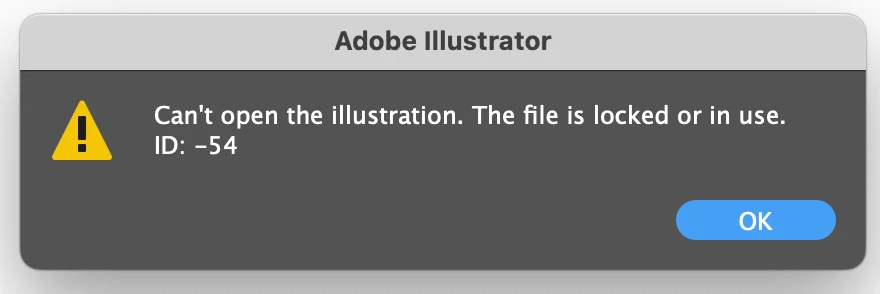
I am getting the attached error.
This topic has been closed for replies.
Correct answer Kevin Stohlmeyer

@Fiona34713696ccq3 permissions are locked from the service/sync. If you are a server admin it should allow you to adjust permissions otherwise find someone who can adjust.


Try disabling Dropbox altogether on your Mac and restart - see if it releases the hold on the files.

4 replies

Kevin Stohlmeyer
Community Expert
Community Expert
September 16, 2022

I can tell you are trying to open the file off a network server or remote drive.

Drag the file local and it should open.

This is a known issue with Macs and servers.

Participant
September 17, 2022

Is this something Adobe is going to fix? Defeats the purpose of having external drives if I have to copy it back to my computer to open it really.

Kevin Stohlmeyer
Community Expert
Community Expert
September 19, 2022

This is not an Adobe problem. Period. Full Stop.

This has to do with the Mac OS and Apple has had no signs of offering support for external sources.


Mike_Gondek10189183
Community Expert
Community Expert
September 16, 2022
  1. On your Mac, select the item, then choose File > Get Info or press Command-I.
  2. Click the arrow 
  3.  next to Sharing & Permissions to expand the section
  4. Click the pop-up menu next to your username to see the permissions settings.
    If you’re not logged in as an administrator, you may need to click the lock to unlock it, then enter an administrator name and password (or use Touch ID or your Apple Watch).
  5. Change the permissions to either Read & Write or “Read only”.
Mike_Gondek10189183
Community Expert
Community Expert
September 16, 2022

What model Mac are you running Monterey on?


Are you running Avast Security?

https://support.avast.com/en-in/article/Allow-Mac-full-disk-access/#pc


Are you  trying to open from a network drive, try copying to your local drive an let us know if that works.

Anubhav M
Community Manager
Community Manager
September 16, 2022

Hello Derrick26156149bw10,


Sorry to hear about this experience. I would request you check whether the files are stored on an external/network drive or a cloud-synced folder. If yes, kindly try moving the files to a location on the internal hard drive like the desktop and opening in Illustrator to check if it helps.


Looking forward to your response.


Thanks,

Anubhav

Participant
September 16, 2022

Yes, I have my files on dropbox which normally open just fine on older version.

Upon putting them on the desktop they open fine.


Is this something Adobe will be fixing in the future do you think, as it defeats the purpose of having external storage for files if I have to copy everything back to my hard drive to actually use them. lol

Kevin Stohlmeyer
Community Expert
Community Expert
September 16, 2022

To be clear this is a Mac OS issue, not an Adobe issue. Same problems persist when using Office products too. The Mac OS is not refreshing its connection to remote sources fast enough and causes the files to think they are still open. Force quitting your Finder also resolves it but thats drastic. Been this way for years, but newer Mac OSes are making it worse.